
Instructions
Windows 10 – Installation and Activation
This guide shows how to install and activate Windows 10. Follow the steps to download, install, and activate your copy of Windows.
Download and Install Windows 10
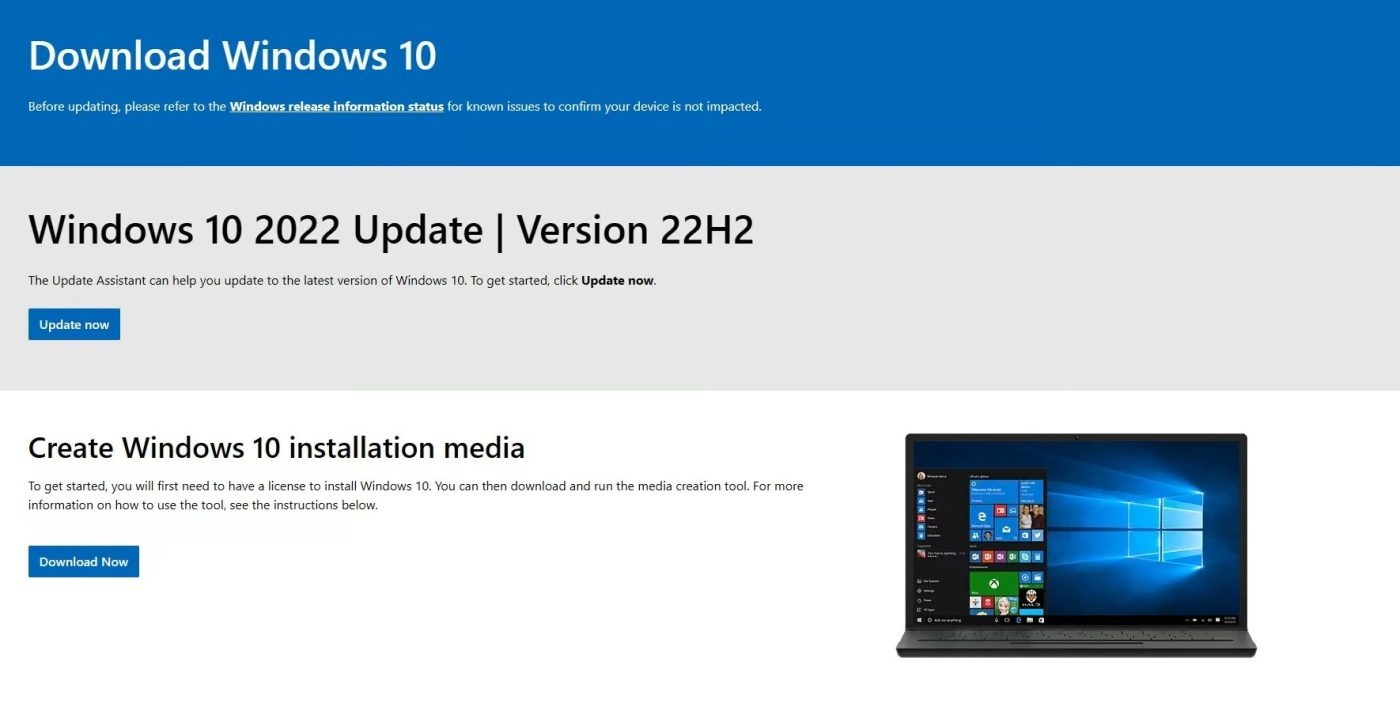
- Visit Microsoft’s Windows 10 download page.
- Choose your preferred installation method (e.g., Upgrade Now or Create Installation Media).
- Follow the on-screen instructions to download and install Windows 10.
Note: You can start the Windows 10 setup by clicking the button below.
Open Activation Settings
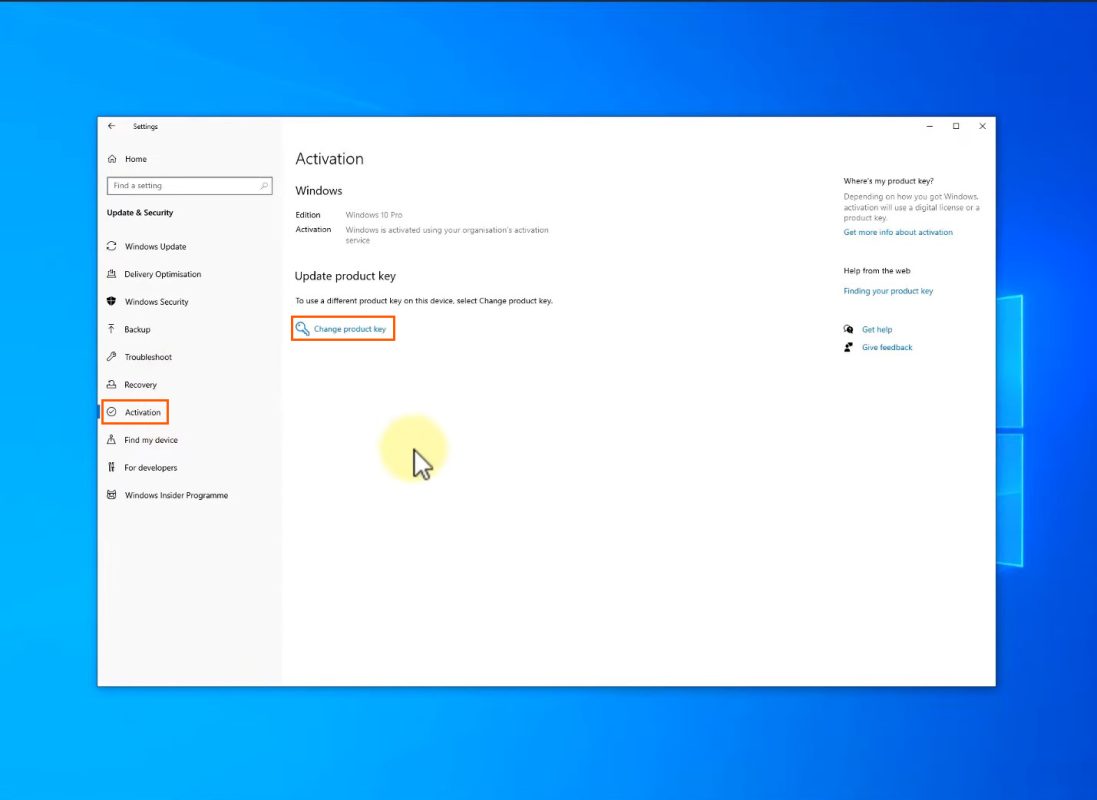
- Click the Start button in the bottom-left corner of your screen.
- Go to Settings, then select Update & Security.
- In the Activation section, click Change product key.
Activating Windows 10
- Open the Activation Settings.
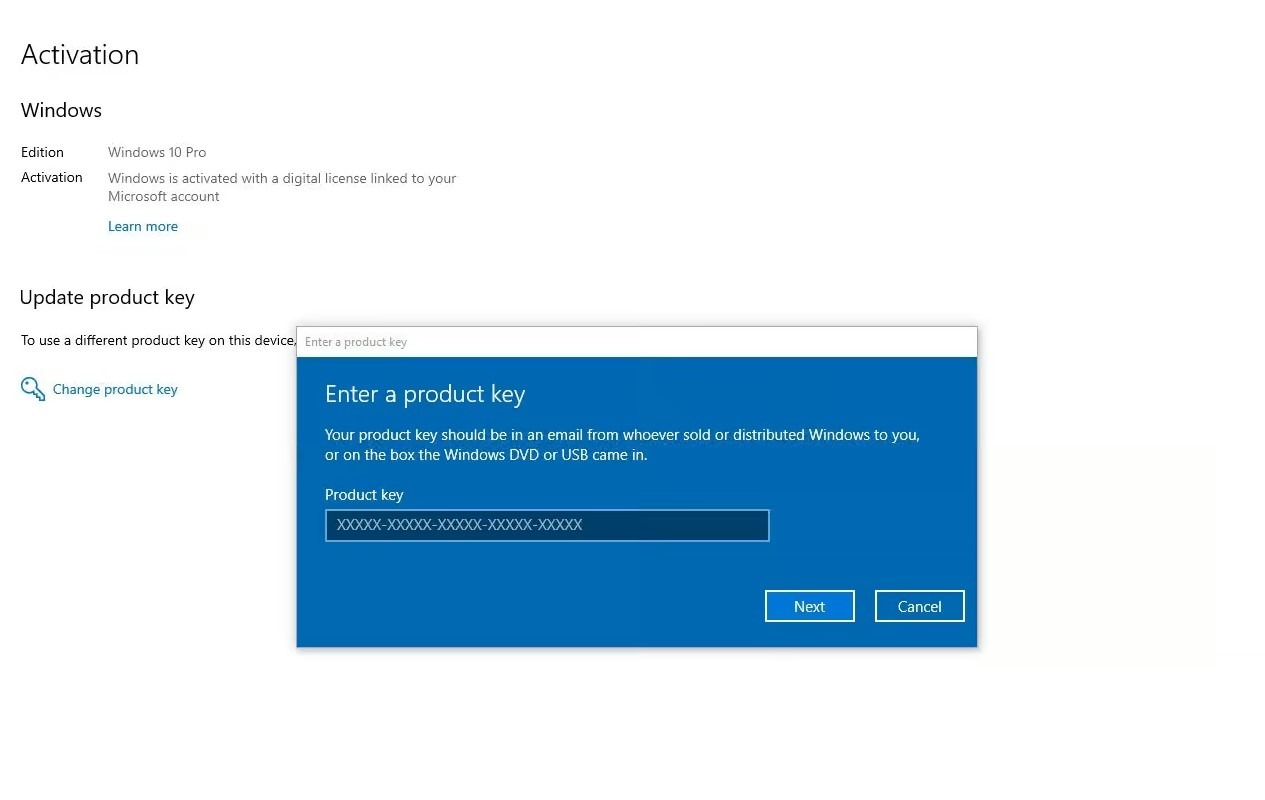
- Click Change product key.
- Enter your valid 25-character product key.
- Click Next and follow the on-screen instructions.
Once these steps are completed, Windows 10 will be successfully activated.
Troubleshooting and Activation Issues
If you encounter any issues or require assistance, please contact us via our live chat at https://officedigital.io/ or email us at [email protected]. Our support team is available 24/7 to assist you.