
Instructions
Step-by-Step Guide to Installing and Activating Windows Server
Installing and activating Windows Server can seem like a complex task, but with the right steps, the process becomes much simpler. This guide shows the entire installation and activation process for Windows Server, from preparing your system to configuring your server and activating the software. It works for a first-time setup and for an upgrade to a new version.
Need a key? See Windows Server 2025 Standard or Windows Server 2022 Standard.
1. Install Windows Server
- Download the official Windows Server ISO from the Microsoft website.
- Create a bootable USB drive using tools like Rufus or mount the ISO in a virtual machine.
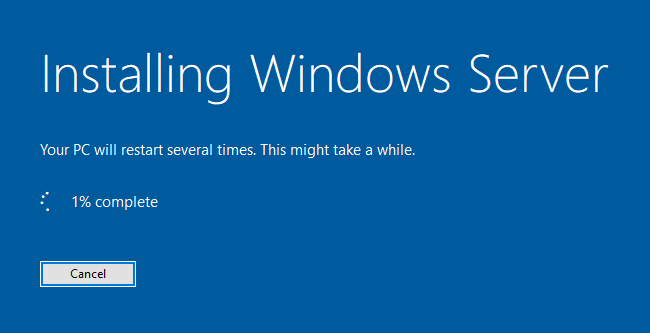
- Boot your system from the installation media and select Install Now.
- Choose the Windows Server edition you wish to install.
- Follow the on-screen prompts to configure partitions and complete the installation.
- Set up an administrator account once installation is finished and log in.
2. Activate Windows Server
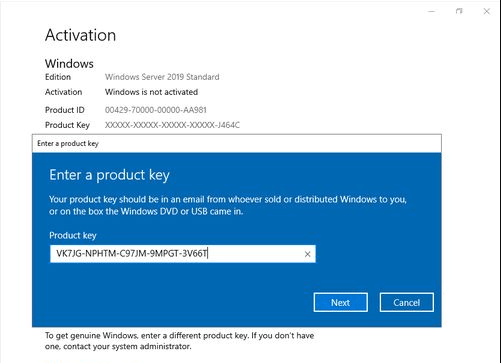
- Once the installation is complete, go to Settings > Update & Security > Activation.
- Click on Change product key and enter your 25-character Windows Server key.
- Click Next, and Windows Server will activate automatically if connected to the internet.
3. Activate via Command Prompt (If Needed)
If activation fails, follow these steps:
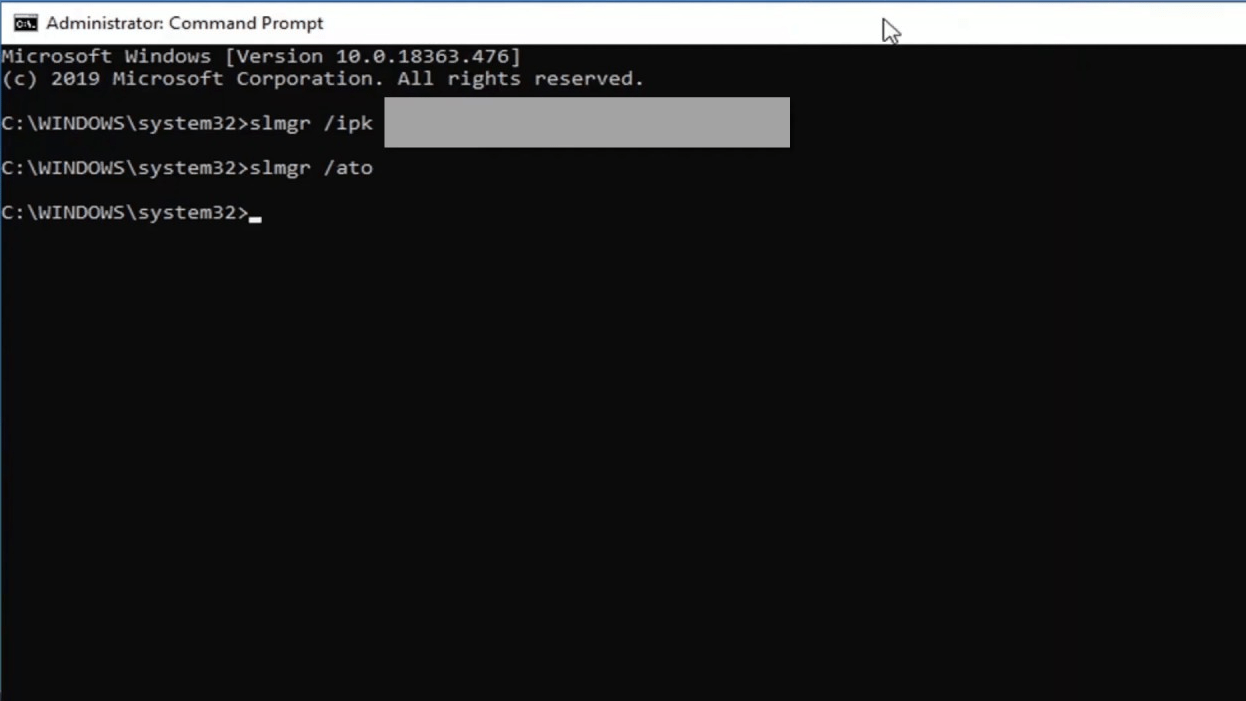
- Open Command Prompt as Administrator.
- Type
slmgr /ipk {YOUR-PRODUCT-KEY}and press Enter. - Then, type
slmgr /atoand press Enter. - Wait for the confirmation message that indicates successful activation.
By completing these steps, your Windows Server will be successfully installed and activated.
Troubleshooting and Activation Support
If you experience any issues during activation or need assistance, our support team is here to help. Reach out to us anytime via live chat at https://officedigital.io/ or email us at [email protected]. We’re available 24/7.