
Instructions
Is It Safe to Buy a Cheap Windows 11 Key?
Apr
A lot of people search for a cheap Windows 11 key because the official Microsoft price can feel high, especially if they are building a new PC or upgrading several devices. Microsoft currently lists the full Windows 11 Pro download at $199.99 in its store, so it is easy to see why buyers compare other options first.
The real question is not just whether a cheap Windows 11 key is affordable. It is whether it is safe, whether it will activate properly, and whether the seller is clear about what you are buying. Microsoft’s support guidance explains that Windows activation depends on either a valid digital license or a valid 25-character product key, so the quality and legitimacy of the key matter.
Why Cheap Windows 11 Keys Attract Buyers
There are obvious reasons people look for lower-cost keys.
Microsoft’s official price is not low
For many users, paying full retail price for Windows 11 Pro feels expensive, especially when the PC itself already cost a lot. Microsoft’s store shows Windows 11 Pro as a paid download rather than a small add-on purchase.
Many buyers only need activation
Some users already have Windows installed and simply need a valid key to activate it. Others are upgrading from Home to Pro and want the extra features without overspending.
Cheap does not always mean fake
A lower price alone does not automatically mean something is unsafe. The real issue is whether the seller is transparent, whether the key matches a legitimate activation path, and whether support is available if something goes wrong. That is the part buyers should evaluate carefully. This last point is an inference based on Microsoft’s activation model and counterfeit-risk guidance, rather than a claim Microsoft makes in those exact words.
So, Is It Safe to Buy a Cheap Windows 11 Key?
The honest answer is: sometimes, but not always.
A cheap Windows 11 key can be safe if the seller is trustworthy, the product is clearly described, and the activation path is legitimate. But Microsoft warns that stolen or counterfeit product keys may fail to activate, may already be in use on another PC, or may later be blocked if reported stolen.
That means the real risk is not just losing money on a bad key. It is also wasting time, dealing with activation errors, and ending up unsure whether your copy of Windows is genuine.
What Can Go Wrong with a Suspiciously Cheap Key?
This is the section most readers are really looking for.
The key may not activate at all
Microsoft states that Windows activation requires a valid digital license or a valid product key. If the key is invalid, already used, or not appropriate for your setup, activation may fail.
The key may work at first, then become a problem later
Microsoft’s support community guidance notes that stolen or counterfeit keys may initially seem usable but can later be blocked once reported.
You may not get meaningful support
If you buy from a seller with no real support path, you may be left on your own when activation issues appear. Microsoft’s activation guidance includes troubleshooting steps because activation problems do happen, especially after reinstallations or hardware changes.
Some counterfeit software carries security risks
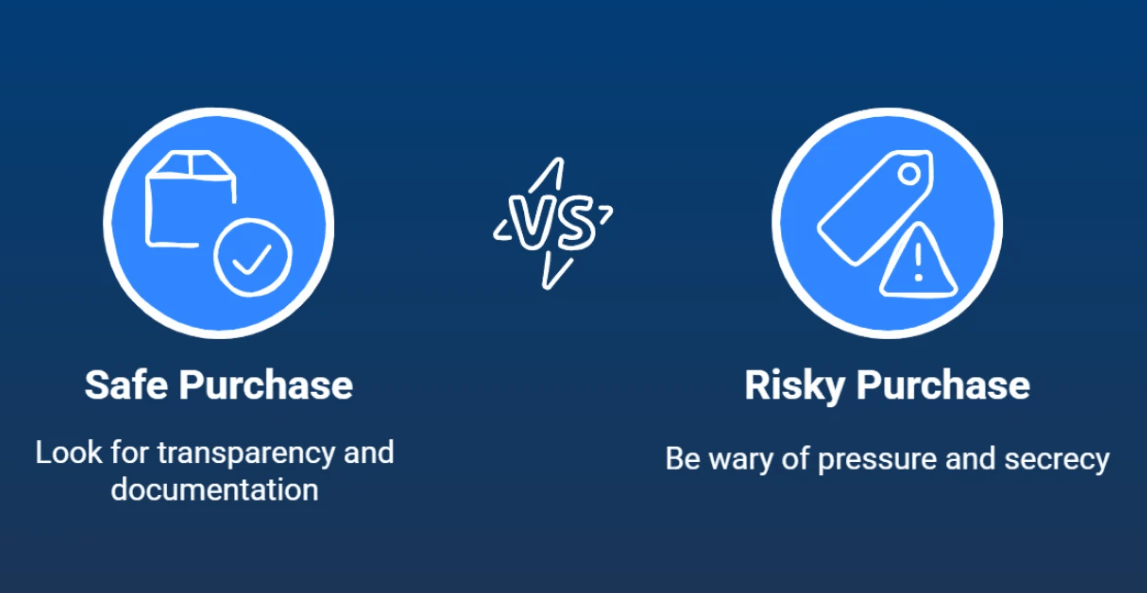
Microsoft warns that counterfeit software can expose users to malware, data loss, and weak security protections. That warning is published most directly for Office and counterfeit software more generally, but the same risk logic applies whenever buyers get software or software-related materials from untrustworthy sources.
What to Check Before You Buy
Clear product naming
The page should clearly say whether the product is Windows 11 Home, Windows 11 Pro, or an upgrade path. If the wording is vague, that is a warning sign.
Real activation guidance
A trustworthy seller should either explain activation steps or at least make clear what the buyer should expect. Microsoft’s official support articles explain how users can check activation status and change a product key inside Windows settings.
Visible support
If a key does not activate, is there a support channel? That matters a lot. A seller that offers real customer support is safer than one that only takes payment and disappears.
Realistic claims
Be careful with pages that promise impossible things, use overly dramatic wording, or avoid basic licensing details. Trustworthy sellers usually sound clear and specific, not vague or exaggerated.
Cheap vs Unsafe: They Are Not the Same Thing
This is an important distinction.
A low-cost key is not automatically unsafe just because it is cheaper than Microsoft Store pricing. Microsoft’s own materials focus on whether software is genuine and whether the activation method is valid, not on the idea that every lower-priced offer is fake by default.
What matters most is this:
- Is the product clearly labeled?
- Does the key match the Windows edition you need?
- Does the seller explain delivery and activation?
- Is support available if there is a problem?
That is the smarter way to judge a cheap Windows 11 key.
If you decide to buy a Windows 11 key, choose a seller that clearly explains the product, activation, and support so you know exactly what you are getting.
FAQ
Is a cheap Windows 11 key always fake?
No. A lower price does not automatically prove a key is fake. The bigger issue is whether the key is valid and whether the seller is trustworthy. Microsoft warns that counterfeit or stolen keys may fail to activate or may later be blocked.
Why are some Windows 11 keys much cheaper than Microsoft Store?
Microsoft’s own store price for Windows 11 Pro is significantly higher than many third-party offers, which is why buyers compare options. The price difference alone does not prove safety or risk, so buyers should focus on transparency, support, and activation reliability.
What is the biggest risk when buying a very cheap key?
The main risks are failed activation, reused or blocked keys, and poor support if something goes wrong. Microsoft notes that stolen or counterfeit keys can already be in use or later become blocked.
Can a counterfeit key create security problems?
Microsoft warns that counterfeit software can expose users to malware, weak security, corrupted files, and data loss.
What should I check before buying?
Check the Windows edition, activation guidance, support availability, and whether the seller clearly explains what is being sold. That checklist is a practical inference from Microsoft’s activation and counterfeit guidance.