
Instructions
Best Microsoft Word Features You Should Know
Apr
Microsoft Word is much more than a basic typing app. It includes writing tools, editing features, collaboration options, accessibility improvements, and productivity shortcuts that can save a lot of time. Microsoft’s current Word pages highlight features such as Editor, Track Changes, version history, templates, Dictate, Immersive Reader, and Accessibility Checker as some of the core tools that help users write and work more effectively.
If you only use Word for simple documents, you may be missing some of its most useful features. These are the best Microsoft Word features worth knowing if you want cleaner documents, faster writing, and better results.
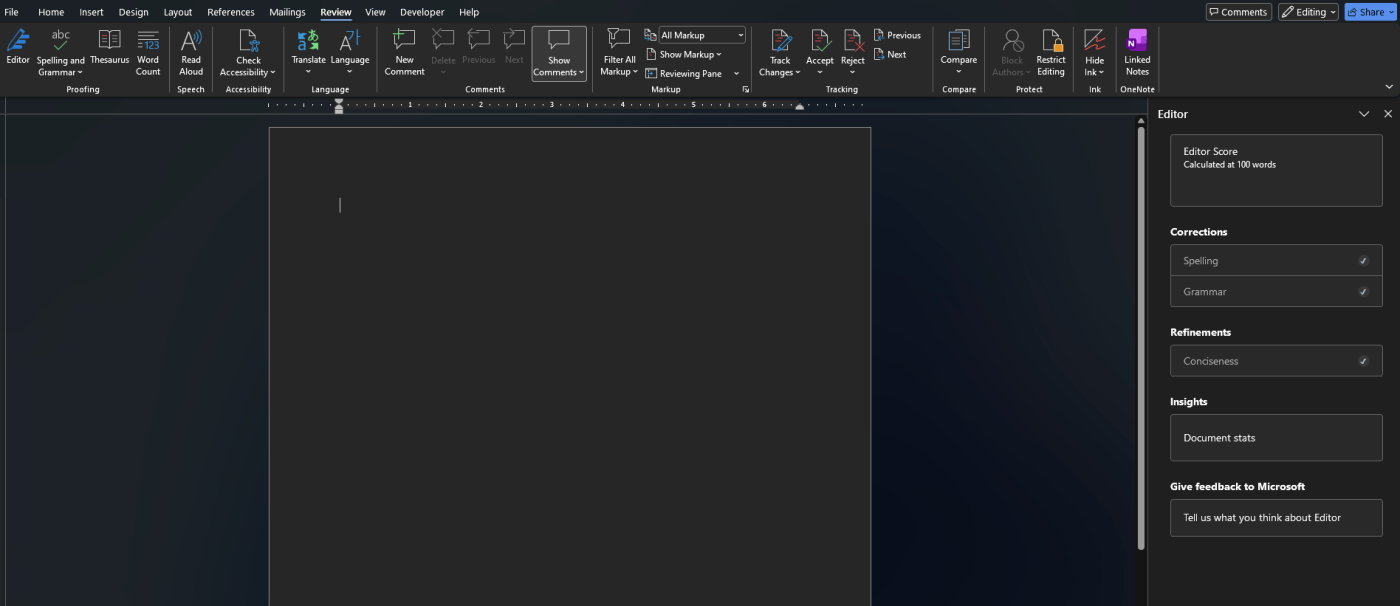
Editor in Word
One of the most useful built-in features is Editor.
Microsoft says Editor helps improve grammar, spelling, and writing style. It is one of the easiest ways to clean up a document quickly, especially if you are writing emails, schoolwork, reports, or business documents.
This feature is useful because it does more than spellcheck. It can also help make writing clearer and more polished.
Track Changes
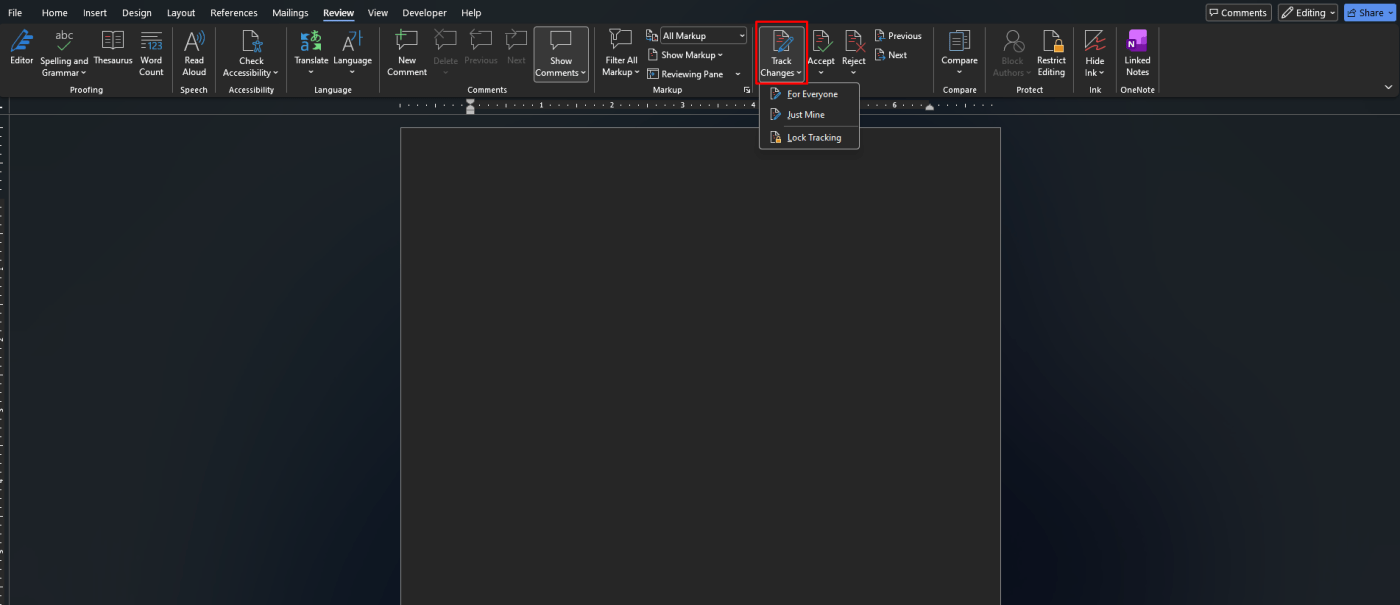
If you work with other people, Track Changes is one of the most important Word features.
Microsoft says Word lets you keep track of edits while collaborating in real time. That makes it easier to review changes, accept or reject edits, and see exactly what another person changed in the document.
This is especially helpful for:
- school assignments
- team documents
- business drafts
- edited reports or contracts
Real-Time Collaboration
Microsoft Word is much better when more than one person is working on the same file.
Microsoft says you can share with anyone, collaborate in real time, and even work with people who do not have an account in some sharing scenarios. Word also keeps track of edits with version history and collaboration tools.
For group work, this is one of the biggest time-saving features in Word.
Templates
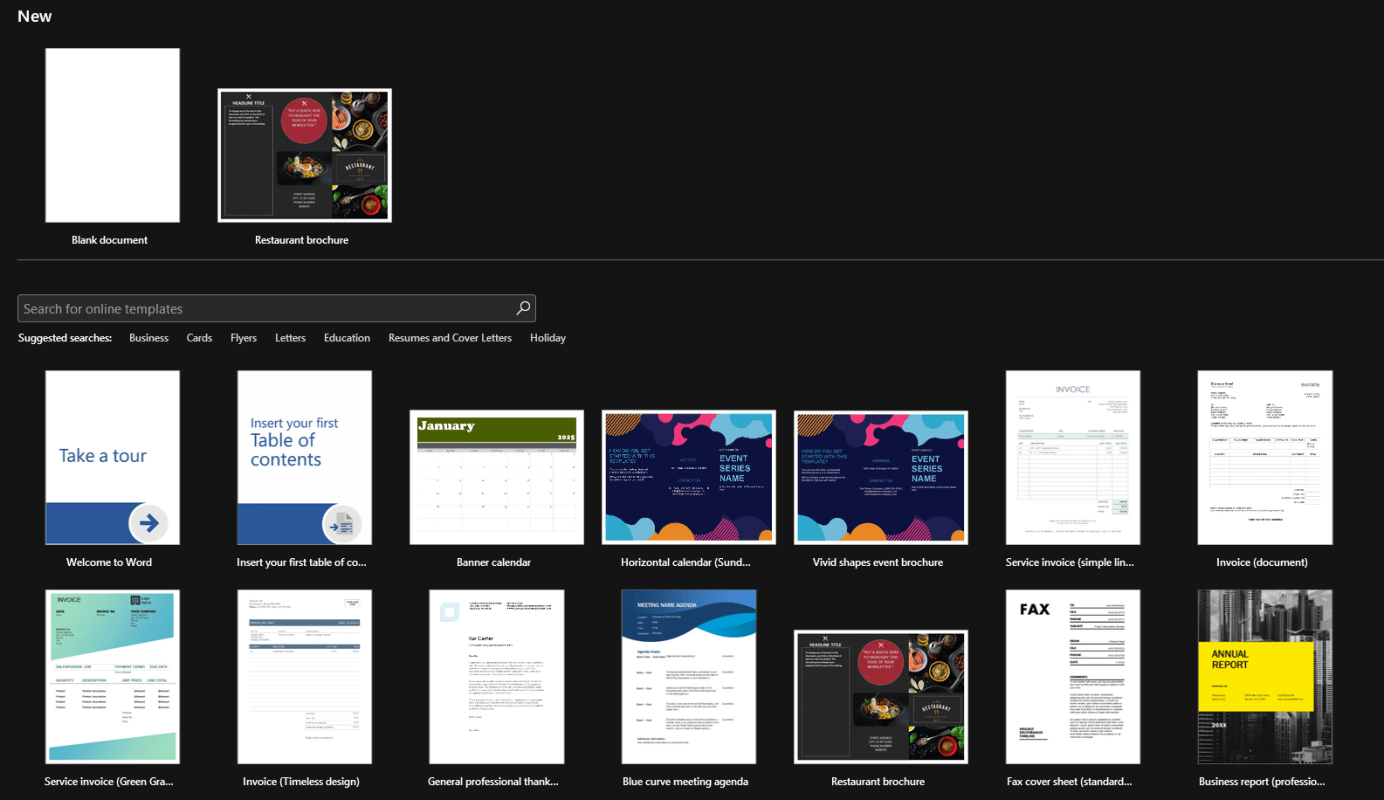
A lot of people still start every document from a blank page, but Word includes templates that can save a huge amount of time.
Microsoft says Word includes thousands of customizable free templates for different uses. That makes it easier to create resumes, letters, reports, calendars, flyers, and other documents without building everything from scratch.
Templates are one of the simplest ways to make documents look more professional fast.
Dictate and Voice-to-Text
If you prefer speaking over typing, Dictate is a feature worth using.
Microsoft says Word includes speech-to-text so you can capture ideas by voice and even transcribe audio in Word with Dictate.
This can be very useful for:
- taking fast notes
- drafting ideas
- writing when typing feels slow
- improving productivity on long documents
Immersive Reader
Microsoft says Immersive Reader helps reduce distractions and improve comprehension with a more focused reading experience.
This feature is especially useful if:
- you want a cleaner reading view
- you are reviewing long documents
- you need help focusing on text
- you are checking how readable your content feels
It is one of Word’s most underrated features.
Accessibility Checker
Accessibility matters more than many users realize.
Microsoft says Accessibility Checker helps make content easier for everyone to read by offering recommendations around format, color contrast, and word choice.
This is especially useful for:
- school or university work
- business documents
- shared files
- public-facing content
Version History
Version history is one of those features people appreciate most after something goes wrong.
Microsoft says Word keeps track of edits with version history, which helps when you need to review earlier changes or recover a better previous draft during collaboration.
If you have ever overwritten a good draft by mistake, this feature matters a lot.
Word 2024 Improvements
If you are using a newer perpetual version, Word 2024 also adds some useful improvements.
Microsoft’s Word 2024 feature page highlights recover your session after Word closes unexpectedly, support for the OpenDocument Format 1.4, and a more modern Office design across the newer generation. Those updates make Word 2024 feel more current than older standalone releases.
For buyers comparing Word versions, newer features like these are one reason the latest release can make more sense.
Copilot Features in Word
Microsoft also highlights Copilot in Word as a major part of the newer Word experience for Microsoft 365 users.
On Microsoft’s Word page, Copilot features include help with drafting, rewriting, summarizing, and getting writing suggestions. Microsoft positions this as part of the Microsoft 365 subscription experience rather than the basic free experience.
This matters because not every Word user has access to the same AI features, but it is still one of the biggest feature areas Microsoft is pushing right now.
Which Word Features Matter Most?
For most people, the most useful Microsoft Word features are:
- Editor
- Track Changes
- real-time collaboration
- templates
- Dictate
- Immersive Reader
- Accessibility Checker
- version history
These are the features that most directly improve writing quality, speed, and teamwork based on how Microsoft presents Word’s current core capabilities.
Quick Verdict
The best Microsoft Word features are the ones that save time and improve writing without much effort. For most users, Editor, Track Changes, templates, Dictate, and collaboration tools are the most valuable everyday features, while Immersive Reader and Accessibility Checker are some of the most overlooked.
If you only use Word as a typing app, you are probably missing a lot of what makes it useful.
FAQ
What are the best Microsoft Word features?
Some of the best Microsoft Word features are Editor, Track Changes, templates, Dictate, Immersive Reader, Accessibility Checker, and version history, all of which Microsoft highlights on its current Word pages.
Does Microsoft Word have voice typing?
Yes. Microsoft says Word includes speech-to-text with Dictate, and it can also help transcribe audio in Word.
Can Microsoft Word track document edits?
Yes. Microsoft says Word can keep track of edits with Track Changes and version history while collaborating.
Does Word include accessibility tools?
Yes. Microsoft says Accessibility Checker provides recommendations to improve accessibility, including format, color contrast, and wording.
Get the cheapest Office keys with instant delivery and hassle-free activation – upgrade your productivity today!