
Instructions
Windows 11 24H2 vs 25H2 vs 26H1: What’s the Difference?
Jun
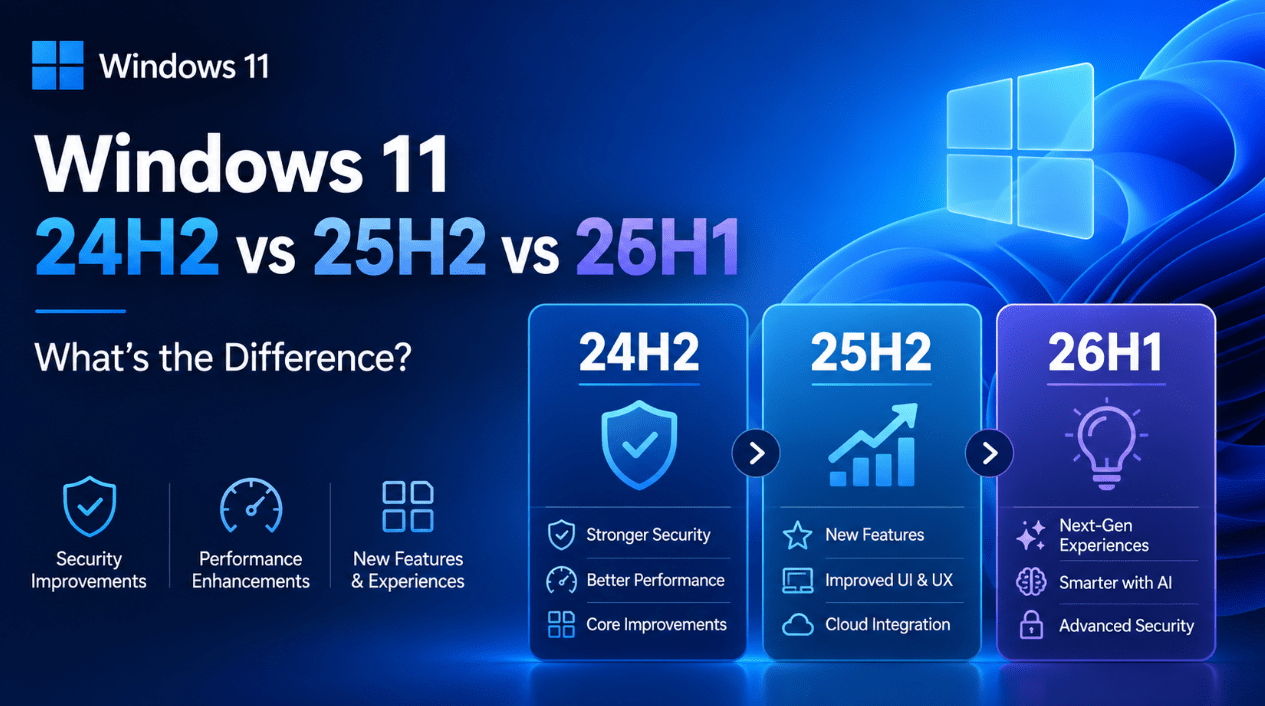
If you have been following Windows 11 updates lately, you have probably seen version names like 24H2, 25H2, and 26H1 and wondered what they actually mean. They sound similar, but they are not all the same kind of update.
The short answer is this:
- 24H2 is the big 2024-era foundation release
- 25H2 is the lighter follow-up update built on top of 24H2
- 26H1 is a newer release line aimed at newer devices, not a normal upgrade path for everyone already on 24H2 or 25H2
That is the part most users miss. These versions are related, but they do not all behave the same way.
What the Version Names Mean
Windows version names like 24H2 and 25H2 use a year-and-half naming style.
- 24H2 means the second half of 2024
- 25H2 means the second half of 2025
- 26H1 means the first half of 2026
That helps explain the timeline, but it does not tell you how big each release is or whether it arrives as a full feature update or a smaller enablement-style update.
Windows 11 24H2: The Big Base Version
For most users, 24H2 is the important baseline version in this comparison.
This is the version that set up the branch that later versions build from. It is the one that feels like the bigger jump in the three-way comparison.
For normal users, 24H2 is best understood as:
- the major base release
- the version that introduced the platform many later updates build on
- the version many PCs were already running before 25H2 arrived
If you are on 24H2, you are not on an outdated build right away. But you are on the older side of this current version line.
Windows 11 25H2: The Smaller Follow-Up
25H2 is different from 24H2 in an important way.
It is not the same kind of heavyweight shift. For many users, 25H2 is better thought of as the refinement release on top of 24H2.
That means:
- the jump is usually smaller
- the install path is easier for supported 24H2 systems
- it is more about enabling and rolling forward the next support cycle than completely reshaping Windows
For many people, this is good news. It usually means less disruption and a more straightforward upgrade path.
Windows 11 26H1: The Special Case
This is where the comparison gets more confusing.
Unlike 25H2, 26H1 is not just the next routine in-place step for everybody already on 24H2 or 25H2.
That matters a lot.
If you were assuming the path was simply:
24H2 → 25H2 → 26H1
that is not the right way to think about it.
26H1 is better understood as:
- a newer release line
- more closely connected to newer hardware rollout
- not the normal next click-and-install update for every existing Windows 11 device
For many readers, this is the single most important difference in the entire topic.
The Biggest Difference at a Glance
If you want the simple comparison:
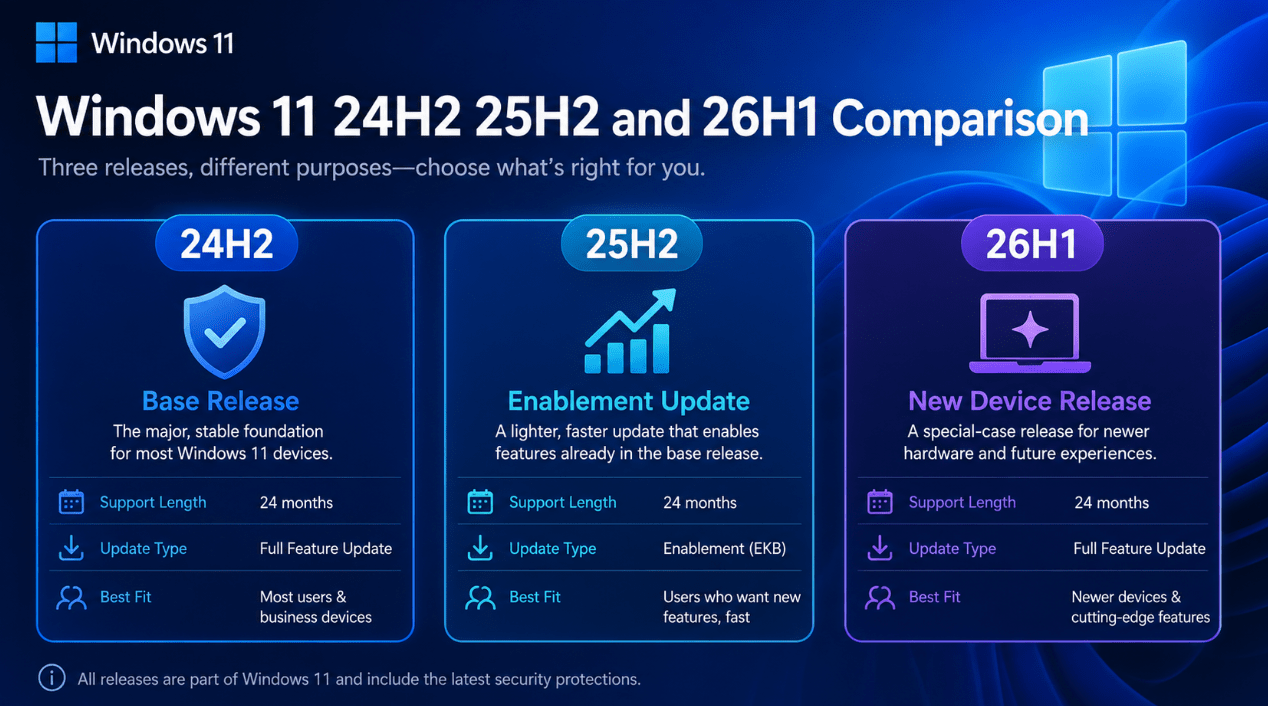
24H2
- bigger foundation release
- older of the three current versions
- normal, mainstream Windows 11 branch for many existing PCs
25H2
- smaller update on top of 24H2
- easier upgrade path for many users already on 24H2
- newer support clock than 24H2
26H1
- separate newer release line
- aimed at newer devices
- not a standard in-place upgrade from 24H2 or 25H2
Which Version Has the Longest Support?
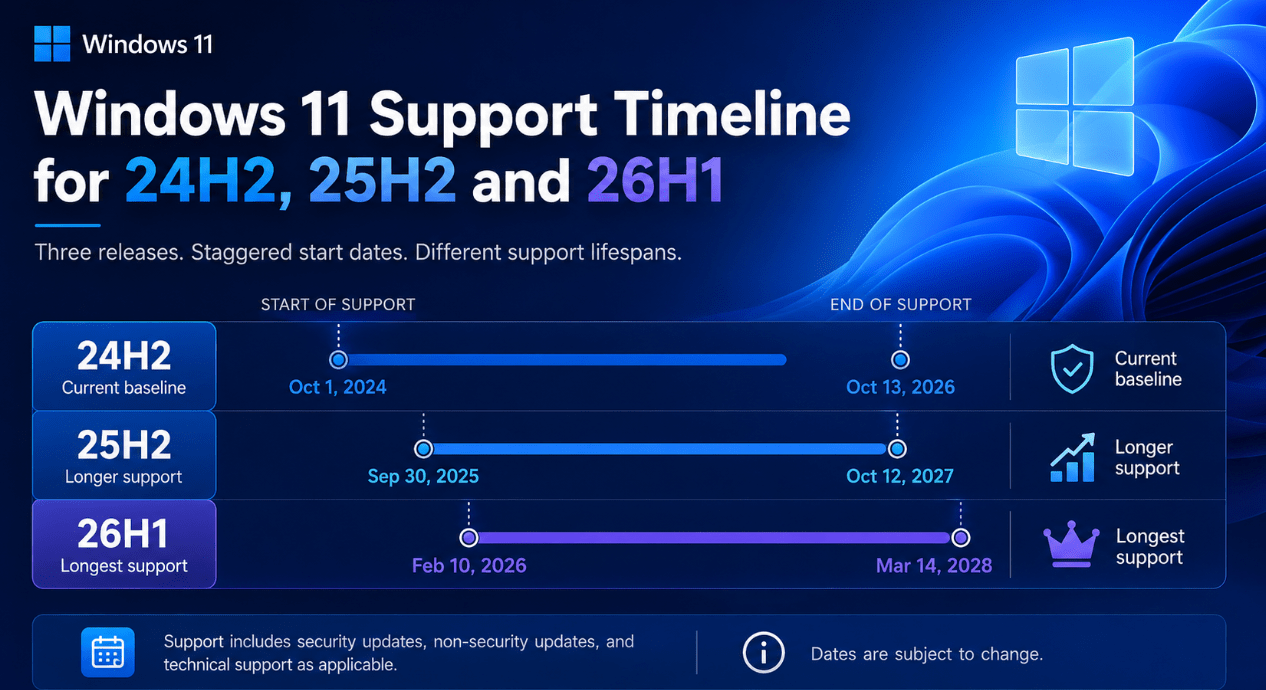
For Home and Pro users, newer supported versions generally mean a later end date.
So in simple terms:
- 24H2 has the earliest end date of the three
- 25H2 lasts longer than 24H2
- 26H1 lasts longer than both
That does not automatically mean everyone should chase 26H1, because support length is only one part of the decision. Availability and upgrade path matter too.
Should You Upgrade from 24H2 to 25H2?
For most supported users already on 24H2, 25H2 is the more natural next move.
Why?
Because it is:
- the cleaner next step
- the more standard update path
- the version with the newer support window
- the one meant for broader existing-device rollout
If your PC offers 25H2 and there are no compatibility holds affecting your device, it is usually the version that makes the most sense to move to.
Should You Wait for 26H1 Instead?
For most normal users, no.
The reason is simple:
26H1 is not the normal “wait for the next one” update path from 24H2 or 25H2.
If you are on an existing Windows 11 PC, waiting specifically for 26H1 may not make practical sense the way waiting for a normal annual feature update would.
So if you are deciding between staying on 24H2 or moving to 25H2, the real comparison for most people is:
- stay on 24H2 for now
- or move to 25H2 when it is offered
For most users, 25H2 is the smarter next version.
Which Version Is Best for Most Users?
Best for most current Windows 11 users:
25H2
That is because it offers:
- newer support
- a simpler upgrade path from 24H2
- less confusion than trying to aim for 26H1
- a more normal rollout path for existing systems
Best if you are already on a stable supported system and not rushing:
24H2 is still fine temporarily
If your PC is stable and fully updated, you do not need to panic just because 25H2 exists. But longer term, 25H2 is the better place to be.
Best only in a more specific hardware context:
26H1
26H1 is important, but not as the default “everyone should skip to this” answer.
What This Means for Buyers
This topic also matters if you sell Windows licenses or write for buyers.
A lot of users are trying to understand:
- whether their Windows 11 version is current
- whether they should reinstall
- whether they need a new PC
- whether a newer version automatically means they should switch
For buyers, the practical guidance is:
- if the PC runs Windows 11 well and supports the next normal update path, 25H2 is usually the target
- if the user is shopping for brand-new hardware, 26H1 may be more relevant
- if they are still on 24H2, they are not instantly behind, but they are on the older side of the current branch
Common Mistakes People Make
Thinking 25H2 is a totally separate major rebuild
It is better understood as the lighter follow-up on top of 24H2.
Assuming 26H1 is the normal next update for everyone
It is not.
Thinking 24H2 is useless now
It is not. It is still part of the supported current Windows 11 landscape, just not the longest-lived one.
Only looking at version number and not rollout path
Version number matters, but support dates and update path matter just as much.
What Should You Do Right Now?
If you want the most practical advice:
If you are on 24H2
Stay updated for now, but plan to move to 25H2 when it is available for your device.
If you are on 25H2
You are in a strong position for most normal current devices.
If you are looking at 26H1
Treat it as a newer-device version story, not the automatic next upgrade target for every existing Windows 11 PC.
Quick Verdict
The easiest way to understand this topic is:
- 24H2 is the base
- 25H2 is the refinement
- 26H1 is the newer special-case branch for newer devices
For most existing Windows 11 users, 25H2 is the version that makes the most sense if offered. It keeps you on the newer support cycle without the confusion that comes from treating 26H1 like a routine next-step update.
FAQ
Is Windows 11 25H2 a major update?
It is newer than 24H2, but for most users it is better understood as a lighter follow-up release rather than a full heavy rebuild.
Do I need to reinstall Windows to move from 24H2 to 25H2?
For many users on 24H2, the move to 25H2 is meant to be simpler than a traditional large feature update.
Can I upgrade from 24H2 or 25H2 directly to 26H1?
26H1 should not be treated as the normal in-place next step for existing 24H2 or 25H2 devices.
Which version should most users choose?
For most current Windows 11 users, 25H2 is the clearest and most practical target.
Keep your PC current with genuine Windows licenses, instant delivery, and simple activation so you are ready for the next Windows 11 update path.