
Instructions
Biggest Windows Trends to Watch for the Rest of 2026
Jun
Windows is moving through a bigger transition than many people realize. The rest of 2026 is not just about another small round of updates. It is about a broader shift in how Microsoft is positioning Windows: more AI features, more pressure to move away from Windows 10, more focus on Copilot+ PCs, and a clearer split between standard Windows 11 devices and newer hardware built for AI-first experiences.
For users, buyers, and anyone writing about Microsoft products, that means the rest of 2026 is worth watching closely. Some trends are already visible now, while others are likely to become even more important over the next several months.
The Short Answer
If you want the simple version, the biggest Windows trends to watch for the rest of 2026 are:
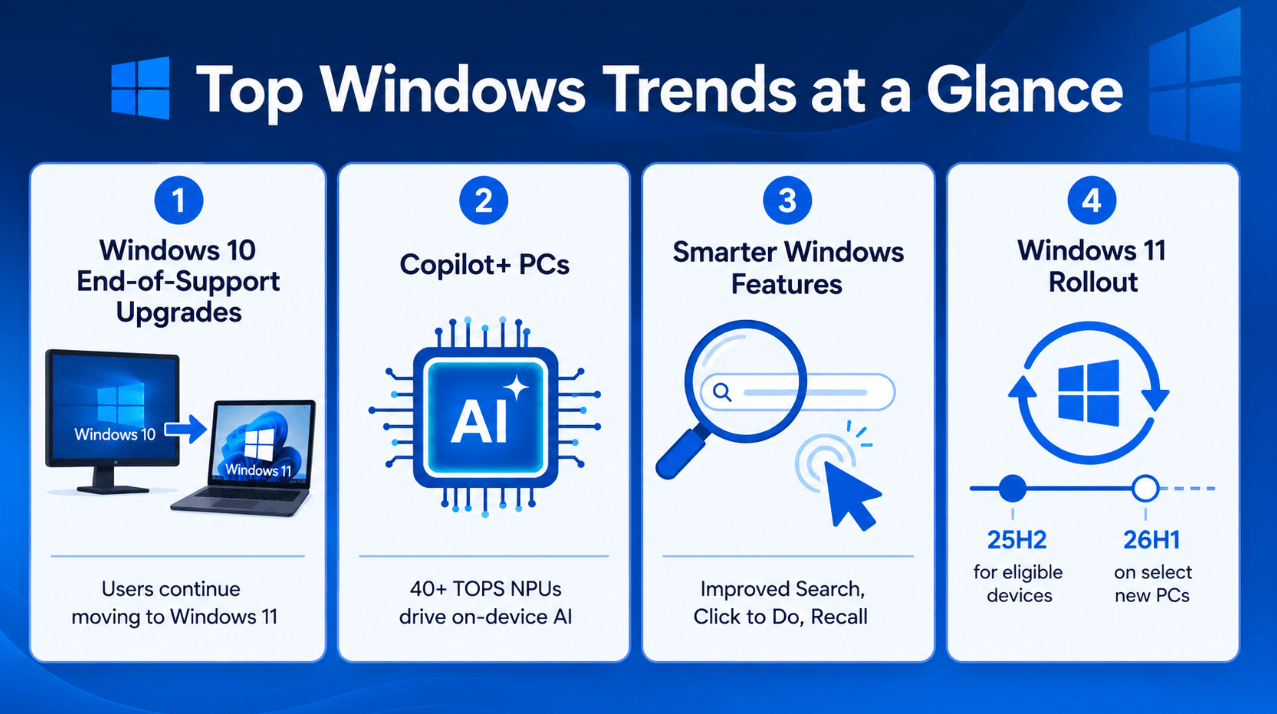
- continued migration away from Windows 10
- broader rollout of Windows 11 25H2
- growing attention on Copilot+ PCs
- more Windows features built around on-device AI
- smarter built-in tools like improved Windows Search and Click to Do
- a more hardware-specific Windows future, especially around 26H1 and newer devices
In short, Windows in late 2026 is increasingly about AI-ready hardware, supported Windows 11 versions, and more useful built-in experiences.
1. The Windows 10 Exit Is Still One of the Biggest Stories
Even though Windows 10 support already ended in 2025, the effects are still playing out in 2026.
A lot of users did not move right away. That means the rest of 2026 is still shaped by the ongoing transition away from Windows 10. Many people are now making delayed decisions about whether to upgrade their current PC, buy a new Windows 11 device, or move into a newer hardware category entirely.
This is a huge trend because it affects:
- home users
- schools
- small businesses
- IT planning
- PC buying decisions
For many people, the biggest Windows story of late 2026 is still not “what new feature arrived this week?” It is “what do I do now that Windows 10 is no longer the right place to stay?”
2. Windows 11 25H2 Becomes the Main Path for Eligible Devices
Another major trend is that Windows 11 25H2 is becoming the practical mainstream update target for many current devices.
For most normal users on supported Windows 11 PCs, 25H2 is the clearer upgrade path. It keeps devices on a newer support window and fits Microsoft’s current servicing approach better than staying too long on older supported builds.
This matters because most users do not want version confusion. They want to know:
- what version they should be on
- what the safe update path is
- whether they need to reinstall
- whether their current PC is still fine
For many users, 25H2 is the answer.
3. 26H1 Signals a More Hardware-Specific Windows Future
One of the more interesting trends in 2026 is that Microsoft is drawing sharper lines between standard feature-update paths and more hardware-specific releases.
Windows 11 version 26H1 is the clearest example of that. Instead of being a normal in-place update for everyone, it is tied to select new devices and a different release path.
That suggests something important about the future of Windows:
Microsoft may continue making certain Windows experiences more dependent on newer hardware categories rather than assuming every feature should land the same way on every PC.
That is a big shift in how people should think about Windows releases going forward.
4. Copilot+ PCs Keep Becoming More Important
Copilot+ PCs remain one of the biggest Windows trends to watch because Microsoft is still building a lot of its Windows message around them.
These devices are not just “Windows laptops with AI branding.” They represent Microsoft’s attempt to create a premium class of Windows PCs built around stronger on-device AI hardware.
Why this matters:
- Microsoft keeps highlighting them in feature rollouts
- many AI-focused Windows features are tied to them
- they are becoming a larger part of the Windows buying conversation
- they may increasingly shape how new Windows features are introduced
For buyers, this means the question “Should I get a Copilot+ PC?” will likely keep getting more common for the rest of 2026.
5. AI Features Are Becoming the Main Windows Differentiator
Another trend is that AI is no longer a side story in Windows. It is becoming one of the main ways Microsoft tries to differentiate the platform.
That does not just mean “Copilot exists.” It means Windows features themselves are increasingly being built around AI-enhanced behavior.
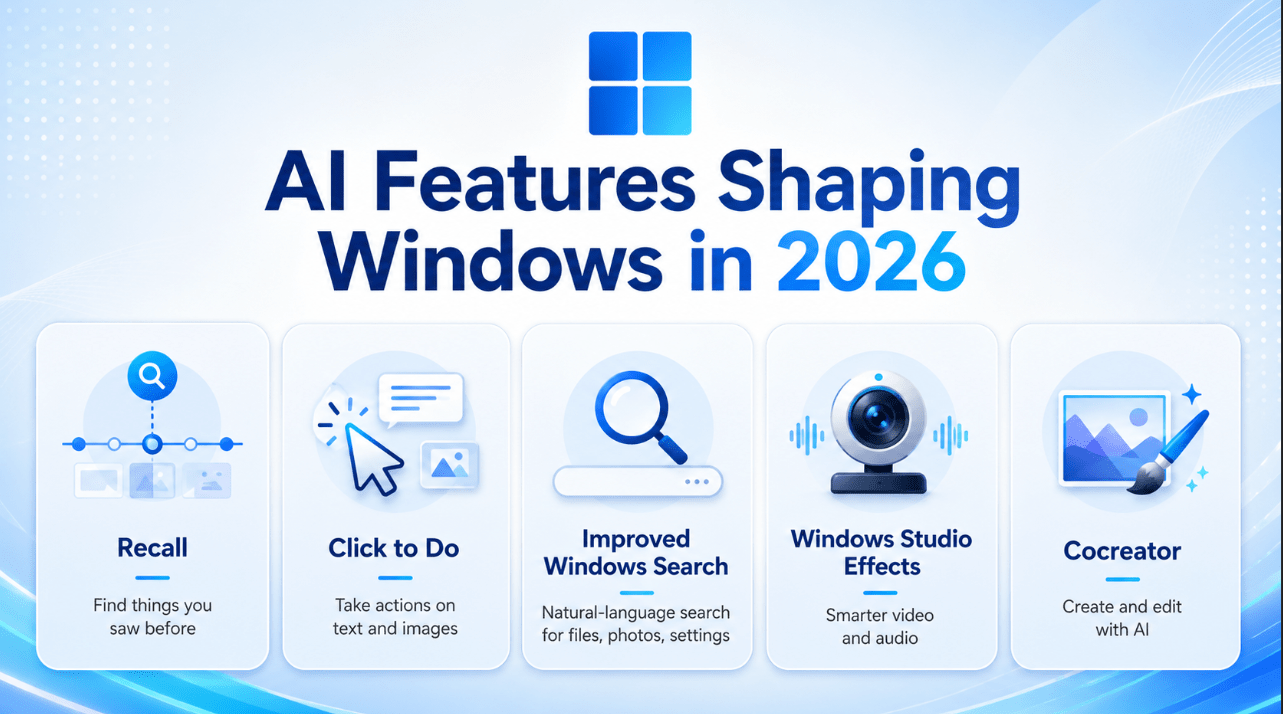
Examples include:
- improved Windows Search
- Click to Do
- Recall
- Windows Studio Effects
- Cocreator and related creative tools
Whether every user cares about all of these is another question, but the direction is clear: Microsoft wants Windows to feel more intelligent, more context-aware, and more useful without forcing users into separate tools for every task.
6. Improved Windows Search Is a Bigger Deal Than It Looks
One of the most practical trends is the rise of smarter search in Windows.
Improved Windows Search on Copilot+ PCs is not flashy in the same way as an AI image generator, but it may end up being one of the more useful changes because it solves a very real everyday problem.
Users often do not remember:
- exact file names
- the exact folder
- the exact setting name
- the exact phrase in a document
A more natural search experience makes Windows feel easier and more modern. It is the kind of feature that may quietly matter more than people expect.
7. Click to Do Points to a More Action-Oriented Windows Experience
Click to Do is another sign of where Windows is going.
Instead of making users constantly switch between apps, copy text manually, or hunt for the right tool, Windows is starting to act more like an intelligent layer on top of what you are already doing.
That is a meaningful trend because it changes how Windows works at a workflow level.
Instead of just being:
- a place to launch apps
- a place to store files
- a place to change settings
Windows is moving toward being:
- a place that understands what is on screen
- a place that suggests next steps
- a place that reduces small repetitive tasks
That is likely to keep expanding through the rest of 2026.
8. Windows Features Are Becoming More Local, Not Just Cloud-Based
A less obvious but important trend is the move toward more on-device AI.
For years, a lot of AI thinking was centered on sending tasks to the cloud. Copilot+ PCs and their related features point to a more balanced direction where more work happens directly on the device.
That matters because it can affect:
- speed
- privacy
- battery efficiency
- responsiveness
- offline usability in some workflows
This does not mean cloud services disappear. But it does mean the Windows platform is becoming more local-AI capable than before.
9. Windows Buying Decisions Are Becoming More Complicated
Another major trend is that buying a Windows PC is no longer as simple as “pick a laptop and go.”
Now buyers increasingly need to think about:
- whether the PC is just Windows 11 capable or truly Copilot+ capable
- whether certain AI features matter to them
- whether they need a device ready for future Windows releases
- whether their current system is worth keeping
This is why Windows content in late 2026 increasingly blends:
- product education
- support guidance
- buying advice
- version/lifecycle explanation
The Windows story is now much more tied to hardware choice than many people are used to.
10. Support Timelines Matter More Than Ever
Support timelines are becoming more visible to everyday users.
That is partly because of Windows 10’s end of support, but also because users are paying more attention to:
- which Windows 11 version they have
- when it loses support
- what update path they should follow
- whether their device still has a normal future upgrade path
This is likely to remain a strong trend for the rest of 2026 because lifecycle confusion affects normal users directly.
Which Trend Matters Most?
If you had to reduce all of this to one simple idea, it would be this:
Windows is becoming more hardware-aware, more AI-focused, and more dependent on being on the right supported version.
That is the real pattern connecting most of the trends above.
Some users will notice it through:
- better search
- new AI features
- Copilot+ PC marketing
- Windows 10 replacement decisions
- version upgrade planning
But it all points in the same direction.
What This Means for Normal Users
For everyday users, the practical lessons are pretty clear:
- staying on supported Windows versions matters more now
- buying a new Windows PC requires more attention to features and hardware class
- AI features are becoming a real part of Windows, not just marketing add-ons
- the most useful changes may be the ones that improve daily workflow, not just flashy demos
That means the smartest move for many people is to focus less on hype and more on which Windows features actually improve how they work.
Quick Verdict
The biggest Windows trends to watch for the rest of 2026 are not random isolated stories. They are connected parts of a bigger transition: Windows 10 is fading out, Windows 11 25H2 is becoming the practical mainstream version, Copilot+ PCs are growing in importance, and AI features like improved search, Click to Do, Recall, and Studio Effects are becoming a bigger part of the Windows identity.
For users, buyers, and anyone writing about Windows, the rest of 2026 is really about one thing: Microsoft is reshaping Windows around supported Windows 11 releases, newer hardware, and more useful on-device AI experiences.
FAQ
What is the biggest Windows trend in late 2026?
The biggest trend is probably the combination of Windows 10 migration and Microsoft’s push toward Windows 11 plus Copilot+ PC hardware.
Are Copilot+ PCs one of the biggest Windows trends in 2026?
Yes. Microsoft continues to build many of its newer Windows AI features and product messaging around Copilot+ PCs.
Why does Windows 11 25H2 matter in 2026?
Because it is the main supported update path for many eligible existing Windows 11 devices.
Is 26H1 the next update for everyone?
No. It is not the normal in-place next-step update from 24H2 or 25H2 for existing devices.
Stay ready for the future of Windows with a genuine license, instant delivery, and simple activation that keeps your PC up to date.