
Instructions
What Is a Copilot+ PC and Is It Worth Buying?
Jun
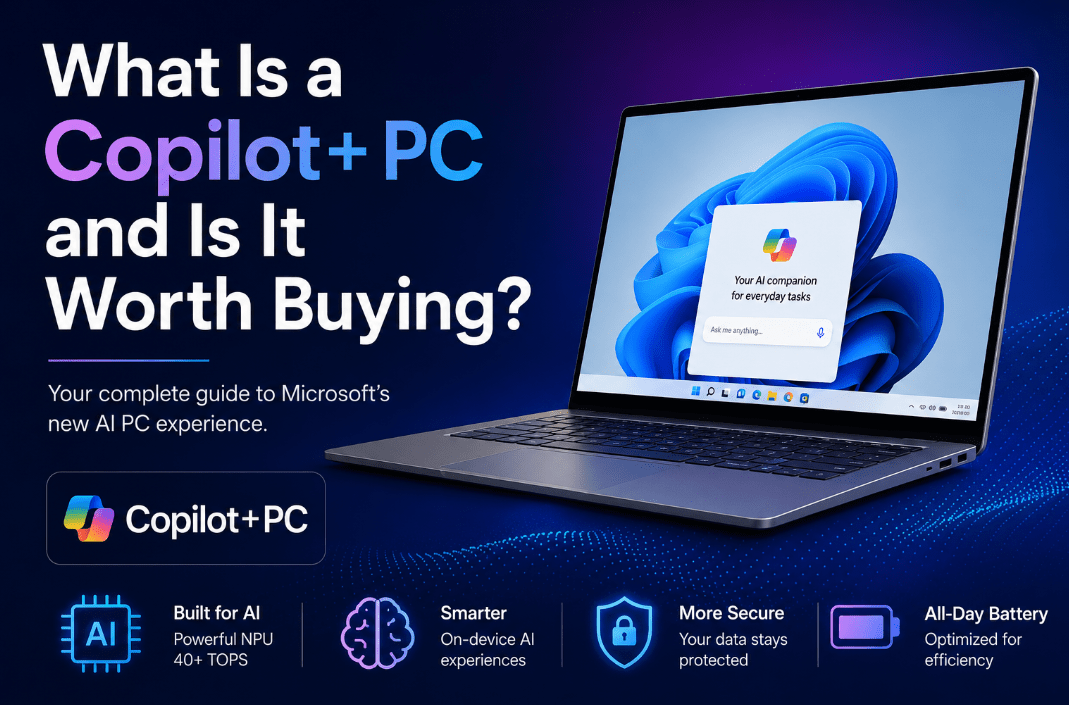
Copilot+ PCs are Microsoft’s new AI-focused class of Windows 11 computers. They are designed to deliver more AI features directly on the device instead of relying only on the cloud, which is why Microsoft positions them differently from a normal Windows laptop.
The biggest difference is not just branding. A Copilot+ PC is built around a much more powerful NPU, which is the chip used for AI tasks. That hardware is what unlocks newer Windows features like improved Windows Search, Click to Do, Recall, Cocreator, Live Captions, and Windows Studio Effects.
So, are they worth buying? For some users, yes. For others, not yet.
The Short Answer
If you want the simple version:
- a Copilot+ PC is a newer class of Windows 11 PC with a powerful built-in NPU
- it is designed for AI features that run on the device
- it can offer better battery life, faster AI tasks, and exclusive Windows experiences
- it is worth buying if you want a new laptop and will actually use those newer features
- it is probably not worth buying if your current PC already does everything you need
What Makes a PC a Copilot+ PC?
A Copilot+ PC is not just any Windows 11 laptop with Copilot installed.
The main requirement is the hardware platform. Microsoft describes Copilot+ PCs as Windows 11 PCs powered by a high-performance NPU capable of more than 40 TOPS.
That is the real dividing line.
This means a Copilot+ PC is built for:
- more on-device AI processing
- better support for newer Windows AI tools
- improved efficiency for certain AI workloads
- a more modern Windows 11 experience overall
What Is an NPU?
NPU stands for Neural Processing Unit.
You can think of it as a chip designed for AI-heavy tasks, similar to how a GPU is built for graphics. Instead of sending every AI task to the internet or forcing the CPU to do everything, the NPU helps run AI features directly on the PC.
That matters because it can improve:
- speed
- efficiency
- battery life during AI tasks
- privacy for some on-device features
What Features Do Copilot+ PCs Get?
This is the part most buyers care about.
Microsoft ties Copilot+ PCs to a growing set of Windows AI features, including:
Recall
A feature designed to help you find things you previously saw on your PC.
Click to Do
A built-in action layer that helps you take quick actions on text and images on your screen.
Improved Windows Search
A more natural search experience in File Explorer, the taskbar Search box, and Settings.
Cocreator
AI-assisted image creation and editing in supported apps.
Live Captions
Real-time captions and language support features.
Windows Studio Effects
AI-enhanced camera and audio effects for calls and meetings.
These features are a big reason Copilot+ PCs stand out from a regular Windows 11 laptop.
How Are Copilot+ PCs Different from Regular Windows 11 PCs?
A normal Windows 11 PC can still be a very good laptop. But a Copilot+ PC is meant to be more specialized.
A regular Windows 11 PC gives you:
- Windows 11
- standard productivity features
- normal search
- regular app support
- solid performance depending on the hardware
A Copilot+ PC adds:
- stronger AI-focused hardware
- exclusive or enhanced Windows AI experiences
- better on-device AI processing
- a more future-focused Windows feature set
So the difference is not whether both run Windows 11. They do. The difference is how much AI capability is built into the hardware.
Are Copilot+ PCs Faster?
In some ways, yes.
Microsoft markets Copilot+ PCs very heavily around performance, battery life, and AI responsiveness. But it is important to understand what kind of speed that really means.
It does not always mean every single everyday task will feel dramatically different. What it more often means is:
- faster AI workloads
- better efficiency
- smoother support for newer AI-enhanced features
- stronger battery life on many models
So if your main interest is gaming or raw desktop replacement power, that is a different buying discussion. Copilot+ PCs are more about modern AI capability and efficient everyday computing.
Are Copilot+ PCs Better for Battery Life?
For many buyers, this is one of the strongest arguments in their favor.
Microsoft promotes Copilot+ PCs as having strong battery life, and some models are positioned around all-day use. That makes them especially appealing for:
- students
- commuters
- office users
- remote workers
- anyone who carries a laptop around daily
If battery life matters to you a lot, Copilot+ PCs may be more attractive than older Windows laptop designs.
Who Should Consider Buying a Copilot+ PC?
A Copilot+ PC makes the most sense if you are already in the market for a new laptop and you want a system that feels more future-ready.
They are especially worth considering for:
Students
Because battery life, lighter designs, and smarter search or note-related features can be genuinely useful.
Office and business users
Because tools like improved search, Studio Effects, and AI-assisted workflows may save time.
Creators and productivity users
Because on-device AI features can speed up certain tasks and make the PC feel more modern.
People replacing an older Windows laptop
Because the jump from a five-year-old PC to a Copilot+ PC can be more noticeable than the jump from a recent premium Windows 11 laptop.
Who Should Probably Not Buy One Yet?
A Copilot+ PC is not automatically the right purchase for everyone.
You may want to wait if:
Your current laptop is already fast and modern
If you already have a solid recent Windows 11 machine, the difference may not justify replacing it yet.
You do not care about AI features
If Recall, Click to Do, better search, Cocreator, and Studio Effects do not matter to you, then a regular good laptop may be enough.
You are on a tight budget
A well-priced normal Windows 11 laptop can still be the smarter buy if cost matters more than next-gen AI features.
You need a machine mainly for gaming
Copilot+ PC branding is not the same thing as saying it is the best gaming laptop for your money.
Is It Worth Buying in 2026?
For many people, yes – but only if you are buying a new PC anyway.
That is the key point.
A Copilot+ PC is often worth buying in 2026 if:
- you already need a new laptop
- you want longer battery life
- you like the idea of newer Windows AI features
- you want a system that feels more future-focused
It is usually not worth buying if:
- your current PC is fine
- you would only be upgrading for the label
- the AI features do not matter to you
- the price jump feels too high for your real use case
What Is the Smartest Buying Advice?
The smartest buying advice is not “buy one because it is new.”
The smarter question is:
Will I actually use what makes a Copilot+ PC different?
If the answer is yes, then it can be a very good buy.
If the answer is no, then a regular Windows 11 laptop may still be the better value.
Quick Verdict
A Copilot+ PC is a newer class of Windows 11 PC with a powerful NPU built for more advanced on-device AI features. It is different from a normal Windows laptop because it is designed to unlock newer Windows experiences like improved search, Click to Do, Recall, Cocreator, and more.
Is it worth buying? Yes, if you are already shopping for a new laptop and want better battery life, stronger future-facing features, and Windows AI tools you will actually use. If your current PC is still good and those features do not matter to you, then you probably do not need one yet.
FAQ
What is a Copilot+ PC?
A Copilot+ PC is a new class of Windows 11 PC with a high-performance NPU built for advanced AI features and on-device AI tasks.
What is the difference between a Copilot+ PC and a normal Windows 11 PC?
A Copilot+ PC has stronger AI-focused hardware and supports a newer set of Windows AI experiences that are not the same on every regular Windows 11 device.
Are Copilot+ PCs worth buying?
They can be worth buying if you already need a new laptop and want features like better battery life, smarter search, Click to Do, Recall, and other newer Windows AI experiences.
Do I need a Copilot+ PC?
No. If your current PC is already doing everything you need, or if you do not care about AI features, you may be better off keeping what you have or buying a regular Windows 11 laptop.
Choose the right Windows 11 PC with confidence and get a genuine license with instant delivery and simple activation for a smoother setup.