
Instructions
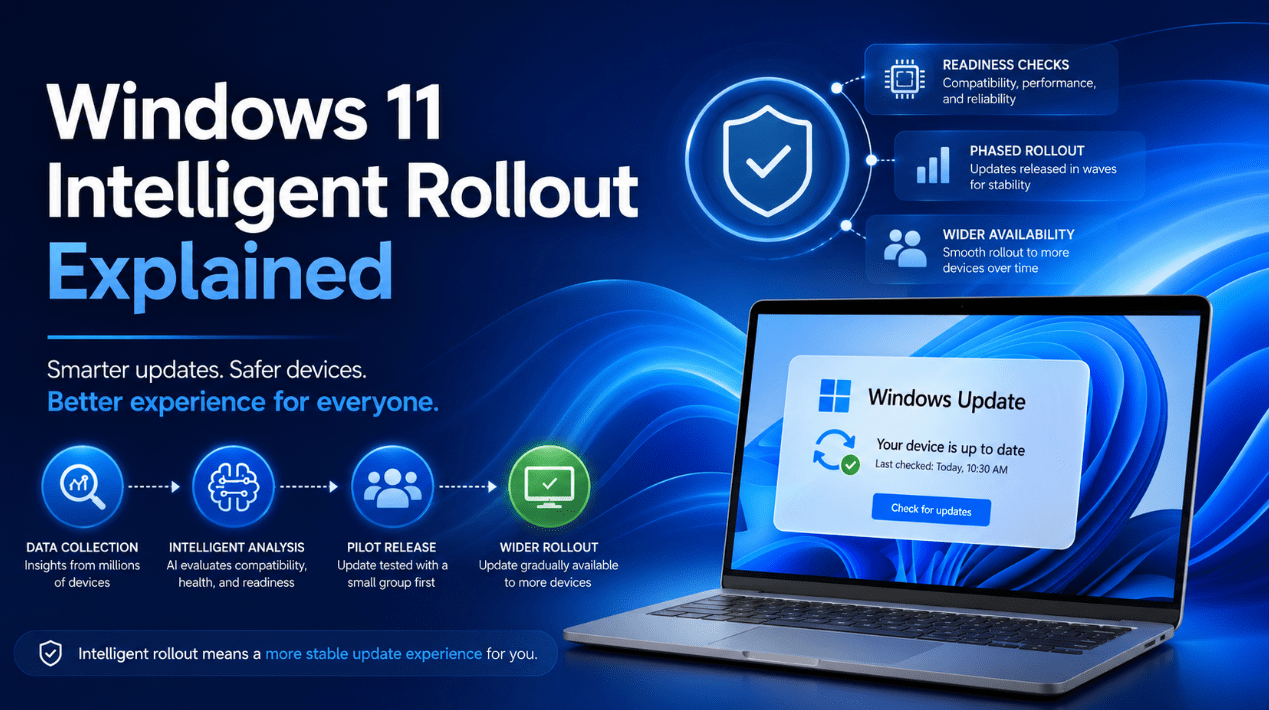
Windows 11 Intelligent Rollout Explained
Jun
If you have ever wondered why one Windows 11 PC gets a new update right away while another similar PC does not, the answer is often Microsoft’s rollout process.
Not every Windows update reaches every eligible device at the exact same time. Microsoft uses what it calls an intelligent rollout for some Windows 11 updates, so devices receive them in phases instead of all at once.
That can feel confusing when you know an update exists but do not see it on your own PC yet. But the goal is to make updates arrive in a safer and smoother way.
The Short Answer
If you want the simple version:
- intelligent rollout means Windows updates are released to eligible devices in stages
- not every PC gets the update on the same day
- Microsoft uses signals to decide when a device is ready
- if your PC does not see the update yet, it does not always mean something is wrong
- rollout timing can vary based on readiness, compatibility, and known issues
The easiest way to understand it is this:
Windows 11 intelligent rollout is Microsoft’s phased update system that helps deliver updates only when a device is considered ready.
What Is Windows 11 Intelligent Rollout?
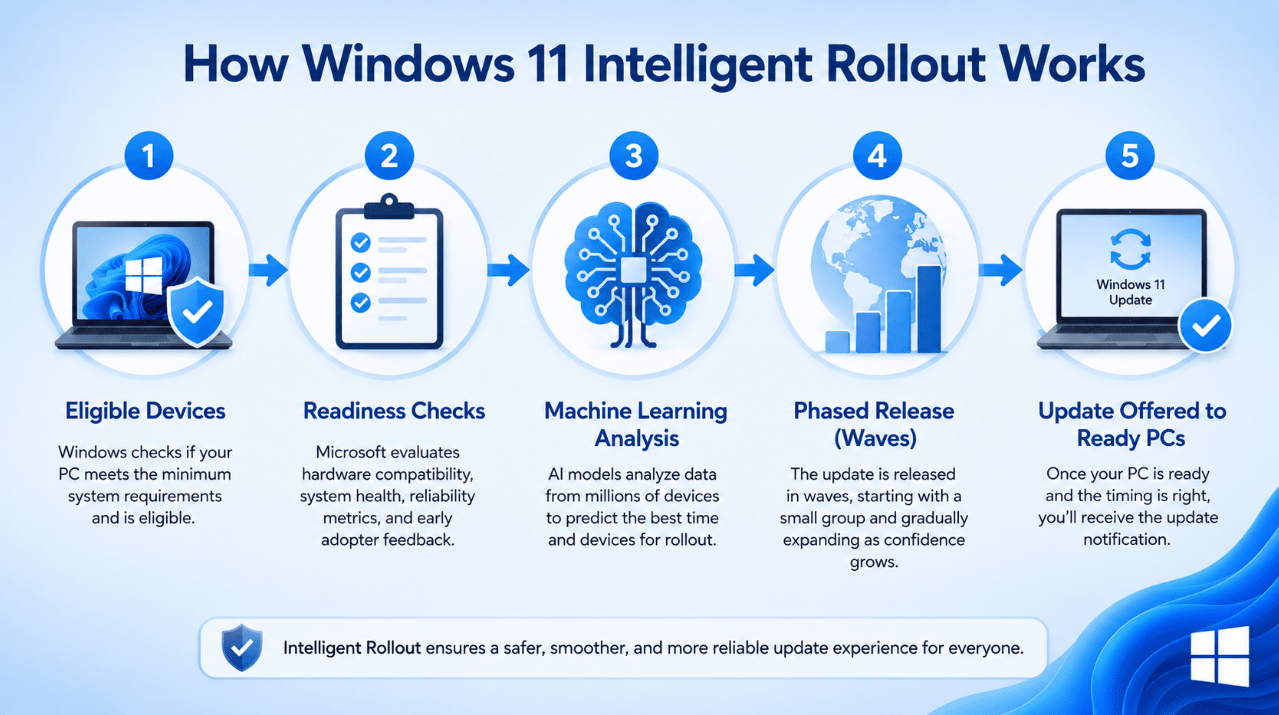
Microsoft describes intelligent rollout as the way some Windows 11 updates are delivered gradually to eligible devices instead of appearing everywhere at once.
For example, Microsoft says unmanaged Windows 11 Home and Pro devices receive Windows 11 version 25H2 through a machine learning-based intelligent rollout, and that updates are delivered when devices are ready. (learn.microsoft.com)
That means Microsoft is not simply flipping one switch for the whole world at the same time. It is deciding which devices are ready first and then expanding availability over time.
Why Microsoft Uses Intelligent Rollout
The main reason is stability.
If Microsoft pushed every major update to every eligible PC immediately, problems would spread much faster if a bug or compatibility issue appeared. A staged rollout helps Microsoft:
- monitor how the update behaves in the real world
- spot issues on certain hardware or software combinations
- slow or block the rollout if a problem is found
- avoid causing widespread update failures
In other words, rollout timing is part of how Microsoft tries to reduce update risk.
What “Your Device Is Ready” Usually Means
This is the phrase that confuses a lot of users.
When Microsoft says a device is ready, it generally means the device has passed enough checks for Microsoft to feel comfortable offering the update. That can include things like:
- hardware compatibility
- driver status
- known issue history
- available safeguards
- update reliability signals
Microsoft does not publish every signal in plain language for every device, but its release health pages make clear that updates are offered when devices are ready and that known issues and safeguard holds can affect availability. (learn.microsoft.com)
Intelligent Rollout vs Gradual Rollout
These terms are related, but they are not always used in exactly the same context.
Microsoft’s support pages for newer preview updates describe two phases:
- gradual rollout
- normal rollout
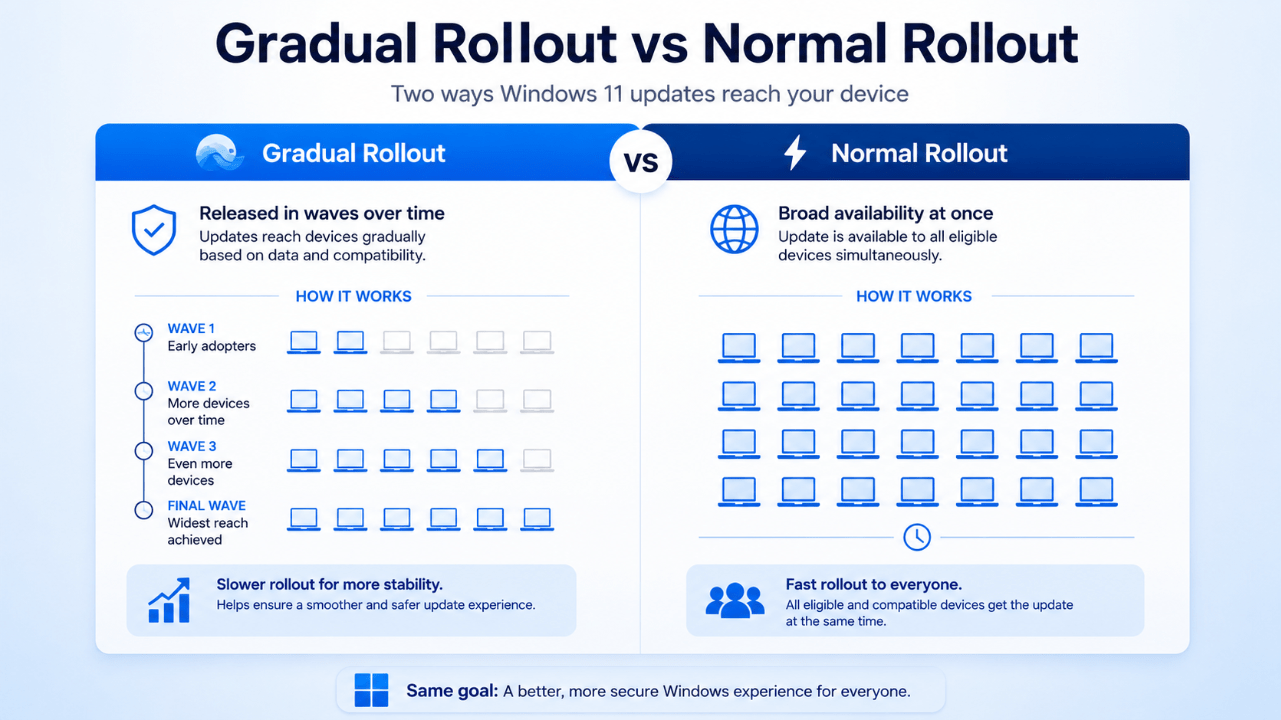
Microsoft says a gradual rollout delivers an update in phases, so features reach devices over time instead of all at once, and availability varies by device. It says normal rollout is the broad release to all eligible devices at the same time, usually when the update reaches general availability. (support.microsoft.com)
So in simple terms:
- intelligent rollout = Microsoft’s staged readiness-based delivery approach
- gradual rollout = features reaching devices over time
- normal rollout = broad release to all eligible devices
Why Your Friend Got the Update First
This is one of the most common real-world questions.
Two PCs can both be eligible for Windows 11 updates but still get them at different times. That can happen because:
- one device is further ahead in the rollout
- one device has a hardware or driver combination that Microsoft trusts sooner
- one device is affected by a temporary safeguard or compatibility hold
- one device is simply not yet in the current delivery wave
So if another person already has the update and you do not, it does not automatically mean your PC is broken.
What Is a Safeguard Hold?
A safeguard hold is Microsoft’s way of temporarily blocking an update from devices that might run into a known problem.
Microsoft’s Windows release health pages explicitly point users to known issues and safeguard holds. These are used when Microsoft wants to stop an update from being offered to affected devices until the issue is resolved. (learn.microsoft.com)
That is actually one of the most important reasons intelligent rollout exists. It gives Microsoft room to slow down or pause update delivery before a problem spreads wider.
Does Intelligent Rollout Only Apply to Big Feature Updates?
Not only.
It is especially easy to notice on bigger Windows 11 feature updates like 25H2, but Microsoft’s support pages also show that some preview and feature-delivery updates can come in gradual and normal rollout phases too. (support.microsoft.com)
That means staged delivery is not just a one-time thing. It is part of how Microsoft increasingly manages Windows update delivery in general.
Can You Force the Update?
Sometimes, yes – but not always safely.
Microsoft says that if you have an eligible Windows 10 or Windows 11 device and do not want to wait for the intelligent rollout, you can go to Settings > Windows Update > Check for updates. If your device is ready, you may see the option to Download and install the new version. (learn.microsoft.com)
That does not mean every device should try to force the update early. If a device is under a safeguard hold or not yet considered ready, waiting is often the smarter option.
Is Waiting a Bad Thing?
Usually not.
A lot of users think not seeing the update yet is a problem. In many cases, it is just how rollout works.
Waiting can actually be good because it means:
- early issues may already be caught before the update reaches you
- Microsoft has more time to fix compatibility problems
- your device may get a smoother update experience
In other words, “not first” can sometimes mean “more stable.”
Why This Matters More in 2026
This matters more now because Windows updates are no longer just simple one-day events for all devices.
Microsoft’s current Windows strategy includes:
- annual feature updates
- phased availability
- readiness-based delivery
- hardware-specific branches like 26H1 for select new devices
- more visible release health and safeguard management
That means users increasingly need to understand not just what the update is, but also how Microsoft decides to deliver it. (learn.microsoft.com)
What Everyday Users Should Do
For most home users, the best approach is simple:
Keep Windows Update enabled
This helps your PC stay in the normal update path.
Check Windows Update occasionally
If your device is eligible and ready, the update offer may appear.
Do not panic if the update is missing at first
Rollout timing varies.
Watch for known issues if you are curious
Microsoft’s release health pages are the best place to see whether a known issue or safeguard hold exists.
Avoid rushing if your PC is working well
Being first is not always better.
Common Mistakes to Avoid
Thinking your PC is broken because the update is not there yet
Often it is just still in the rollout process.
Assuming all eligible devices update at once
That is not how intelligent rollout works.
Believing “Check for updates” guarantees the update immediately
Microsoft still only offers it if the device is ready.
Ignoring release health information
Known issues and safeguard holds are often the real explanation for delays.
Quick Verdict
Windows 11 intelligent rollout is Microsoft’s way of delivering updates more carefully instead of all at once. It helps Microsoft watch for problems, apply safeguard holds when needed, and offer updates only when devices are considered ready.
For everyday users, the main takeaway is simple: if your Windows 11 update has not appeared yet, that often means Microsoft is still phasing it in – not that your PC is broken.
FAQ
What is Windows 11 intelligent rollout?
It is Microsoft’s staged update delivery system for eligible devices, where updates are offered over time instead of all at once.
Why did another PC get the update before mine?
Because rollout timing varies by device readiness, compatibility, and safeguard status.
Can I manually get the update?
Sometimes. If your device is eligible and ready, Windows Update may show a Download and install option.
Is it better to wait?
Often yes. Waiting can mean a smoother and more stable update experience.
Keep your PC ready for the latest Windows updates with a genuine Windows license, instant delivery, and simple activation.