
Instructions
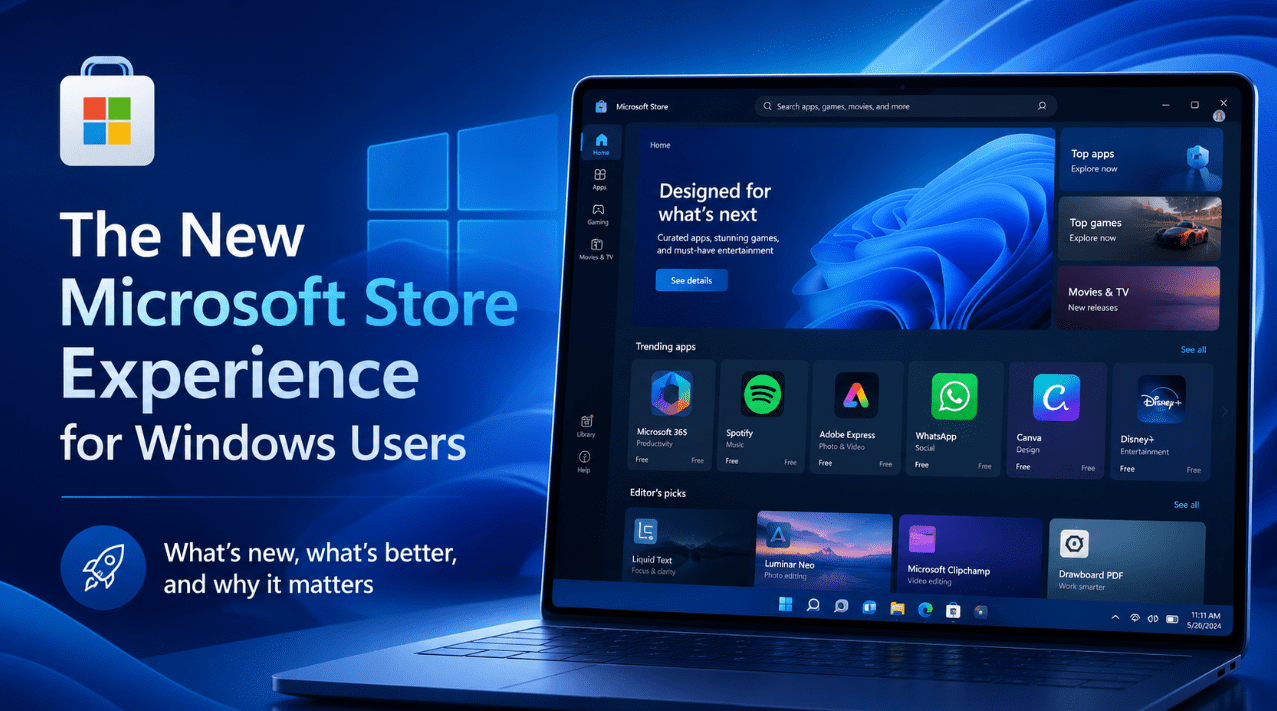
The New Microsoft Store Experience for Windows Users
Jun
The Microsoft Store has changed a lot compared with how many Windows users remember it. For years, some people saw it as a basic app storefront they rarely used, while others ignored it completely and downloaded software directly from the web instead.
That is why the newer Microsoft Store experience matters.
Microsoft has been trying to make the Store more useful, easier to browse, and more relevant to everyday Windows users. It is no longer just a place for a few simple apps. It has become a more polished part of the Windows experience, with better discovery, easier updates, more app types, and a cleaner interface.
For many users, the Microsoft Store is now much more practical than it used to be.
The Short Answer
If you want the simple version:
- the new Microsoft Store is cleaner and easier to use
- it makes finding apps, games, and media simpler
- it offers better search, improved recommendations, and faster browsing
- it helps users manage app installs and updates in one place
- it feels more integrated into the overall Windows experience
So the easiest way to describe it is this:
The new Microsoft Store experience is Microsoft’s effort to make app discovery, installation, and management easier for Windows users.
What Is the Microsoft Store?
The Microsoft Store is the built-in digital storefront in Windows where users can find and install apps, games, utilities, entertainment apps, and other software.
Instead of searching the web for everything manually, the Store gives users a central place to:
- browse software
- install apps
- read ratings and reviews
- manage updates
- discover new tools and services
That central role is what makes the improved Store experience more important than it may sound at first.
Why the Microsoft Store Matters More Now
A few years ago, a lot of users simply did not think much about the Microsoft Store. Some felt it was too limited, while others thought it did not offer much value compared with direct downloads from a browser.
The newer Store matters more because it is now better positioned as:
- a safer place to discover apps
- a more convenient place to manage installations
- a better way to keep apps updated
- a faster way to explore Windows software
For everyday users, convenience is a big part of the appeal.
What Feels Different in the New Microsoft Store Experience?
The biggest difference is that the Store feels more polished and more useful.
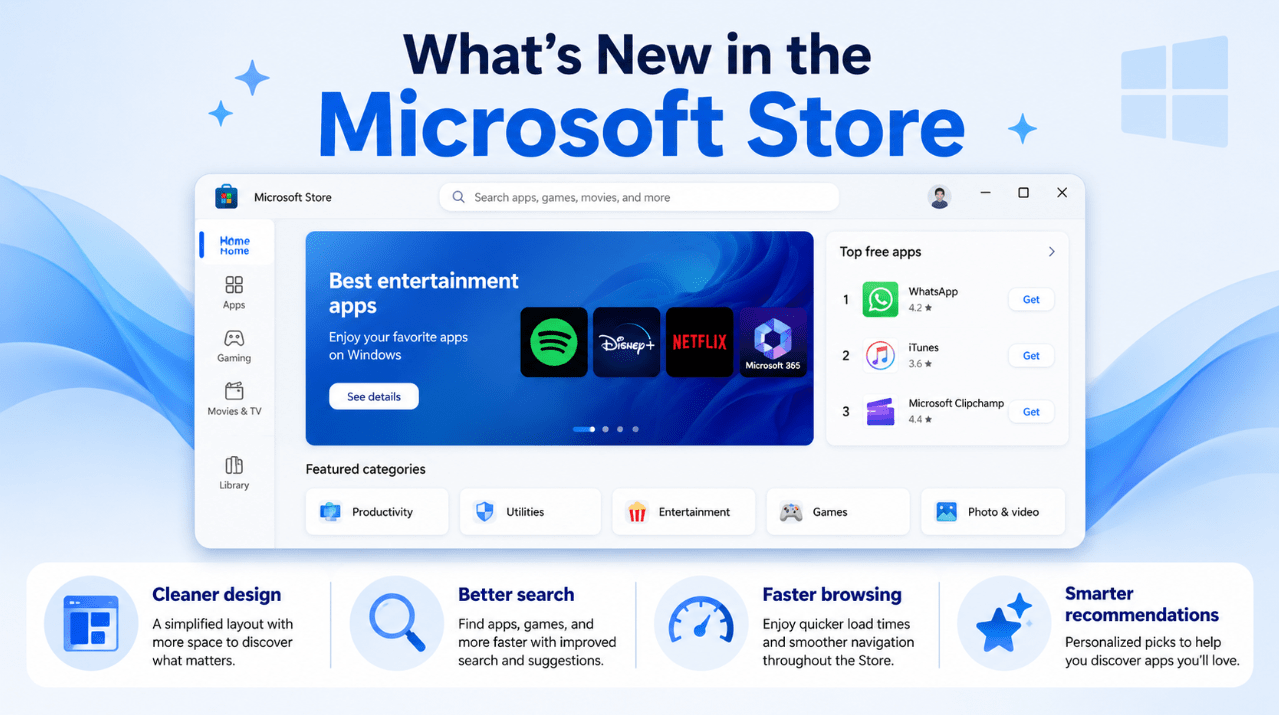
Cleaner design
The updated Store has a more modern, simplified look. It is easier to scan, easier to browse, and more visually aligned with the rest of Windows 11.
That may sound like a small thing, but cleaner design matters because it helps users find what they need faster instead of feeling lost inside the app.
Better search
Search is a major part of any app store. If users cannot find what they want quickly, the whole experience feels weak.
The newer Microsoft Store experience puts more emphasis on search, categories, and suggestions, making it easier to look for:
- productivity apps
- games
- creative software
- utilities
- entertainment apps
Faster browsing
Another noticeable change is that the Store feels more responsive and easier to move through. That matters because app discovery should feel quick, not like a chore.
If users want to:
- search for an app
- compare options
- read reviews
- check screenshots
- install something quickly
the Store now feels more capable of handling that smoothly.
Smarter recommendations
The Store also tries to help users discover software more easily through suggested apps, featured categories, trending items, and editorial recommendations.
That helps users who are not searching for one exact app but want to explore what is useful or popular.
What Can You Use the Microsoft Store For?
The Microsoft Store is useful for more than just downloading one or two apps.
It can help users:
- discover new productivity tools
- find media and entertainment apps
- browse games
- install Microsoft apps and services
- read ratings and reviews before installing
- keep Store-installed apps updated
- explore categories more easily
That makes it more relevant to both casual users and people who use Windows more heavily every day.
Why It Is Better for Everyday Users
One of the main reasons the Store feels more useful now is that it reduces friction.
Instead of doing everything manually, users can:
- search in one place
- compare multiple apps quickly
- install apps directly
- check whether something is trusted or popular
- update Store apps more easily
For many normal users, that is a better experience than hunting through random websites and download pages.
Is the Microsoft Store Safer Than Downloading Apps from the Web?
For many users, one of the big advantages of the Store is convenience combined with a stronger sense of trust.
That does not mean every app on the internet is unsafe, but downloading software manually can sometimes involve:
- confusing download buttons
- bundled offers
- unofficial websites
- unclear version history
The Store gives users a more controlled environment, which can be especially useful for:
- less technical users
- students
- family PCs
- anyone who prefers a simpler install process
What Kinds of Apps Are in the Microsoft Store?
The Microsoft Store is not only about Microsoft’s own apps.
Users can find things like:
- productivity apps
- design and creative tools
- communication apps
- utilities
- streaming apps
- note-taking tools
- games
- photo and video software
That variety makes the Store more useful than people sometimes assume.
The Role of Ratings and Reviews
Ratings and reviews are one of the most practical parts of the Store experience.
Before installing something, users can often:
- see how other people rate it
- read comments about reliability or quality
- compare similar apps
- get a better idea of whether the app is worth trying
That kind of quick feedback can help users make better choices.
Why Updates Matter
Another reason the Microsoft Store experience matters is updates.
Many users install apps and then forget about them. Over time, that can lead to outdated software if updates are not managed well.
The Microsoft Store helps make updates more straightforward for Store-installed apps, which is useful because it helps keep software:
- current
- more secure
- more reliable
For everyday users, that is an underrated benefit.
Is the Microsoft Store Only for Beginners?
No. While it is certainly helpful for less technical users, it is not only for beginners.
More experienced users may still appreciate:
- quick installs
- easier updates
- app discovery
- a tidy central app hub
- a simpler way to browse new tools
The main difference is that advanced users may use it alongside traditional direct software downloads, while casual users may rely on it more heavily.
Who Will Benefit Most from the New Microsoft Store?
The Store is especially useful for:
- home users
- students
- family computers
- users new to Windows 11
- people who want easy app installs
- users who prefer a simpler software experience
It is also useful for anyone who wants a more convenient way to browse Windows software without relying entirely on web searches.
Who Might Care Less?
Some users may care less if they:
- already have a fixed list of apps they always install manually
- prefer getting software directly from developer websites
- rarely explore new apps
- do not use Store-supported apps very often
Even then, the Store can still be useful for updates, recommendations, or occasional app discovery.
The Real Improvement
The real improvement is not just that the Store looks better.
The real improvement is that it feels more like a normal, useful part of Windows instead of an afterthought.
That matters because when the Store is easier to use, Windows users get:
- quicker software discovery
- easier management
- better browsing
- a more consistent experience
That is what makes the new Microsoft Store experience worth talking about.
Quick Verdict
The new Microsoft Store experience for Windows users is better because it is cleaner, easier to browse, faster to use, and more helpful for finding and managing apps.
It may not replace every direct download from the web, and some advanced users will still install certain tools manually. But for everyday users, it is now a much more practical part of Windows than it used to be. If you have not paid attention to the Microsoft Store in a while, it is more useful today than many people realize.
FAQ
What is the Microsoft Store used for?
The Microsoft Store is used to browse, install, and update apps, games, and other software on Windows.
Is the new Microsoft Store better than the old one?
Yes, for most users it is better because it is cleaner, easier to search, faster to browse, and more useful for discovering and managing apps.
Is the Microsoft Store safe to use?
For many users, it offers a more controlled and convenient environment than downloading software manually from random websites.
Can I still download apps from the web instead?
Yes. The Microsoft Store is a useful option, but it does not replace every traditional software download.
Get more from your Windows PC with a genuine Windows license, instant delivery, and simple activation for a smoother everyday experience.