
Instructions
Dynamic Lock in Windows 11: Is It Worth Using?
Aug
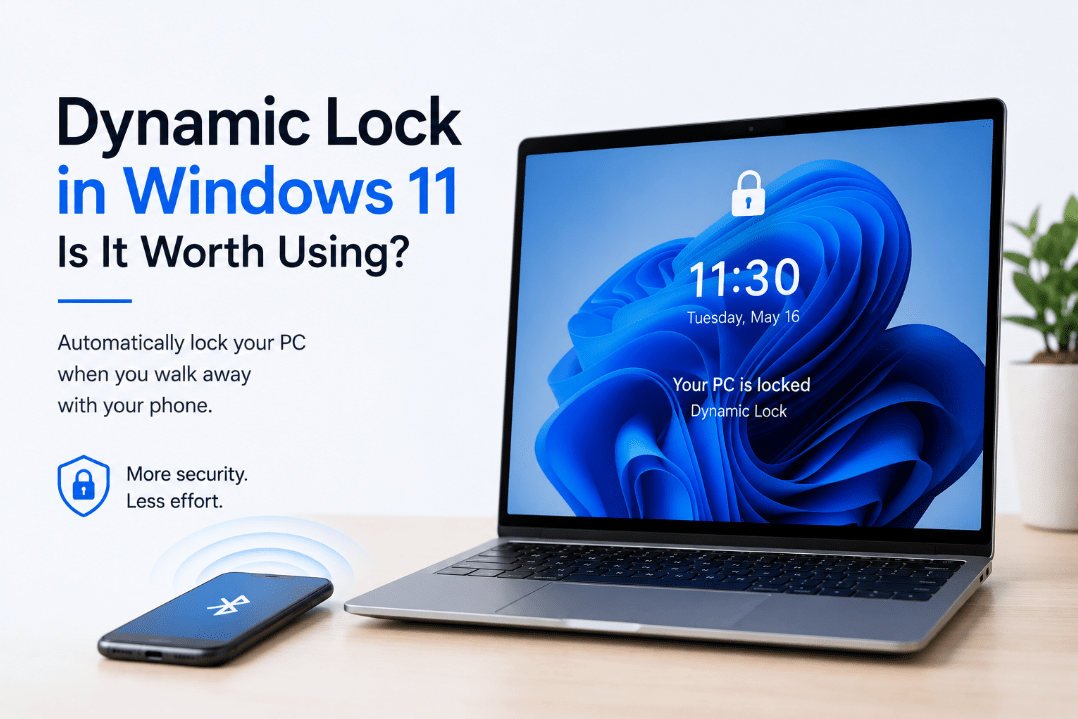
Have you ever walked away from your computer and forgotten to lock it? Dynamic Lock in Windows 11 is designed to help with exactly that situation.
It uses your Bluetooth-connected phone to detect when you move away from your PC. Once your phone is far enough away, Windows can automatically lock the computer.
It sounds useful, but it also has a few important limitations.
What Is Dynamic Lock in Windows 11?
Dynamic Lock is a Windows security feature that works with a Bluetooth-paired phone.
Windows monitors the Bluetooth signal between your computer and phone. When you walk away with your phone and the Bluetooth signal becomes weak enough, Windows assumes you are no longer nearby and automatically locks your PC.
Microsoft says Windows typically locks within about one minute after your phone moves out of Bluetooth range.
What Do You Need to Use Dynamic Lock?
You need:
- A Windows 11 PC with Bluetooth
- A smartphone with Bluetooth
- Your phone paired with the PC
- Dynamic Lock enabled in Windows settings
Your phone should also stay with you when you leave the computer. If you leave both your phone and PC on the desk, Dynamic Lock obviously won’t know that you’ve walked away.
How to Set Up Dynamic Lock
First, pair your smartphone with your Windows 11 PC.
Go to:
Settings → Bluetooth & devices
Turn Bluetooth on and pair your phone with the computer.
Then open:
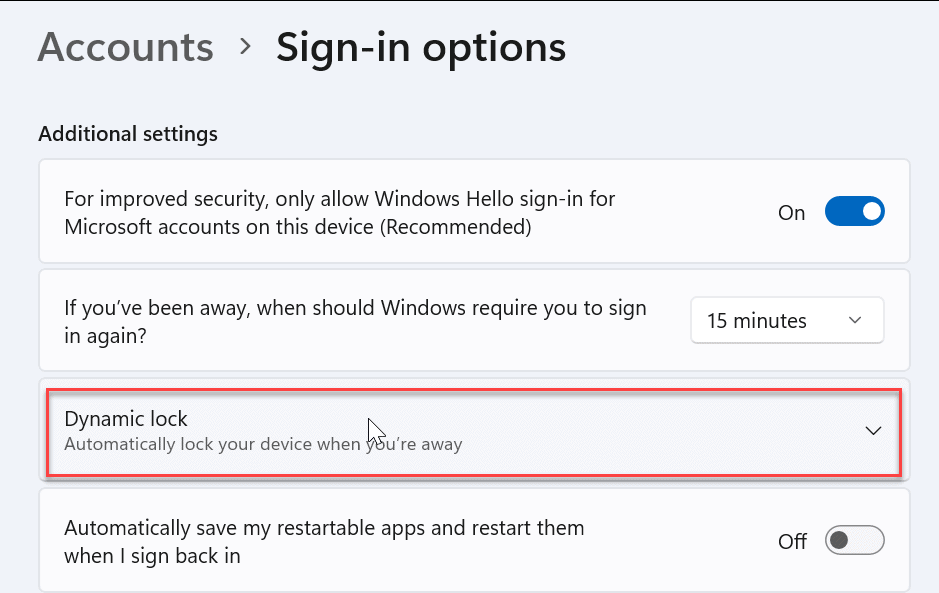
Settings → Accounts → Sign-in options
Scroll down to Dynamic lock and enable:
Allow Windows to automatically lock your device when you’re away
Windows will then use the paired phone to help determine when you’ve moved away from the computer.
Does Dynamic Lock Unlock Your PC Too?
No.
Dynamic Lock is designed to lock your computer when you move away. It doesn’t automatically unlock Windows when you return.
You still need to sign back in normally using your:
- Windows Hello PIN
- Fingerprint
- Facial recognition
- Security key
- Other configured sign-in method
So think of Dynamic Lock as an automatic backup for locking your PC, not a complete automatic sign-in system.
How Quickly Does Dynamic Lock Work?
Dynamic Lock isn’t instant.
Windows waits until the Bluetooth signal from your phone drops below a certain level and the computer is idle before locking the device. Microsoft states that the lock generally occurs within about a minute after you’re out of Bluetooth range.
This delay is one of the feature’s biggest limitations.
If you’re working somewhere where other people could immediately access your computer, manually locking it is still safer.
Press:
Windows + L
before leaving your desk.
Is Dynamic Lock Secure?
Dynamic Lock can improve security, but Microsoft specifically describes it as an additional barrier rather than a replacement for manually locking your PC.
For example, Dynamic Lock may not protect you immediately if someone reaches the computer before:
- Your phone moves far enough away
- The Bluetooth signal weakens
- Windows detects that the PC is idle
- The automatic lock occurs
That is why Windows + L remains the better option when you remember to use it.
Dynamic Lock is most useful for those moments when you forget.
What If Dynamic Lock Doesn’t Work?
If your PC doesn’t automatically lock, check:
- Bluetooth is enabled on both devices
- Your phone is still paired with Windows
- Dynamic Lock is enabled
- Your phone remains connected while you’re near the PC
- Bluetooth drivers are working correctly
You can review the feature under:
Settings → Accounts → Sign-in options → Dynamic lock
Windows Security also provides information about Dynamic Lock under its Account protection section.
Dynamic Lock vs Windows + L
The difference is simple.
Windows + L
Locks your computer immediately when you press the shortcut.
Dynamic Lock
Automatically locks the computer after Windows detects that your paired phone has moved away.
For the best security, you don’t really need to choose between them.
Use Windows + L whenever you remember, and leave Dynamic Lock enabled as a backup in case you forget.
Is Dynamic Lock Worth Using?
For many laptop and office PC users, yes.
It’s particularly useful if you:
- Frequently work around other people
- Sometimes forget to lock your computer
- Always carry your phone with you
- Already keep Bluetooth enabled
- Want another layer of physical security
The feature requires very little effort after the initial setup.
However, don’t rely on it as your only method of protecting an unattended computer because the locking process isn’t immediate.
Summary
Dynamic Lock in Windows 11 is a simple security feature that can automatically lock your computer when you walk away with your Bluetooth-paired phone.
It’s not perfect, and it doesn’t replace manually pressing Windows + L, but it provides a useful backup for those times when you forget to lock your PC.
Need Windows 11 for your PC? Explore our Windows 11 keys and choose the right edition for your computer today.