
Instructions
Windows 11 Core Isolation: Should Memory Integrity Be On?
Sep
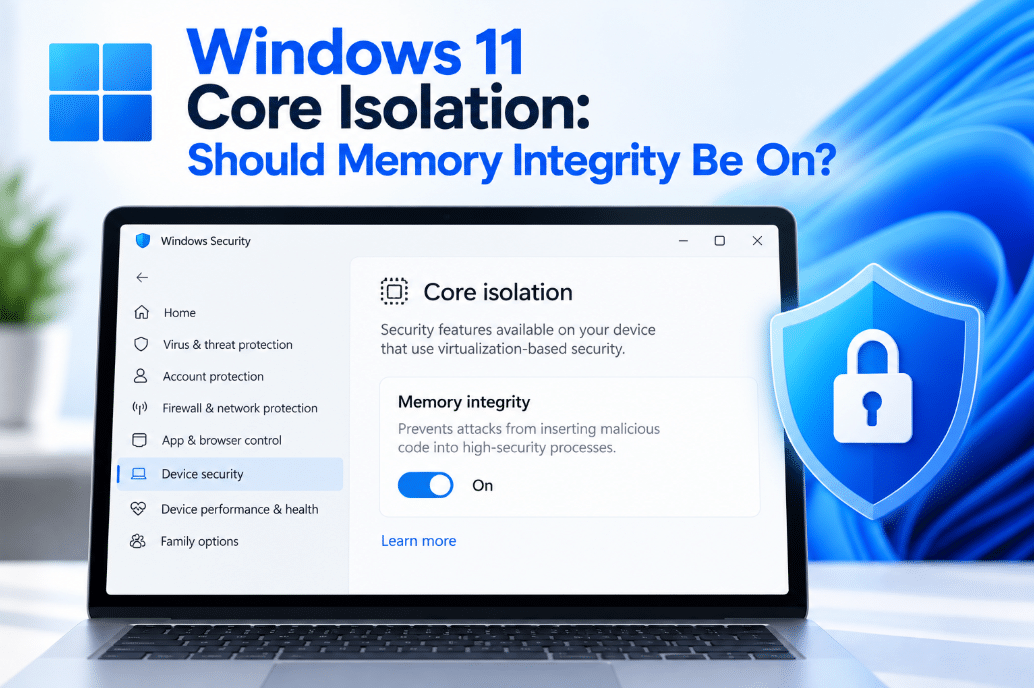
Open Windows Security and you may find a setting called Memory Integrity under Core Isolation.
But what does it actually do, and should Windows 11 Memory Integrity be turned on?
For most compatible PCs, leaving it enabled provides an additional layer of protection against malware that tries to attack Windows at a very low system level.
What Is Core Isolation?
Core Isolation is a group of Windows security features designed to protect important parts of the operating system.
Instead of allowing sensitive Windows processes to run in the same environment as everything else, Windows uses hardware virtualization to create an isolated area in memory.
Microsoft describes this as a virtualized environment that helps protect core Windows processes from malicious software.
Think of it as putting important Windows security processes behind an extra barrier.
What Is Memory Integrity?
Memory Integrity is one of the main Core Isolation features.
It is also known as:
Hypervisor-Protected Code Integrity, or HVCI.
Its job is to help prevent malicious or untrusted code from running at the kernel level.
The Windows kernel is one of the most privileged parts of the operating system. If malware successfully compromises it, the attacker may gain extremely powerful access to the PC.
Memory Integrity makes this more difficult by verifying low-level code, including drivers, inside an isolated virtual environment.
What Does Memory Integrity Protect Against?
Memory Integrity is particularly useful against attacks involving malicious or compromised drivers.
Drivers operate very close to the Windows kernel and can have powerful system permissions.
Memory Integrity can help prevent:
- Malicious kernel-level code
- Certain driver-based attacks
- Unauthorized modification of protected kernel processes
- Some techniques used to bypass normal Windows security controls
It works alongside other Windows security technologies rather than replacing Microsoft Defender or SmartScreen.
How to Check If Memory Integrity Is On
Open:
Windows Security → Device security → Core isolation details
Look for:
Memory integrity
The switch will show whether the feature is currently enabled.
Microsoft says Windows Security has warned users when Memory Integrity is disabled since Windows 11 version 22H2.
The exact Core Isolation options you see can vary depending on your Windows version and hardware.
Should Memory Integrity Be On?
For most users with compatible hardware and drivers, yes.
It adds another layer of protection around important parts of Windows and can make kernel-level attacks more difficult.
There is usually little reason to disable it if:
- Your PC is working normally
- All your hardware works correctly
- Your drivers are compatible
- You aren’t experiencing significant performance problems
Modern PCs are generally better suited to running virtualization-based security than older hardware.
Can Memory Integrity Affect Performance?
Potentially.
Memory Integrity uses virtualization-based security, so it does require some system resources.
Microsoft notes that newer processors handle the technology more efficiently, while older processors may experience a larger performance impact.
For normal everyday tasks such as:
- Web browsing
- Office work
- Streaming
- General productivity
many users may not notice a meaningful difference.
Performance differences can become more noticeable on older PCs or in workloads that are particularly sensitive to virtualization overhead.
Why Won’t Memory Integrity Turn On?
One of the most common reasons is an incompatible driver.
When you attempt to enable Memory Integrity, Windows may identify drivers that do not meet its security requirements.
Possible solutions include:
- Updating the affected driver
- Checking Windows Update
- Downloading a newer driver from the hardware manufacturer
- Removing software or hardware you no longer use
Microsoft warns that incompatible drivers can cause devices or applications to malfunction and, in rare cases, may even cause boot problems if Memory Integrity is enabled.
This is why Windows may prevent the feature from turning on until the compatibility problem is resolved.
Should You Remove an Incompatible Driver?
Not immediately.
First identify what the driver belongs to.
It may control important hardware such as:
- Printers
- Audio devices
- Older USB devices
- Security software
- Hardware monitoring tools
Try updating the driver before removing it.
If the device is old and no compatible driver exists, you may need to choose between continuing to use the device or enabling Memory Integrity.
What If the Memory Integrity Option Is Missing?
The option can depend on your hardware and system configuration.
Memory Integrity relies on virtualization-based security, so compatible hardware and virtualization support are required.
If the option is missing, possible reasons include:
- Hardware virtualization is disabled
- Your PC does not support the required security features
- The setting is managed by an organization
- Your hardware or Windows configuration does not expose the option
The available Core Isolation features can differ between PCs.
Core Isolation vs Microsoft Defender
They protect your PC in different ways.
Microsoft Defender Antivirus looks for malware, suspicious files, and threats.
Core Isolation and Memory Integrity focus on protecting critical parts of Windows itself, especially the kernel and low-level drivers.
Using both gives Windows multiple layers of protection.
Final Thoughts
Windows 11 Memory Integrity is an important Core Isolation security feature that helps protect the Windows kernel from malicious or untrusted low-level code.
For most modern PCs, it is worth keeping enabled if your hardware and drivers support it.
If Windows prevents you from turning it on, check for incompatible drivers before disabling security features or removing hardware.
As long as your PC runs normally with Memory Integrity enabled, leaving it on gives Windows another useful layer of protection against advanced attacks.
Need Windows 11 for your PC? Explore our Windows 11 keys and choose the right edition for your computer today.