
Instructions
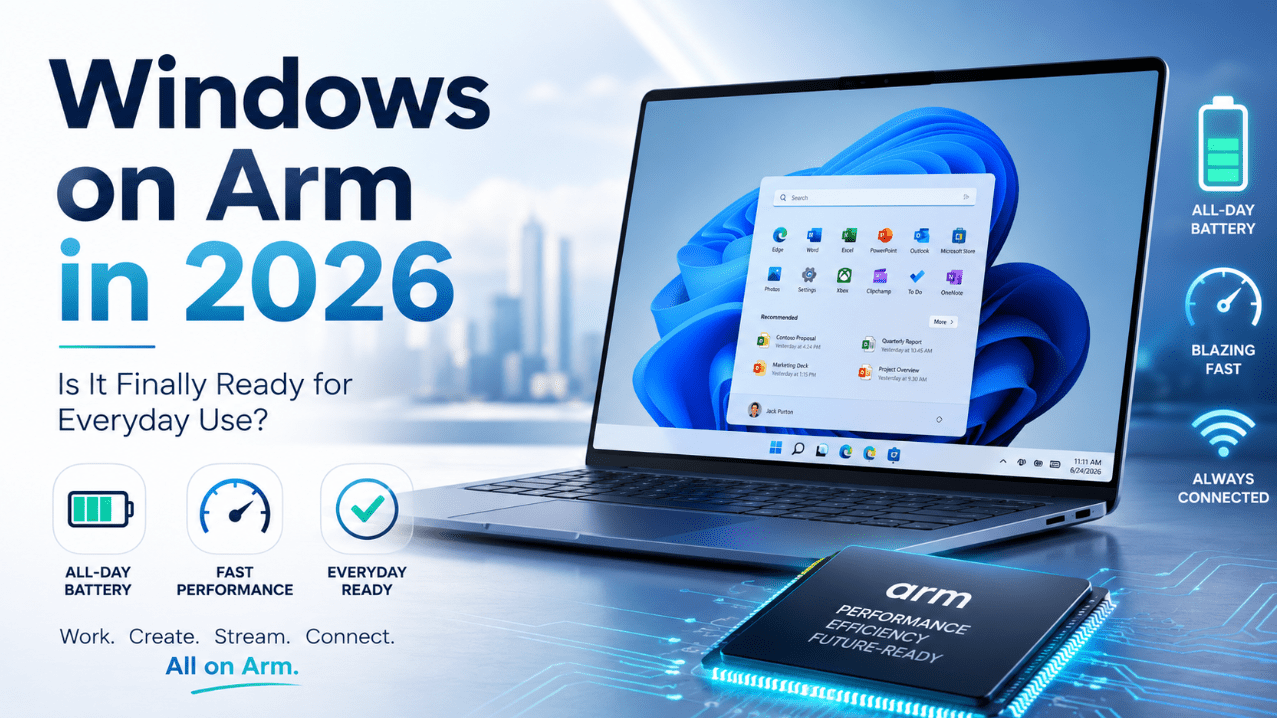
Windows on Arm in 2026: Is It Finally Ready for Everyday Use?
Jun
Windows on Arm has been one of Microsoft’s most interesting long-term projects, but for years the same question kept coming up: is it actually ready for normal everyday use, or is it still something only early adopters should try?
In 2026, that question finally has a much better answer than it did before.
For many everyday users, Windows on Arm is now genuinely usable as a main computer. Battery life is one of its biggest strengths, performance feels much more mature, and app compatibility is far better than it used to be. But that does not mean it is perfect for everyone. Some users still need to check their software, drivers, and accessories carefully before buying.
The Short Answer
If you want the simple version:
- Windows on Arm is much more ready in 2026 than it used to be
- it is a strong option for web browsing, Office work, video calls, streaming, and general productivity
- app support is better, especially with native Arm apps and newer emulation
- battery life is one of its biggest advantages
- it is still not the safest blind-buy for every niche workflow, game, or accessory setup
So the honest answer is:
Yes, Windows on Arm is finally ready for everyday use for many people in 2026, but you should still double-check compatibility if you depend on older software, specialized drivers, or certain gaming setups.
What Is Windows on Arm?
Windows on Arm is Windows running on Arm-based processors instead of the more traditional x86 processors that most Windows PCs have used for years.
The goal is not just to be different. The bigger goal is to combine:
- Windows compatibility
- better efficiency
- longer battery life
- instant-on style responsiveness
- stronger mobile-style connectivity
That is why Windows on Arm systems are often described as being better for mobility and all-day use.
Why Windows on Arm Matters More in 2026
A few years ago, Windows on Arm often felt like an interesting idea that still needed time.
In 2026, it matters more because several things have improved at once:
- more native Arm apps exist
- emulation is better than before
- Microsoft is pushing Copilot+ PCs and on-device AI features
- battery life and efficiency are much more attractive to buyers
- more people are now open to lighter, quieter, more portable laptops
That combination makes Windows on Arm feel much less experimental than it once did.
The Biggest Advantages of Windows on Arm
1. Better battery life
This is still one of the strongest reasons to care.
Windows Arm-based PCs are designed around efficiency, and Microsoft explicitly positions them as offering longer battery life and power-efficient performance. That makes them especially appealing for:
- students
- commuters
- remote workers
- travelers
- people who work away from outlets for long stretches
If battery life matters a lot to you, Windows on Arm is much easier to take seriously in 2026.
2. Good everyday performance
For typical daily tasks, Windows on Arm is now a lot more convincing than it used to be.
For things like:
- web browsing
- Microsoft 365
- documents
- video calls
- note-taking
- streaming
- light photo work
it is no longer fair to treat Windows on Arm as automatically “not ready.” For many people, those are exactly the workloads that matter most.
3. Better app compatibility
A major reason Windows on Arm feels more ready now is that app support has improved on two fronts:
- more apps are now built natively for Arm
- more older apps can run through improved emulation
That matters because readiness is not just about hardware. It is about whether the apps people use every day actually work well enough.
4. More modern Windows direction
Windows on Arm also fits where Microsoft is going.
As Windows becomes more tied to on-device AI, NPUs, battery efficiency, and lighter mobile-style systems, Arm fits more naturally into that future than it once did.
How Windows on Arm Works in 2026
The easiest way to understand it is this:
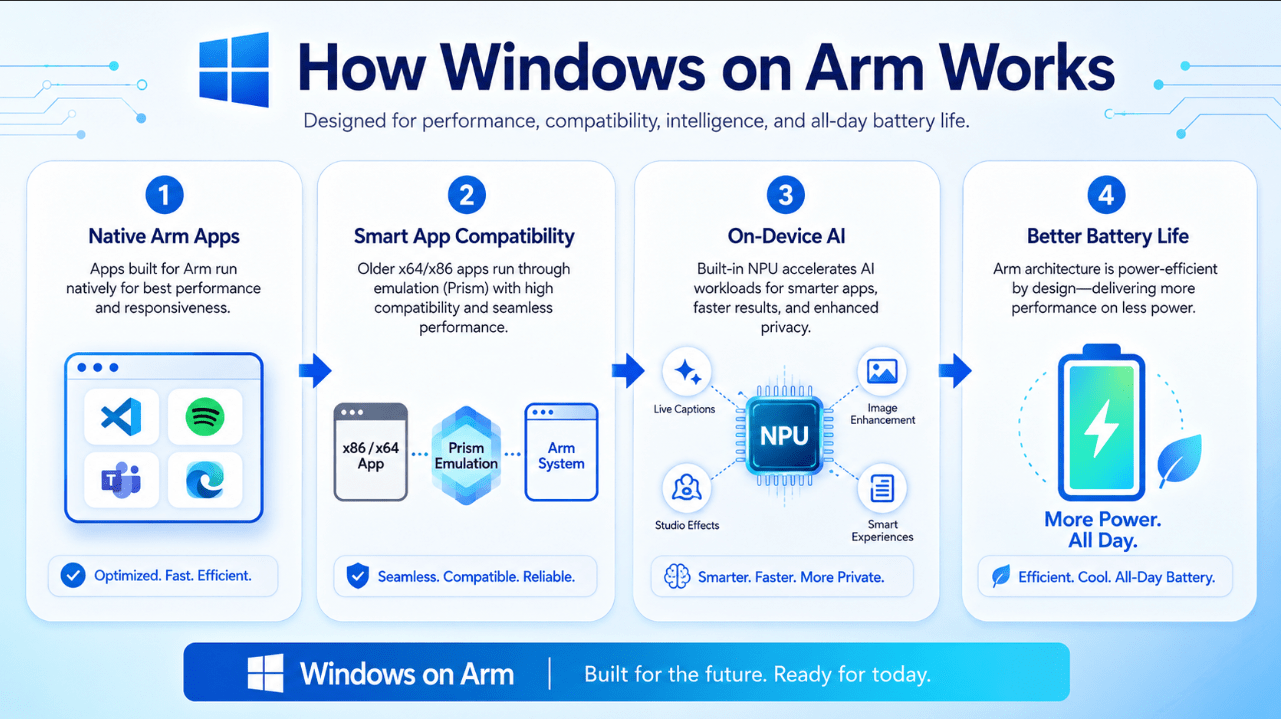
- native Arm apps run directly on the system for the best results
- older x86 and x64 apps can often still run through emulation
- Windows manages much of that behind the scenes so it feels more normal to the user
For many people, that means they do not need to think about architecture all day. They just need to know whether the things they use actually work.
That is a much healthier place for the platform than before.
What Is Prism and Why Does It Matter?
Prism is Microsoft’s newer emulator for Windows on Arm.
It matters because it improves how non-native Windows apps run on these systems. That is a huge part of why Windows on Arm feels more viable now. If the system can run more of the apps people already use, and run them more smoothly, then the platform becomes far more realistic as a main computer.
For many users, Prism is one of the biggest reasons 2026 feels different from earlier Windows on Arm periods.
What Works Well on Windows on Arm?
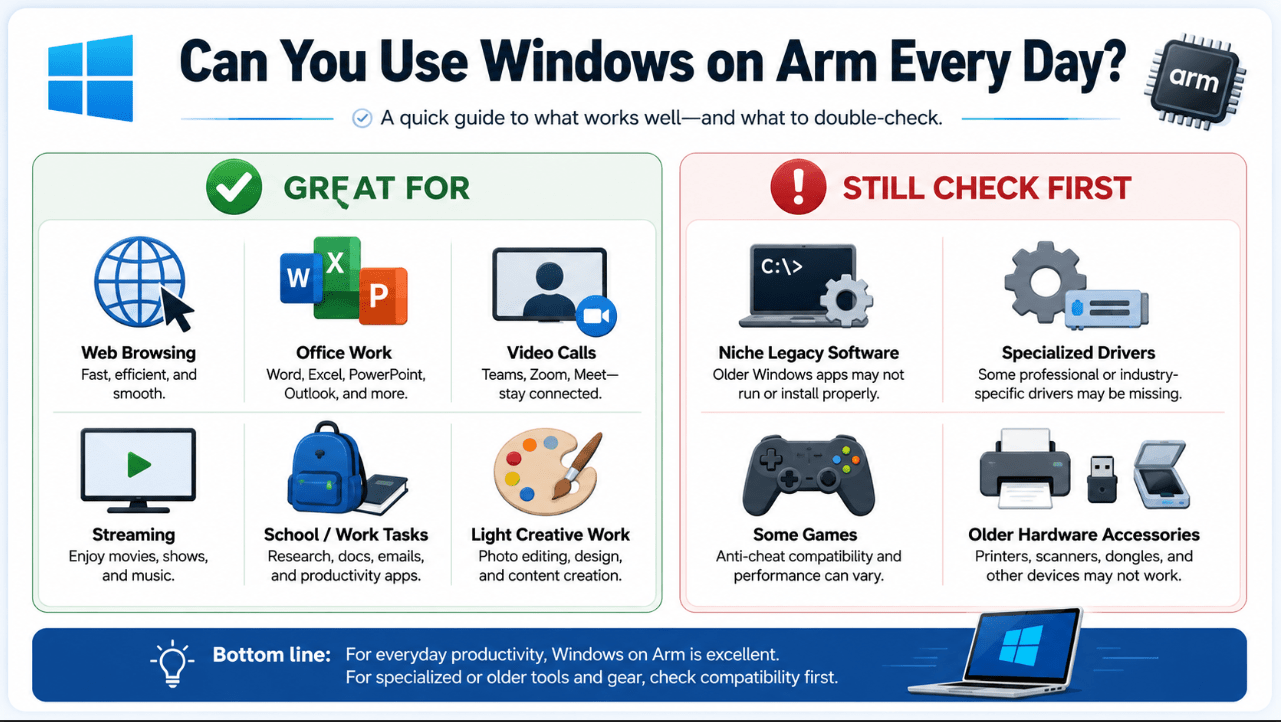
For most normal users, Windows on Arm is now great for:
Web browsing
This is one of the easiest wins. Modern browser-based workflows fit Arm laptops very well.
Office and productivity work
Documents, spreadsheets, presentations, email, note-taking, and collaboration are all much more comfortable on today’s Arm systems than many people expect.
Video calls
Meetings, classes, remote work, and everyday communication fit very naturally with a battery-efficient laptop setup.
Streaming and media
Video streaming and everyday media use are easy use cases for the platform.
Light creative work
Not every advanced creative workflow is ideal, but a lot of lighter editing and productivity-focused creative tasks are perfectly reasonable now.
What Still Needs a Compatibility Check?
This is the part buyers should not ignore.
Windows on Arm is more ready, but it is still not a “never check anything” platform for every use case.
1. Older niche software
If you rely on older or specialized Windows programs, you should check first.
2. Drivers and hardware accessories
Some peripherals and devices only work if the right drivers exist for Arm. That includes some printers, scanners, antivirus tools, virtualization-related tools, and specialized accessories.
3. Some games
Gaming has improved, but not everything works equally well. Anti-cheat systems and other low-level requirements can still cause compatibility issues in some games.
4. Some advanced enterprise or developer workflows
Heavy virtualization, very specific local tools, and certain workflow dependencies may still need more caution.
Is Gaming on Windows on Arm Better Now?
Yes, better – but still not universally simple.
Gaming on Arm-based Windows 11 PCs is clearly improving, and Microsoft’s 2026 Xbox announcement is one of the strongest signs of progress. That said, gaming is still the wrong category to treat casually if you expect every title, launcher, and anti-cheat setup to behave exactly the same way as on a traditional gaming laptop.
So the right answer is:
- better than before
- promising
- still something to verify game by game if gaming is a major reason for your purchase
Is Windows on Arm Good for Microsoft 365 Users?
For most Microsoft 365 users, yes.
Microsoft specifically highlights native Arm versions of apps like Word, Excel, PowerPoint, Outlook, OneDrive, OneNote, and Teams. That is a big deal because those are everyday tools for a huge number of people.
One thing to note, though, is that Microsoft is ending support for the 32-bit edition of Microsoft 365 Apps on Windows Arm-based PCs. If someone is still on that older setup, they need to move to the 64-bit edition to keep getting features and security updates.
So for modern Microsoft 365 use, Windows on Arm is in a much better place than older impressions suggest.
Who Is Windows on Arm Best For?
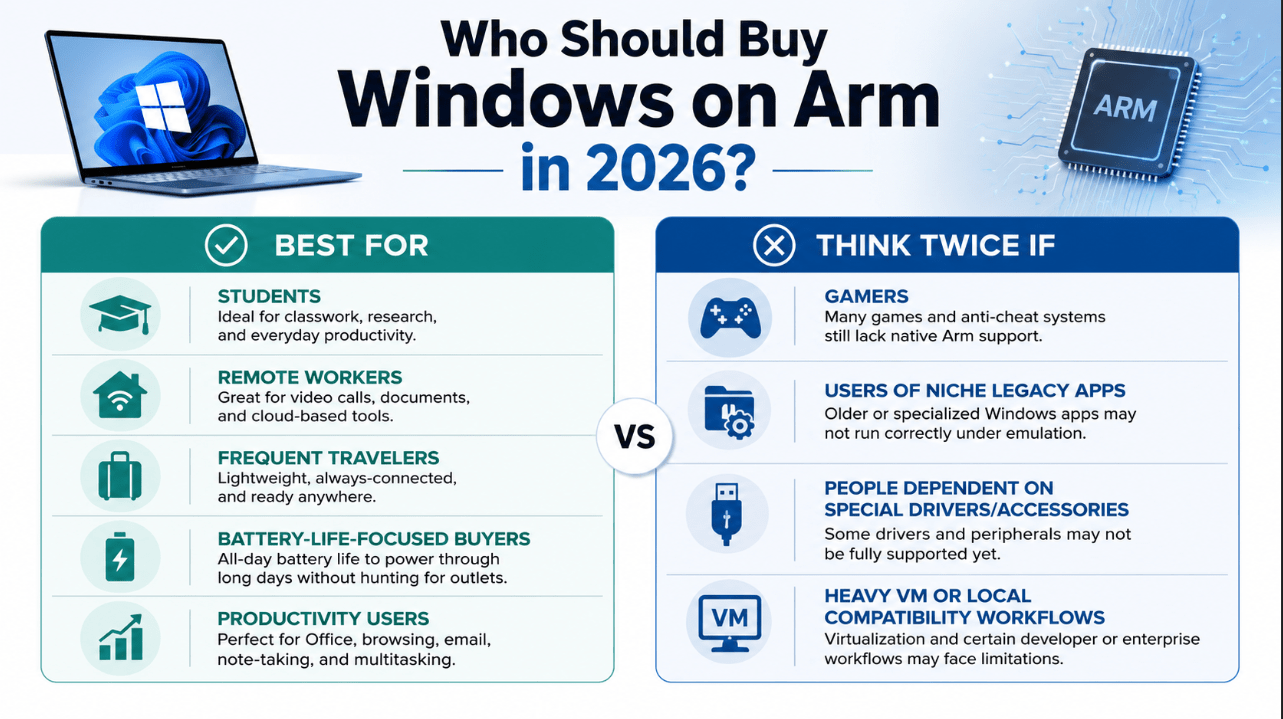
Windows on Arm makes the most sense for:
- students
- office and remote workers
- travelers
- people who care a lot about battery life
- web-first users
- people using modern Microsoft 365 workflows
- users who want a quiet, efficient everyday laptop
These are exactly the kinds of users most likely to feel that Windows on Arm is finally ready.
Who Should Think Twice?
Windows on Arm may not be the best fit for:
- users who depend on niche legacy software
- people with special driver-heavy accessory setups
- users tied to older enterprise tools
- some gamers
- people who want zero compatibility homework before buying
That does not mean it is bad. It just means it is still smarter to check first if your workflow is more specialized.
Is It Finally Ready for Everyday Use?
For many people, yes.
That does not mean every single old Windows expectation maps perfectly to Arm yet. But it does mean the platform is no longer stuck in the “interesting but not ready” category for a huge part of the market.
If your everyday use looks like:
- browser work
- Microsoft 365
- media
- calls
- cloud apps
- general productivity
then Windows on Arm in 2026 is absolutely a serious option.
Should You Buy a Windows on Arm Laptop in 2026?
A good rule is this:
Buy one if:
- battery life matters a lot
- you want a highly mobile laptop
- your workflow is mostly modern and mainstream
- you use common productivity apps
- you like the direction of new Windows devices
Be cautious if:
- you depend on old specialized software
- you use hardware that needs unusual drivers
- you mainly want a gaming laptop
- your workflow depends on tools you have not checked yet
Quick Verdict
Windows on Arm in 2026 is finally ready for everyday use for a large group of users. Battery life, efficiency, app compatibility, and general usability are all much stronger than before, and the platform now makes real sense for normal productivity and mobile-first computing.
It is not perfect for every niche setup, and it is still smart to double-check older apps, drivers, peripherals, and some games before buying. But for students, office users, remote workers, travelers, and general productivity users, Windows on Arm has moved much closer to being a normal recommendation instead of an experimental one.
FAQ
Is Windows on Arm actually usable in 2026?
Yes, for many mainstream users it is now a realistic everyday platform, especially for productivity, browsing, and mobility-focused use.
Can Windows on Arm run normal Windows apps?
Yes. Many apps now run natively, and Windows 11 on Arm also supports x86 and x64 apps through emulation.
Is Windows on Arm good for Office work?
Yes. Microsoft 365 apps are one of the strongest use cases for Windows on Arm now.
Is Windows on Arm good for gaming?
It is improving, but gaming is still a category where compatibility should be checked more carefully.
Choose the right Windows laptop with confidence and get a genuine Windows license with instant delivery and simple activation.