
Instructions
How to Add Page Numbers in Microsoft Word
May
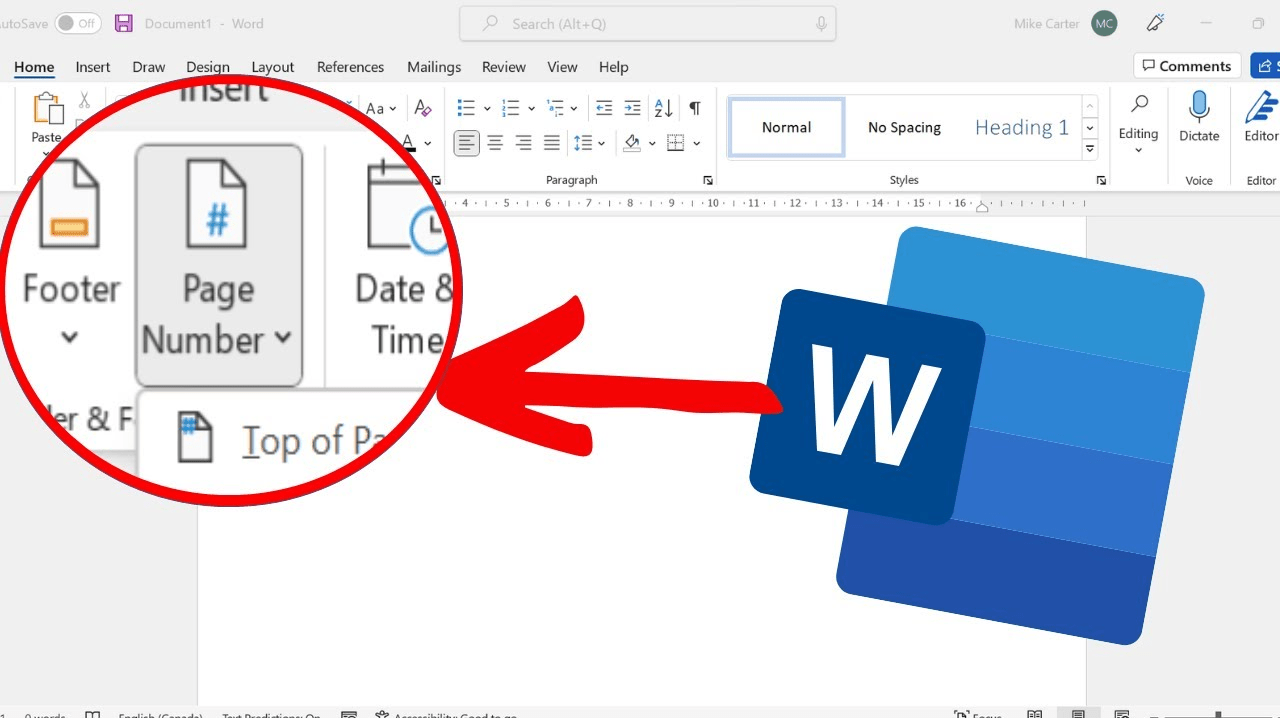
Adding page numbers in Microsoft Word is one of the most useful formatting steps for reports, essays, business documents, and long files. Microsoft says you can insert page numbers in the header or footer, choose where they appear, and then change their format or numbering style later.
The good part is that Word makes this very simple once you know where to look. In most cases, you can add page numbers in a few clicks, and Word will automatically update them as the document changes. Microsoft’s support page also explains that you can remove page numbers from the first page, or start numbering later in the document when needed.
The Short Answer
To add page numbers in Microsoft Word:
- open the Insert tab
- click Page Number
- choose where you want the numbers to appear
- select a page number style
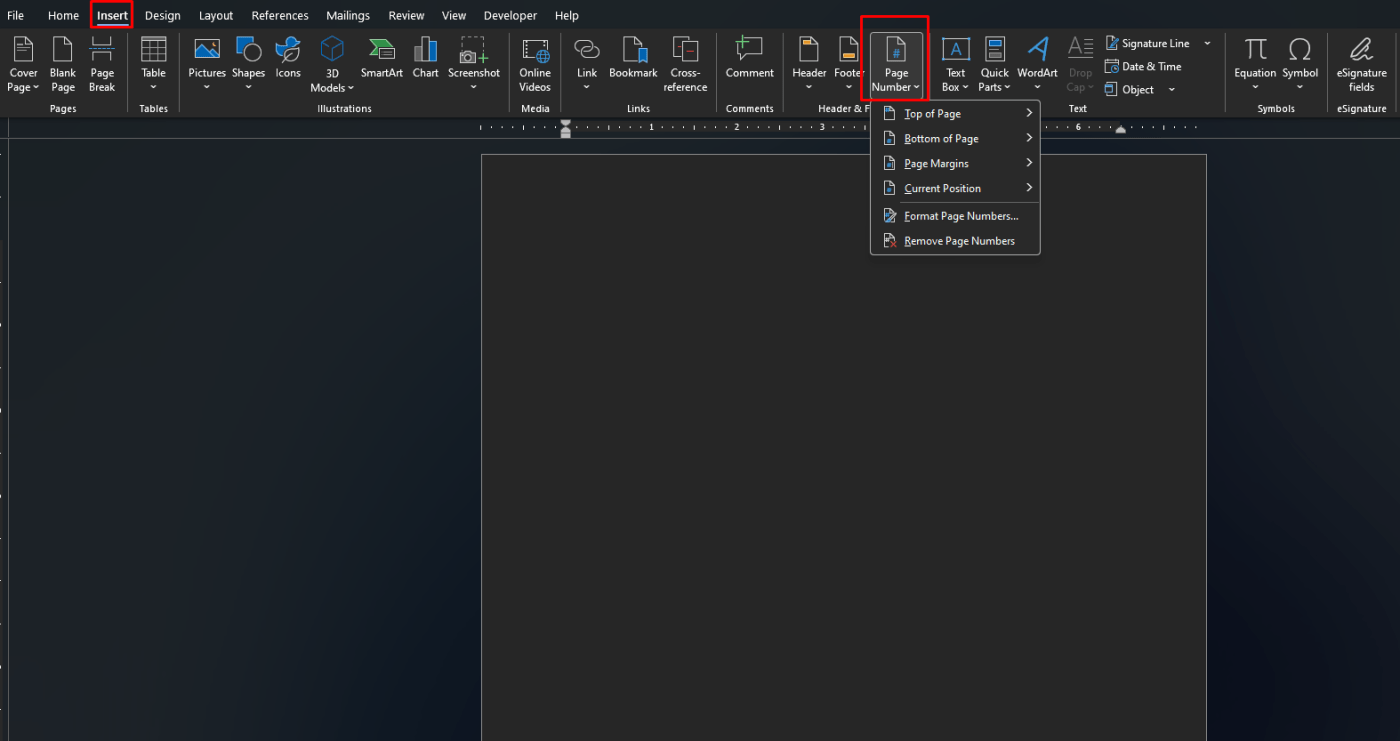
Microsoft says the standard path is Insert > Page Number, then choosing a location such as top of page, bottom of page, or page margins.
How to Add Page Numbers in Word
This is the standard method most people use.
Microsoft says to open the Insert tab, select Page Number, then choose the location and style you want. Word then adds page numbers to the header, footer, or margins of the document.
Where you can place page numbers
Word lets you place page numbers in several common positions:
- top of the page
- bottom of the page
- page margins
- current cursor position
Microsoft lists these options in the Page Number menu.
How to Change the Page Number Style
Sometimes you do not just want plain numbers.
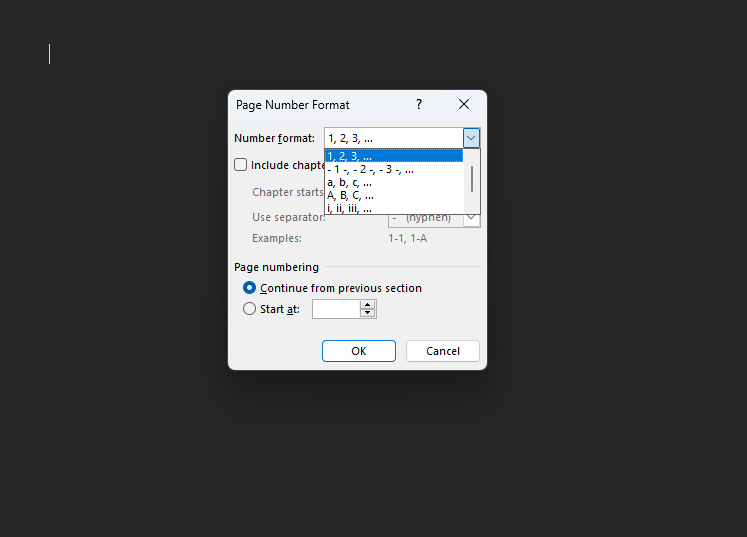
Microsoft says you can use Format Page Numbers to change the numbering style, including formats such as:
- 1, 2, 3
- i, ii, iii
- I, II, III
This is useful for formal documents, academic papers, and reports that use Roman numerals in the front section.
How to Remove the Page Number from the First Page
This is very common for essays, title pages, and business documents.
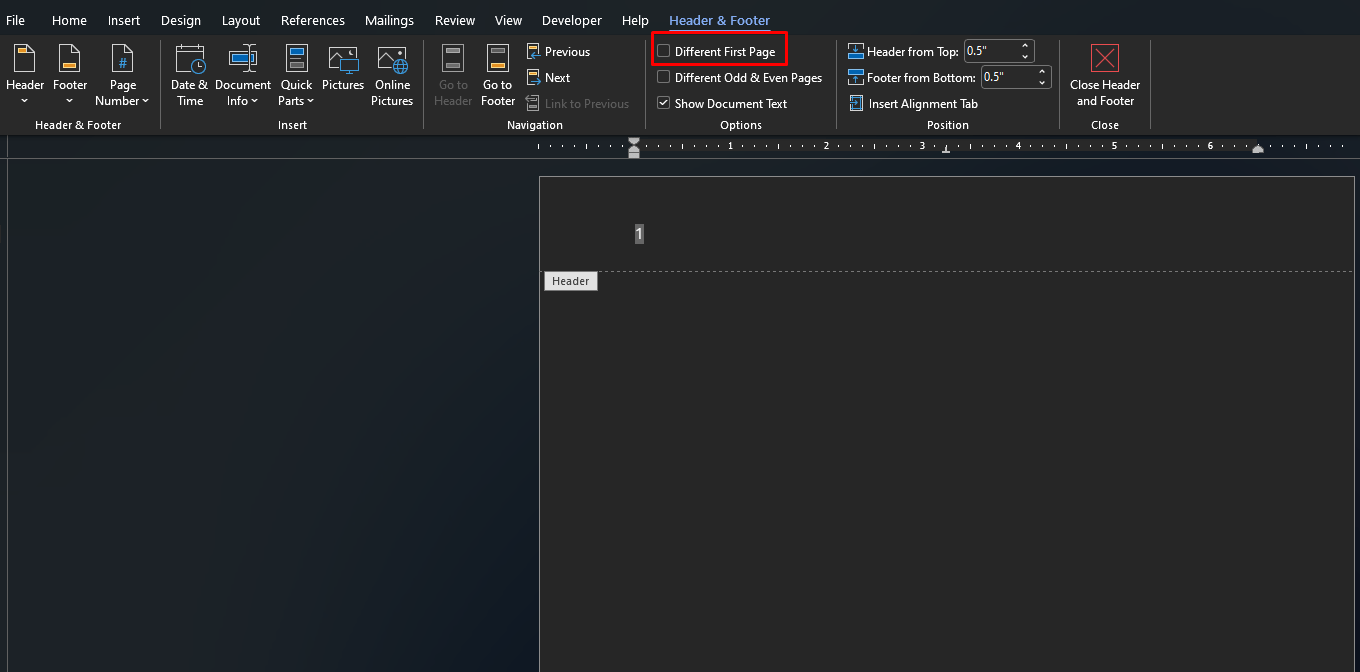
Microsoft says that if you want to hide the page number on the first page, you should use Different First Page in the header and footer tools. That keeps the page count going, but the first page number does not display.
This is useful if:
- the first page is a cover page
- the first page is a title page
- you want the second page to show the first visible page number
How to Start Page Numbers on a Later Page
Sometimes you want the document to begin numbering after a title page, contents page, or intro section.
Microsoft says the usual way to do this is by inserting a section break, then unlinking headers or footers between sections and formatting page numbers in the new section. Microsoft’s page-numbering support explains that section breaks are used when you want different numbering in different parts of a document.
Basic idea
- insert a section break before the page where numbering should begin
- open the header or footer in the new section
- turn off Link to Previous
- add or format page numbers in that section
This is one of the most useful page-number tricks in Word for school and professional documents.
How to Restart Page Numbering in Word
You can also restart numbering in a new section.
Microsoft says that in Format Page Numbers, you can choose Start at and then enter the number you want, such as 1. This is helpful when a document has multiple sections that need their own numbering.
How to Remove Page Numbers in Word
If you no longer want them, Word also makes removal easy.
Microsoft says you can go to Insert > Page Number > Remove Page Numbers to remove them from the document.
FAQ
How do I add page numbers in Microsoft Word?
Microsoft says to go to Insert > Page Number, then choose where you want the numbers to appear and pick a style.
How do I remove the page number from the first page in Word?
Microsoft says to use the Different First Page option in header and footer tools if you want the first page to hide its number.
Can I start page numbers on page 2 or page 3 in Word?
Yes. Microsoft’s support says this is usually done with section breaks, unlinking sections, and formatting page numbers in the new section.
Can I change page numbers to Roman numerals in Word?
Yes. Microsoft says Format Page Numbers lets you change the number style, including Roman numerals.
Get affordable Office keys with instant delivery, hassle-free activation, and the tools you need to work smarter every day.