
Instructions
XLSX vs XLS: What Is the Difference?
Aug
If you use Microsoft Excel, you’ve probably seen files ending in .xlsx and .xls. They both open in Excel and both store spreadsheets, so what is the actual difference?
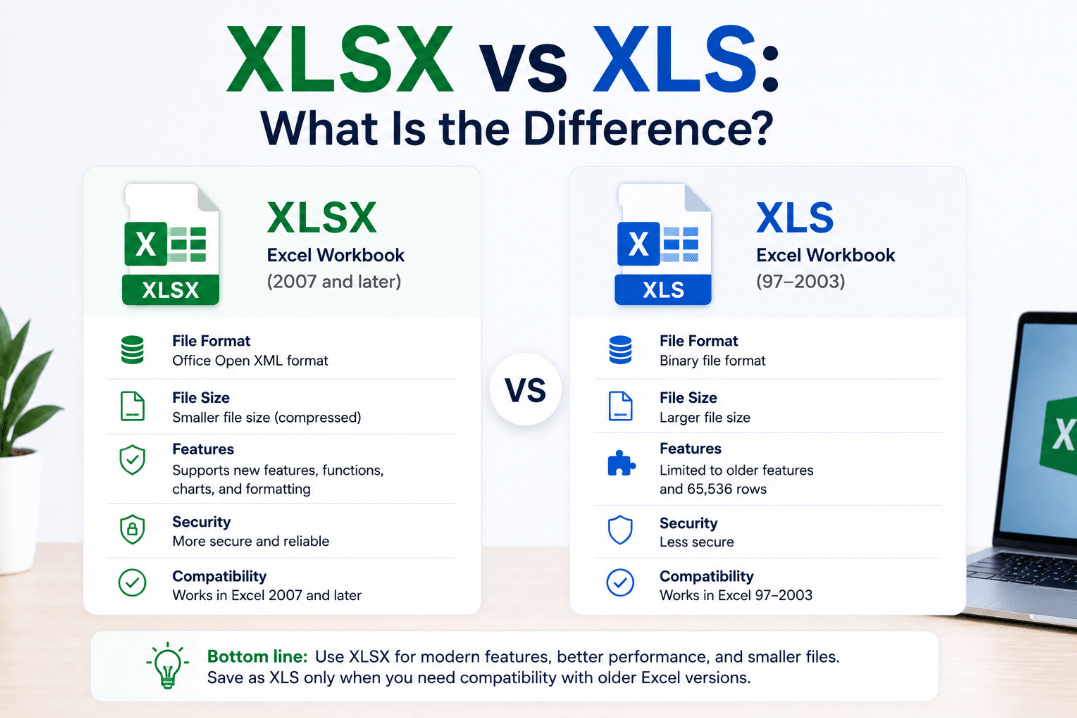
The XLSX vs XLS difference mainly comes down to age, compatibility, file structure, and the Excel features each format can support.
What Is an XLS File?
XLS is the older Excel workbook format.
Microsoft Excel used XLS as its standard file format in versions from Excel 97 through Excel 2003.
An XLS file can contain:
- Worksheets
- Formulas
- Charts
- Formatting
- Tables
- Other spreadsheet data
Although modern versions of Excel can still open XLS files, the format has several limitations compared with newer Excel formats.
What Is an XLSX File?
XLSX became the standard Excel workbook format with Excel 2007.
It is based on Microsoft’s Office Open XML format and remains the normal format used when saving a new Excel workbook today.
XLSX supports modern Excel features while generally creating smaller and more efficient files than the older XLS format.
If you create a normal workbook in a recent version of Excel and click Save, it will usually be saved as an .xlsx file.
XLSX vs XLS: Quick Comparison
| Feature | XLSX | XLS |
|---|---|---|
| Introduced | Excel 2007 | Excel 97 |
| Current standard format | Yes | No |
| Maximum rows | 1,048,576 | 65,536 |
| Maximum columns | 16,384 | 256 |
| File size | Usually smaller | Often larger |
| Modern Excel features | Better support | Limited |
| Older Excel compatibility | Limited on very old versions | Better |
| Macros stored directly | No | Yes |
For most users today, XLSX is the better format.
Why Are XLSX Files Usually Smaller?
XLSX uses a different internal file structure from XLS.
An XLSX workbook is essentially a collection of structured XML files compressed into one package.
Because the contents are compressed, XLSX files are often smaller than equivalent XLS workbooks.
This can be useful when working with large spreadsheets or sending Excel files by email.
Does XLSX Support More Rows and Columns?
Yes.
One of the biggest practical differences appears with large spreadsheets.
An older XLS worksheet supports up to:
65,536 rows and 256 columns
Modern XLSX worksheets can support up to:
1,048,576 rows and 16,384 columns
Most everyday spreadsheets never reach these limits, but the difference matters for large datasets.
Can XLSX Files Contain Macros?
A normal .xlsx file cannot store VBA macros.
If an Excel workbook contains macros, Excel normally saves it as:
.xlsm
This is the macro-enabled version of the modern Excel workbook format.
The older XLS format can contain macros, which is one reason you may still encounter XLS files containing VBA code.
If Excel warns you that saving as XLSX will remove macros, choose XLSM instead if you need to keep them.
Can Modern Excel Open XLS Files?
Yes.
Current versions of Microsoft Excel can still open older XLS files.
However, you may see Compatibility Mode in the Excel title bar.
Compatibility Mode means Excel is limiting some newer features so the workbook remains compatible with the older file format.
If you no longer need compatibility with older versions of Excel, you can usually convert the workbook to XLSX.
How to Convert XLS to XLSX
You don’t need a separate conversion tool.
Open the XLS file in Excel and then:
- Click File.
- Select Save As.
- Choose where to save the workbook.
- Select Excel Workbook (*.xlsx) as the file type.
- Click Save.
Your original XLS file can remain unchanged while Excel creates a new XLSX copy.
Before converting an important workbook, check whether it contains older features or macros that may behave differently in the newer format.
When Should You Still Use XLS?
There are fewer reasons to use XLS today, but it can still be useful when sharing a spreadsheet with someone using very old software that doesn’t properly support XLSX.
You may also encounter XLS files from:
- Older business systems
- Legacy databases
- Old company documents
- Archived spreadsheets
- Software that still exports to Excel 97–2003 format
If compatibility with old software isn’t required, there is usually little benefit to creating new XLS files.
Which Format Should You Use?
For almost all new spreadsheets, choose XLSX.
It supports modern Excel features, much larger worksheets, and generally produces more efficient files.
Use XLS mainly when you specifically need compatibility with old versions of Excel or older business software.
And if your workbook contains macros, use XLSM rather than XLSX.
Summary
The XLSX vs XLS difference is mainly about old versus modern Excel file formats.
If you’re creating a new workbook and don’t have a specific compatibility reason to use XLS, stick with XLSX.
Need Microsoft Office with Excel for your PC? Explore our Microsoft Office keys and choose the version that fits your work today.