
Instructions
PPTX vs PPT: What Is the Difference?
Aug
If you use Microsoft PowerPoint, you have probably seen presentations saved as .pptx and .ppt files.
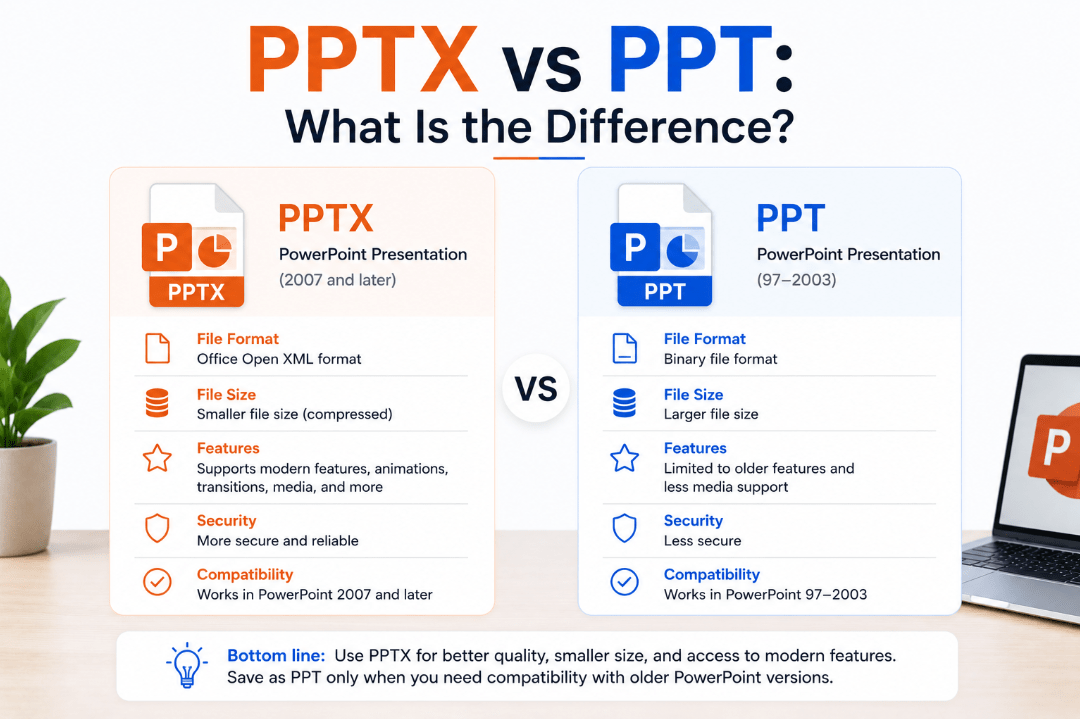
Both formats contain PowerPoint presentations, but they belong to different generations of Microsoft Office. The main PPTX vs PPT difference comes down to file structure, compatibility, modern features, and file size.
What Is a PPT File?
PPT is the older Microsoft PowerPoint presentation format.
It was the standard format used by PowerPoint versions from PowerPoint 97 through PowerPoint 2003.
A PPT file can contain:
- Slides
- Text
- Images
- Charts
- Animations
- Transitions
- Audio and video
- Other presentation content
Modern versions of PowerPoint can still open PPT files, but some newer features may not be available when working in the older format.
What Is a PPTX File?
PPTX became the standard PowerPoint format with PowerPoint 2007.
It uses Microsoft’s Office Open XML format and is the default choice when saving a normal presentation in modern versions of PowerPoint.
PPTX files support current PowerPoint features and usually offer better efficiency than the older PPT format.
If you create a new presentation today and click Save, PowerPoint will normally save it as a .pptx file.
PPTX vs PPT: Quick Comparison
| Feature | PPTX | PPT |
|---|---|---|
| Introduced | PowerPoint 2007 | PowerPoint 97 |
| Current standard | Yes | No |
| File structure | Open XML | Older binary format |
| File size | Usually smaller | Often larger |
| Modern PowerPoint features | Better support | Limited |
| Very old PowerPoint compatibility | Limited | Better |
| Macros supported | No | Yes |
For most presentations today, PPTX is the recommended format.
Why Are PPTX Files Usually Smaller?
PPTX files use a modern XML-based structure and compression.
Instead of storing the presentation as one older binary file, the PPTX format packages multiple structured files together and compresses them.
As a result, PPTX presentations are often smaller than equivalent PPT files.
This can make them easier to:
- Upload
- Share through cloud storage
- Store in larger numbers
The exact size still depends heavily on the images, videos, and other media included in the presentation.
Can PPTX Files Contain Macros?
A normal PPTX file cannot store VBA macros.
If your PowerPoint presentation contains macros, you should normally save it as:
.pptm
PPTM is the modern macro-enabled PowerPoint format.
Older PPT files can contain macros, so be cautious when opening old presentations from unknown sources.
If PowerPoint warns that macros will be removed when saving as PPTX, choose PPTM if you need to keep them.
Can Modern PowerPoint Open PPT Files?
Yes.
Current versions of Microsoft PowerPoint can still open older PPT presentations.
However, PowerPoint may display Compatibility Mode.
This means certain modern PowerPoint features are limited so that the presentation remains compatible with the older PPT format.
If you no longer need compatibility with PowerPoint 97–2003, converting the presentation to PPTX is usually a good idea.
How to Convert PPT to PPTX
You can convert an older PowerPoint file directly inside PowerPoint.
- Open the PPT presentation.
- Click File.
- Select Save As.
- Choose a location.
- Select PowerPoint Presentation (*.pptx).
- Click Save.
PowerPoint will create a modern PPTX version of the presentation.
It is a good idea to check the slides afterward, especially if the original file contains older animations, fonts, multimedia, or other legacy features.
When Should You Still Use PPT?
There are fewer reasons to create PPT files today.
You may still need the older format when:
- Sharing with someone using very old PowerPoint software
- Working with an older business system
- Opening archived company presentations
- Using software that only exports PPT files
For normal modern PowerPoint use, PPTX is usually the better option.
What About PPSX and PPTM?
PowerPoint includes several other related file formats.
PPTM is used for modern presentations containing macros.
PPSX is a PowerPoint Show file that normally opens directly in Slide Show mode rather than editing mode.
PPTX remains the standard format for normal editable presentations.
Which Format Should You Use?
For almost every new presentation, choose PPTX.
It provides better support for modern PowerPoint features, generally smaller files, and compatibility with current versions of Microsoft Office.
Use PPT only when you specifically need compatibility with very old PowerPoint software.
If your presentation contains macros, use PPTM instead.
Summary
The PPTX vs PPT difference is mainly about modern versus older PowerPoint file formats.
Unless you have a specific reason to support older software, PPTX is the better format for creating, editing, and sharing presentations today.
Need Microsoft Office with PowerPoint for your PC? Explore our Microsoft Office keys and choose the version that fits your needs today.