
Instructions
Office 2024 for Windows vs Office 2024 for Mac
Jun
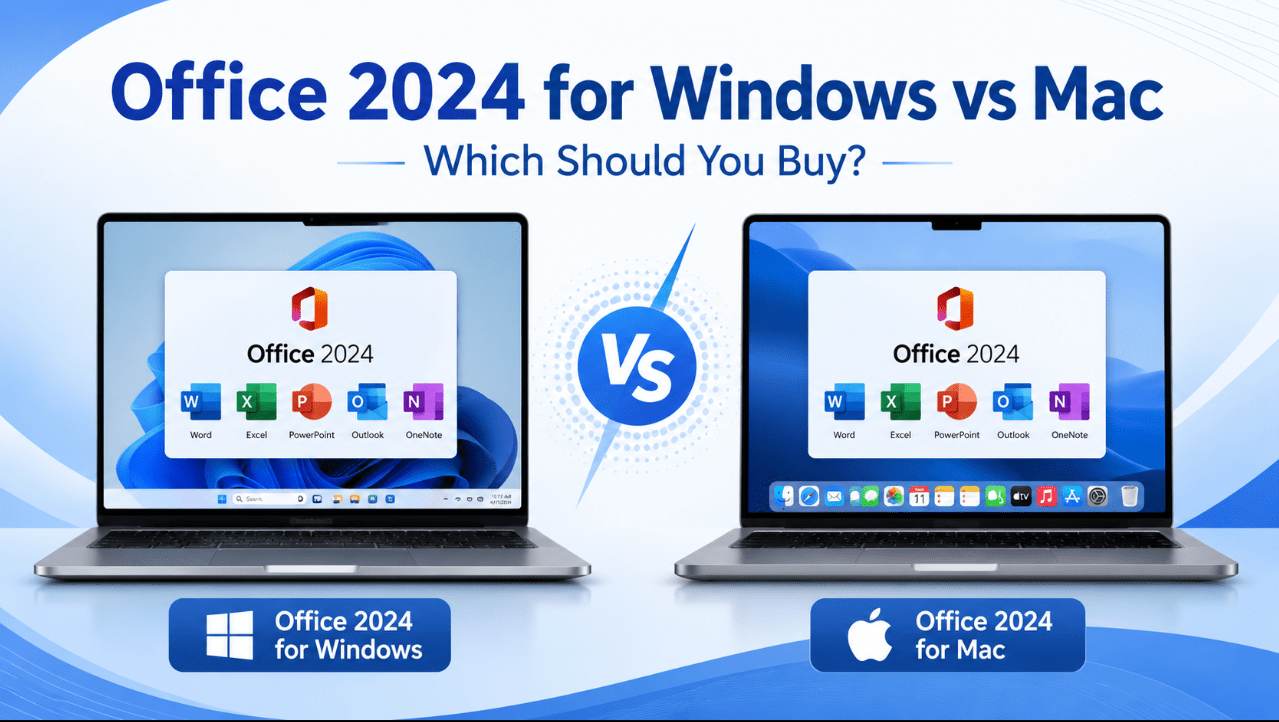
Office 2024 is available as a one-time purchase for both Windows PCs and Macs.
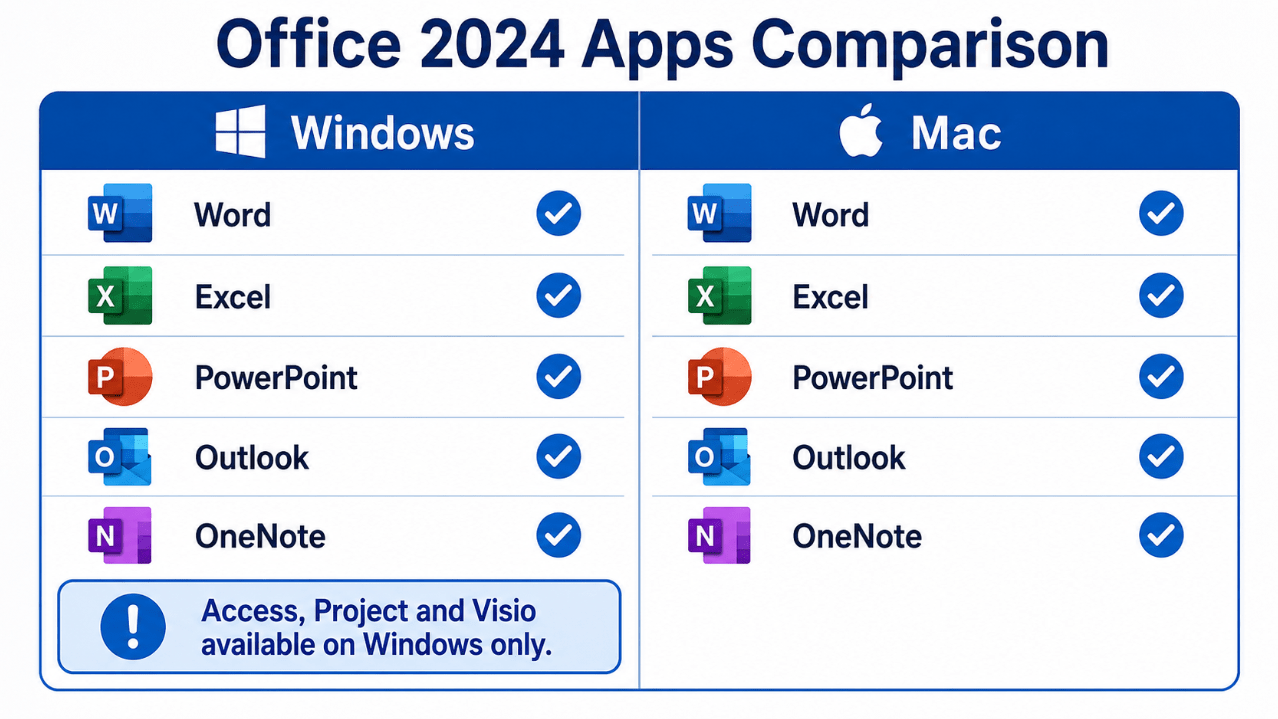
For the most direct comparison, Office Home & Business 2024 includes the same five core applications on both platforms:
- Microsoft Word
- Microsoft Excel
- Microsoft PowerPoint
- Microsoft Outlook
- Microsoft OneNote
The main difference is not basic document creation. Word files, Excel workbooks and PowerPoint presentations work across both systems.
The more important differences involve operating-system compatibility, installation, add-ins, automation and Windows-only applications such as Access, Project and Visio.
The correct choice is therefore simple: buy the edition designed for the computer you already use. A Windows Office installer cannot be installed on macOS, and a Mac installer cannot be used on Windows.
Need a one-time Office licence? Browse our Office 2024 product keys for Windows and Mac.
Quick Comparison
| Feature | Office 2024 for Windows | Office 2024 for Mac |
|---|---|---|
| Word | Yes | Yes |
| Excel | Yes | Yes |
| PowerPoint | Yes | Yes |
| Outlook | Yes | Yes |
| OneNote | Yes | Yes |
| Access available | Yes, with selected Windows editions | No |
| Project desktop app | Windows only | No native Mac version |
| Visio desktop app | Windows only | No native Mac version |
| Architecture | 32-bit or 64-bit | 64-bit |
| Installation | Click-to-Run | Apple PKG installer |
| One-time purchase | Yes | Yes |
For everyday documents, spreadsheets, presentations and email, both platforms provide a very similar experience.
Windows becomes the better choice when you require advanced business applications, older Windows-based add-ins or compatibility with an existing corporate Office environment.
Applications Included on Both Platforms
Office Home & Business 2024 includes the same essential application set on Windows and Mac.
Word 2024
Both versions can create and edit DOCX documents, use styles, comments, tables, images, templates and PDF export.
Word 2024 also includes improvements such as:
- Session recovery
- The updated Office theme
- ODF 1.4 support
- Modern comments
- Viewing, reviewing and editing modes
The interface follows each operating system, so menus and shortcuts may look slightly different.
Excel 2024
Excel on Windows and Mac supports modern worksheets, formulas, charts, tables and common file formats.
Both versions include newer Office 2024 improvements such as:
- Dynamic charts
- New text and array functions
- The IMAGE function
- Improved workbook performance
- Updated accessibility tools
Advanced add-ins and older automation systems may not behave identically across platforms.
PowerPoint 2024
Both editions can create and present PPTX files.
Users receive features including:
- Cameo
- Improved recording tools
- Closed-caption support
- Better accessible PDF export
- Updated themes and templates
Presentations normally transfer well between Windows and Mac, but custom fonts should be installed on both computers to avoid layout changes.
Outlook 2024
Outlook is included with Home & Business 2024 on both platforms.
It supports common email, calendar and contact workflows, although the interface and some account-management tools differ between Windows and macOS.
OneNote 2024
OneNote is available on both platforms for organising notes, images, lists and research.
The Biggest Difference: Windows-Only Applications
The most important platform difference is access to specialist Microsoft desktop applications.
Microsoft Access
Access is available only on Windows.
It is included with selected Windows suites such as Office Professional Plus 2024 and can also be purchased separately.
Access is useful for:
- Customer databases
- Inventory systems
- Order records
- Forms and reports
- Existing ACCDB and MDB files
Mac users cannot install the Windows Access desktop application natively.
Microsoft Project
Microsoft Project Professional is designed for Windows.
Mac users who need the desktop Project application require a compatible Windows environment or a different project-management solution.
Microsoft Visio
The Visio Professional desktop application is also Windows-only.
Users who create advanced network, process, UML or engineering diagrams should choose a Windows setup when they require the full Visio desktop program.
Choose Windows when Access, Project or Visio is an essential part of your workflow.
Windows and macOS Requirements
Office 2024 for Windows
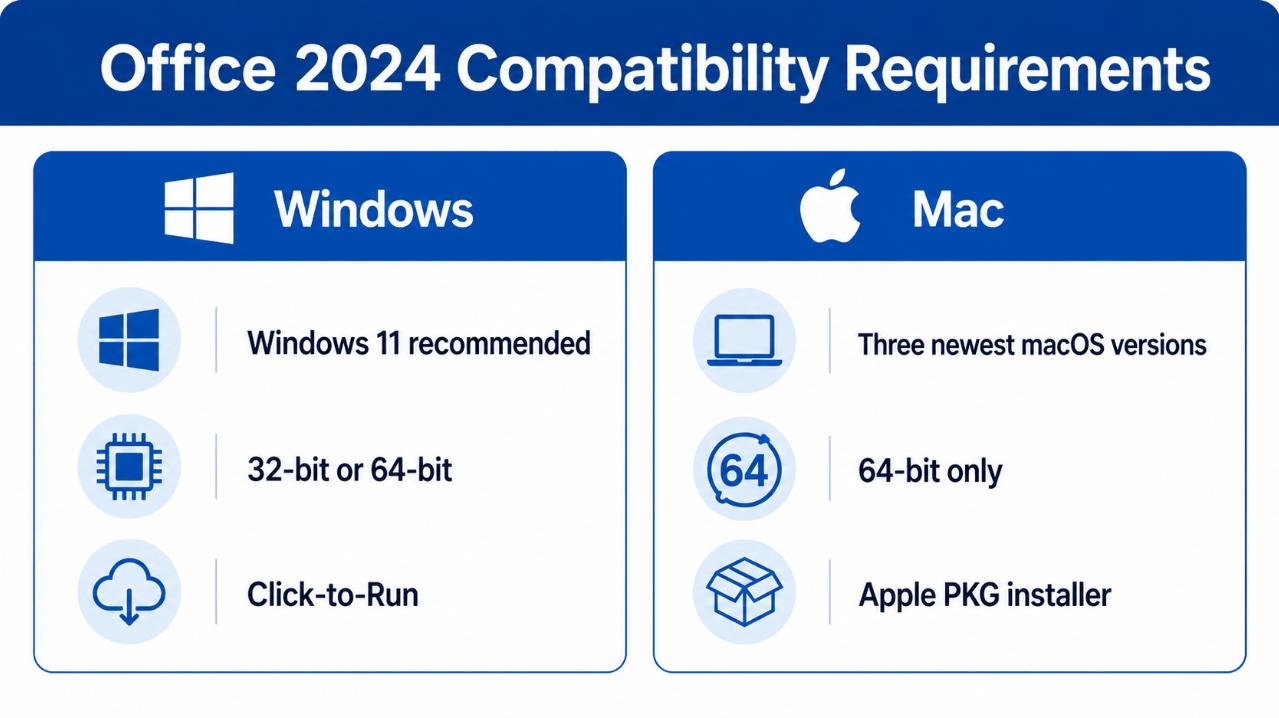
Microsoft lists Office 2024 as compatible with Windows 10 and later.
However, normal Windows 10 support ended on 14 October 2025. For a new installation in 2026, Windows 11 provides the stronger long-term setup.
Office 2024 for Windows supports:
- 32-bit installation
- 64-bit installation
- Intel and AMD-compatible Windows hardware
- Click-to-Run installation
For most modern PCs, 64-bit Office is recommended.
Office 2024 for Mac
Office 2024 for Mac supports 64-bit installation only.
Microsoft supports the three most recent major versions of macOS. When Apple releases a new macOS version, Microsoft generally stops supporting the oldest of the previous three.
Mac users should therefore keep macOS reasonably current to continue receiving full Office support.
Installation Differences
The installation process is different on each platform.
Windows Installation
Office 2024 for Windows uses Microsoft’s Click-to-Run technology.
A typical installation involves:
- Redeeming or associating the licence with the correct Microsoft account.
- Downloading the Windows installer.
- Removing conflicting Office versions.
- Choosing 32-bit or 64-bit where applicable.
- Installing and activating Office.
- Running Office Update.
Mac Installation
Office 2024 for Mac uses the standard Apple PKG installation format.
A typical process involves:
- Redeeming the licence with the correct Microsoft account.
- Downloading the Mac installer.
- Opening the PKG file.
- Following the macOS installation steps.
- Opening an Office app.
- Signing in and activating the licence.
Always use the installer that matches the purchased product and operating system.
File Compatibility Between Windows and Mac
Office 2024 uses the same main file formats on both platforms:
- DOCX for Word
- XLSX for Excel
- PPTX for PowerPoint
- PDF for exported documents
Most ordinary files can be moved between Windows and Mac without difficulty.
Possible compatibility issues include:
- Missing fonts
- Windows-specific add-ins
- Macros that use operating-system-specific commands
- ActiveX controls
- External data connections
- Printer-dependent page layouts
- Embedded media using unsupported formats
For files shared between platforms:
- Use fonts installed on both computers
- Test important macros
- Avoid Windows-only controls
- Check page and slide layouts
- Export a PDF when editing is not required
Macros and Add-Ins
Office 2024 supports Visual Basic for Applications on both Windows and Mac.
However, a macro written for Windows may use commands, file paths or system functions that do not work on macOS.
Cross-platform Office Add-ins built with web technologies can work on Windows and Mac.
Older Windows technologies such as COM and VSTO add-ins are platform-specific and may require the Windows version of Office.
Businesses should test essential add-ins before changing platforms.
Keyboard Shortcuts and Interface
Office applications look familiar on both systems, but they follow the conventions of the operating system.
Examples include:
- Windows commonly uses Ctrl
- macOS commonly uses Command
- Windows settings appear under File > Options
- Mac settings appear under the application menu
- File pickers and print screens follow the operating system
- Window controls appear in different positions
Most users adapt quickly because the Ribbon and main application structure remain similar.
Performance: Windows or Mac?
Neither platform is automatically faster in every Office task.
Performance depends on:
- Processor
- Available memory
- Storage speed
- Workbook or document size
- Installed add-ins
- Background applications
- Operating-system condition
Modern Apple silicon Macs can run Office efficiently, while a well-equipped Windows 11 PC can provide excellent Office performance and broader compatibility with business software.
Choose based on workflow rather than assuming one operating system is always faster.
Does Either Version Include Microsoft 365 Services?
No.
Office 2024 is a perpetual, one-time-purchase release.
It does not automatically include:
- 1 TB of OneDrive storage
- Continuous new feature additions
- Installation on several personal computers
- Future major Office versions
- The full Microsoft 365 cloud-service package
Internet access is still required for download, activation, updates and periodic activation checks.
The installed applications can perform many normal tasks offline.
Which Version Should You Buy?
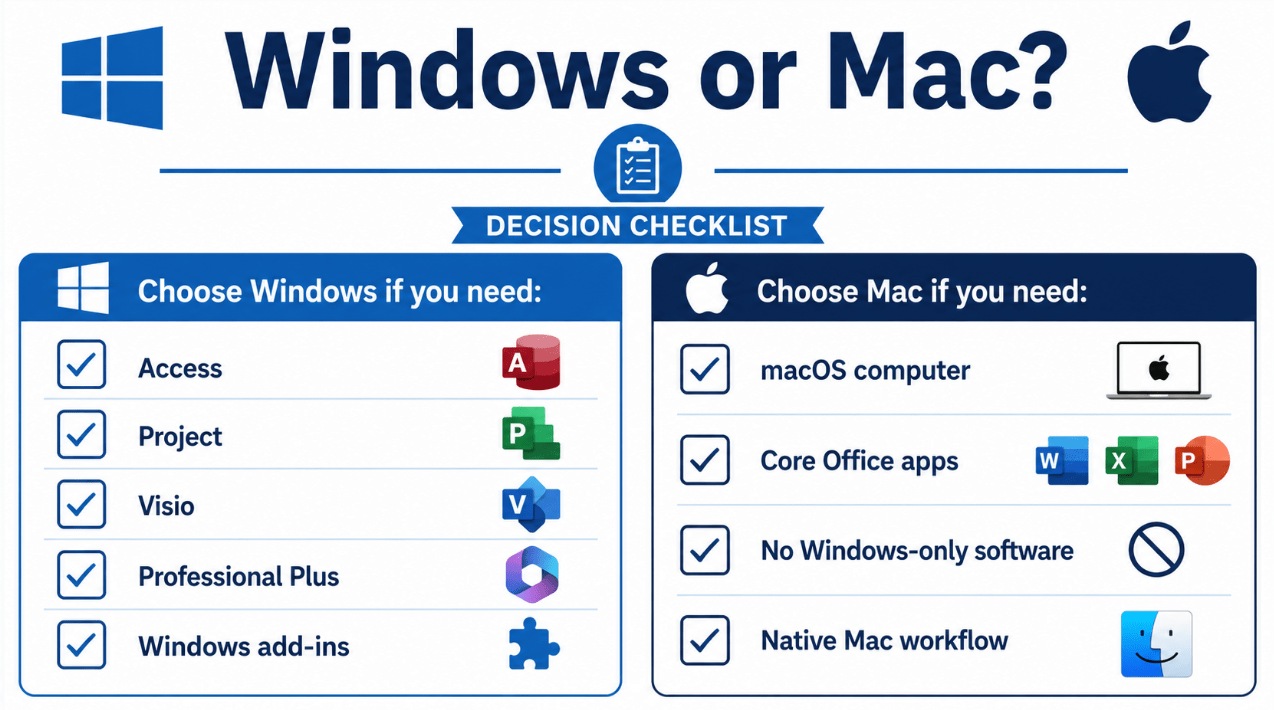
Choose Office 2024 for Windows When:
- You use a Windows 11 PC
- You need Access
- You use Project or Visio
- Your company relies on Windows-specific add-ins
- You need maximum compatibility with existing business software
- You want a Professional Plus edition
Choose Office 2024 for Mac When:
- You use a MacBook, iMac, Mac mini or Mac Studio
- You need Word, Excel, PowerPoint, Outlook and OneNote
- You do not require Access, Project or Visio
- Your workflow is already based on macOS
- You want a one-time Office purchase for Mac
Choose the correct one-time Office package for your computer.
Browse our Office 2024 for Windows licences or select Office Home & Business 2024 for Mac.