
-
×
 Windows 10 Home Product Key
1 × $26,61
Windows 10 Home Product Key
1 × $26,61 -
×
 Windows 10 Pro for 5 PCs
1 × $92,57
Windows 10 Pro for 5 PCs
1 × $92,57
ESET Internet Security 1 PC 1 Year
- License
- Retail · 1 PC
- Valid for
- 1 year
- Delivery
- Instant, by e-mail
- Download
- Official ESET
- Brand
- ESET
$30,08
License valid for 1 year
- Instant delivery to your e-mailkey + download links
- Key won't activate? We replace itunused keys: refund within 7 days
- Official invoice with every order
- 24/7 live chat help with activation
Pay with SKU ESIS2020
A one-year ESET Internet Security subscription for one Windows PC: antivirus, Ransomware Shield, firewall, Safe Banking & Browsing and parental control, activated in the app with your key.
What you get with ESET Internet Security
An activation key for ESET Internet Security on one Windows PC, valid for one year. It covers ESET’s antivirus engine plus a firewall, phishing protection, Safe Banking & Browsing, parental control and Anti-Theft. You install the app from ESET’s own download page and enter the key in its activation screen. The key arrives by e-mail with the download link, the activation steps and a PDF invoice; it’s a fixed one-year term, not an automatic renewal.
What ESET Internet Security protects
- Antivirus and antispyware scan files as they open, with ESET LiveGrid cloud reputation checks on unknown files.
- Ransomware Shield watches for programs that try to encrypt your documents.
- Intelligent Firewall controls which programs may connect to the network, and network signatures block botnet and exploit traffic.
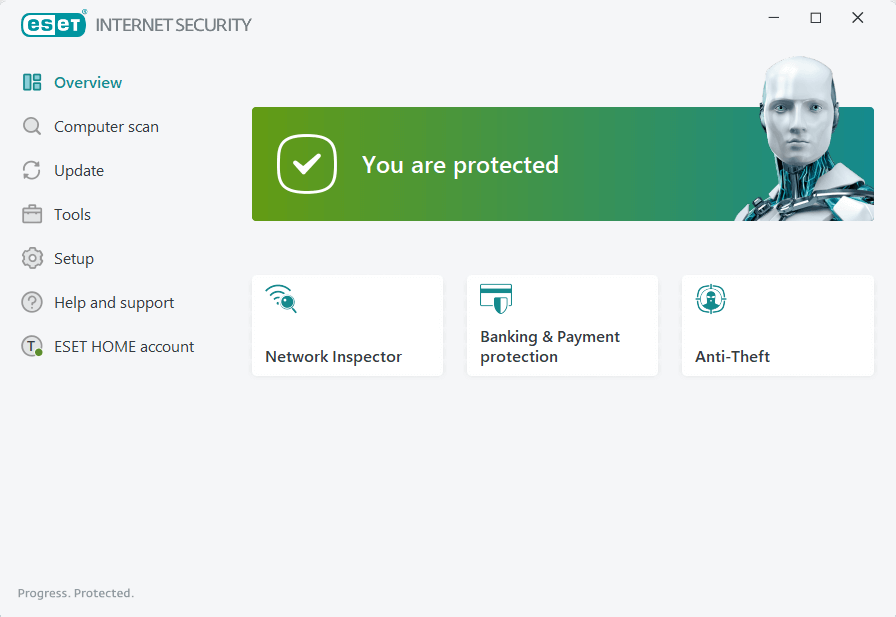
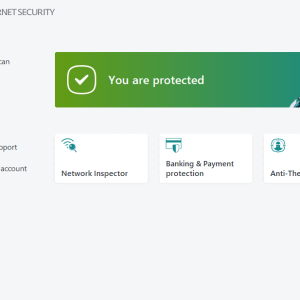
- Network Inspector tests your home router for weak spots such as weak passwords and lists the devices connected to it.
- Safe Banking & Browsing adds a protected browser mode for online payments, next to the Anti-Phishing filter.
- Parental Control blocks website categories on a child’s Windows account.
- Anti-Theft lists the PC in ESET’s web portal so you can locate a lost or stolen laptop.
- Webcam Protection and Device Control decide which apps may use the camera and which USB devices may connect.
ESET’s product names, and an alternative
ESET has moved its home range to subscription tiers. New sales of ESET Internet Security subscriptions were replaced by ESET HOME Security Essential, described by ESET as keeping every feature; within that tier, Windows PCs still run the ESET Internet Security app. This key activates that app on one PC for its one-year term. If you’d rather use a different engine, Avast Premium Security for one PC and one year is the other single-PC antivirus in our anti-virus range.
Activating ESET Internet Security with your key
- Uninstall any other antivirus program first; ESET warns that two running at once cause conflicts.
- Download the ESET Internet Security Live Installer from ESET’s download page (the link is in your e-mail) and run it.
- When the activation screen appears, click Use a purchased activation key.
- Type the key exactly as written, hyphens included, then click Continue, Activate and Done.
- To swap in a key later, open the main window and go to Help and support → Change subscription.
Our ESET installation and activation guide has screenshots of these steps.
System requirements
| Operating system | Windows 11 or Windows 10 |
|---|---|
| Processor | Intel or AMD 64-bit (x64), 1 GHz or higher, or ARM64 at 1 GHz or higher |
| 32-bit Windows 10 | Version 18.2 is the last ESET Internet Security release for 32-bit systems |
| ARM64 limits | Exploit Blocker, Deep Behavioral Inspection and Advanced Machine Learning are not available |
| Internet | Required for activation |
Questions about ESET Internet Security
Does the key cover my Mac or phone too?
No. This is a one-PC subscription for Windows. Protecting several devices needs a separate license for each, or a multi-device ESET HOME subscription.
What happens when the year is over?
The subscription simply expires; nothing is charged automatically. To keep ESET running, activate a new key under Help and support → Change subscription or renew with ESET.
The app says my key is invalid. What should I check?
ESET names three usual causes: a typo in the key, a key already in use, or no connection to the activation server. If none of those fits, our 24/7 support team takes over on live chat or by e-mail.
Be the first to review “ESET Internet Security 1 PC 1 Year”
You must be logged in to post a review.
- Genuine Retail licenses. Every key is a genuine license that activates with Microsoft, or with ESET or Avast for antivirus. Unless the License line next to the price says OEM, it is a Retail license.
- Replacement if a key won't activate. Contact our support on live chat or by e-mail, day or night: we help you finish the activation or send a replacement key.
- Refund for unused keys. A key that has not been redeemed can be refunded within 7 calendar days of purchase, as set out in our Refund Policy.
- Invoice and instructions. Every order comes with a PDF invoice and instructions to download, install and activate the software.
You may also need
Reviews
There are no reviews yet.