
-
×
 Office 2024 Professional Plus LTSC for 5 PCs
1 × €79,99
Office 2024 Professional Plus LTSC for 5 PCs
1 × €79,99 -
×
 Office 2019 Professional Plus for 5 PCs
1 × €69,99
Office 2019 Professional Plus for 5 PCs
1 × €69,99
Office 2024 Home and Business License (PC/Mac)
- License
- Retail
- Delivery
- Instant, by e-mail
- Download
- Official Microsoft
- Brand
- Microsoft
€194,99
One-time payment · no subscription
Out of stock
Office Home & Business 2024 for one PC or one Mac: the 2024 desktop versions of Outlook, Word, Excel, PowerPoint and OneNote. No Access or Publisher; you pay once.
What you get with Office 2024 Home and Business
Office 2024 Home and Business is Microsoft’s one-time-purchase suite for one device, either a Windows PC or a Mac. It contains the classic 2024 desktop apps (Outlook, Word, Excel, PowerPoint and OneNote), and Home & Business is the Office edition meant for small-business work as well as home use. You redeem the key on your Microsoft account and download Office from Microsoft. Key, download link and instructions come by e-mail, and the PDF invoice follows when the order is completed.
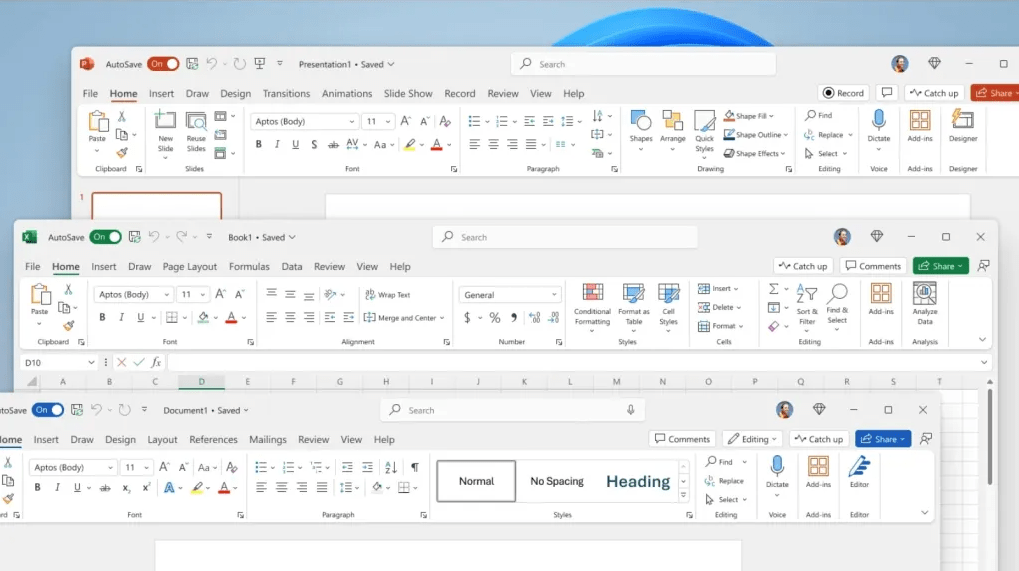
What changed in the 2024 apps
- Excel 2024 adds 14 text and array functions for splitting text and reshaping ranges, an IMAGE function that places a web picture inside a cell, and charts that grow with a dynamic array.
- PowerPoint 2024 adds cameo for showing your webcam image live inside a slide, and a Recording Studio that exports a recorded talk with voice and ink as a video file.
- Captions or subtitles can now be attached to video and audio clips in a presentation.
- Outlook 2024 ranks search suggestions across mail, attachments, contacts and calendar entries, and can shorten meetings automatically to leave breaks between calls.
- If Word 2024 closes before you save, it reopens every document that was open so you continue where you stopped.
All apps use a new default theme based on Fluent Design and read and write OpenDocument 1.4 files.
Is Home & Business 2024 the right choice?
Pick it when you need Outlook and want to choose freely between a Windows PC and a Mac. There is no Publisher in any Office 2024 edition, and Access is a Windows-only app that you get with Office 2024 Professional Plus (Outlook is in that suite too). On a Mac where Office 2021 is enough, Office Home & Business 2021 for Mac has the same five apps. Our page on Office 2024 vs Office 2021 compares the two releases feature by feature.
How to activate Office 2024 Home and Business
- Open setup.office.com and select Get Started.
- Log on with the Microsoft account you want the license tied to, or create it there.
- Enter the key and select Next, then choose your country or region and language and select Redeem. The download starts: a PC gets the Windows setup file, a Mac gets the macOS installer package.
- Run the downloaded file and let Office 2024 install.
- On a PC, open Word or Excel; the Activation Wizard appears after a few seconds, where you choose activation over the Internet and select Next. On a Mac, open Word or Outlook and log in with the same account when Office asks. File → Account (on a Mac, Word → About Word) then shows the edition.
Our setup.office.com installation guide shows these steps with screenshots. It is pictured with Office 2021, and Office 2024 Home and Business goes through the same steps. If activation doesn’t complete, our 24/7 support helps on live chat or e-mail.
System requirements
| Component | Windows PC | Mac |
|---|---|---|
| Processor | 1.1 GHz or faster, 2-core | Intel or Apple silicon |
| Memory | 4 GB RAM | 4 GB RAM |
| Disk space | 4 GB available | 10 GB available |
| Display | 1280 × 768 (64-bit Office for 4K and higher) | 1280 × 800 |
| Graphics | Direct3D 9.1 or higher adapter with a WDDM 1.3 or higher driver | No requirement |
| Operating system | Windows 11 | The three most recent macOS versions (as of September 2026: macOS 27, Tahoe 26, Sequoia 15); new installs need macOS Sonoma or later |
| Other | Internet access to redeem, activate and keep the apps activated | Internet access to redeem, activate and keep the apps activated |
Questions about Office 2024 Home and Business
Can one key cover my PC and my Mac?
No. The license is for one device, and you choose whether that is a Windows PC or a Mac when you install.
Is OneDrive cloud storage part of the license?
No. Microsoft’s one-time Office suites do not include the Microsoft 365 services such as extra OneDrive storage, or cloud-backed features like PowerPoint Designer.
I ordered Home & Business by mistake. Can I return the key?
If you have not redeemed it yet, yes: our refund policy takes back unused keys for 7 calendar days.
Be the first to review “Office 2024 Home and Business License (PC/Mac)”
You must be logged in to post a review.
- Genuine Retail licenses. Every key is a genuine license that activates with Microsoft, or with ESET or Avast for antivirus. Unless the License line next to the price says OEM, it is a Retail license.
- Replacement if a key won't activate. Contact our support on live chat or by e-mail, day or night: we help you finish the activation or send a replacement key.
- Refund for unused keys. A key that has not been redeemed can be refunded within 7 calendar days of purchase, as set out in our Refund Policy.
- Invoice and instructions. Every order comes with a PDF invoice and instructions to download, install and activate the software.
You may also need
Reviews
There are no reviews yet.