
Instructions
Office 2024 vs Office 2021: What’s the Difference?
Apr
If you want a one-time purchase version of Microsoft Office, the two main choices people compare are Office 2024 vs Office 2021. Both are perpetual-license versions rather than subscriptions, which means you pay once instead of paying monthly or yearly like Microsoft 365. Microsoft says Office 2024 is sold as a one-time purchase for one computer, and Office 2021 follows the same general perpetual-license model.
The biggest difference is simple: Office 2024 is newer. It includes newer app improvements, a more modern design, and a longer remaining support life than Office 2021. Microsoft’s support pages say Office 2021 support ends on October 13, 2026, while Office 2024 for Mac and Office LTSC 2024 go out of support on October 9, 2029; Microsoft’s Office 2024 FAQ also says consumer Office 2024 is under the Modern Lifecycle Policy.
The Short Answer
If you want the newer version with more recent features and longer support, Office 2024 is the better choice. If you already have Office 2021 and it does everything you need, you may not need to upgrade immediately. Microsoft’s current Office 2024 pages highlight newer visuals, improved navigation and search, and newer app enhancements, while its Office 2021 pages describe the features that were introduced in that earlier release.
Office 2024 Is the Newer Release
This is the most obvious difference.
Office 2024 is the newer perpetual Office version, while Office 2021 is the previous generation. Microsoft positions Office 2024 as the current one-time-purchase Office release for people who do not want a subscription. On the Office 2024 product page, Microsoft lists Office Home 2024 as a one-time purchase for one PC or Mac and includes the classic desktop apps Word, Excel, PowerPoint, and OneNote.
Office 2024 Has Newer Features
This is where most buyers focus first.
Microsoft’s “What’s new” pages say Office 2024 adds a new and more modern design, improved accessibility, better session recovery in Word, new capabilities in Access, and several new Excel functions. Microsoft’s Excel 2024 page specifically highlights 14 new text and array functions.
Office 2021 also introduced meaningful upgrades when it launched, including co-authoring, new inking tools, data types, newer Excel functions such as XLOOKUP, Dynamic Arrays, and LET, plus translation, editing, and motion-graphics improvements across apps.
The Feature Gap Is Real, but Not Huge for Everyone
For some users, the difference will matter a lot. For others, it will barely matter.
If you mostly use Word, Excel, and PowerPoint for regular school, work, or home tasks, Office 2021 may still feel modern enough. But if you want the latest perpetual version, newer Excel tools, newer visuals, and a longer support runway, Office 2024 is the stronger option. That conclusion follows from Microsoft’s feature lists and lifecycle dates rather than a single Microsoft sentence saying it that way.
Support Dates Are One of the Biggest Differences
This is one of the most important practical differences for buyers in 2026.
Microsoft says Office 2021 support ends on October 13, 2026, with no extension and no extended security updates. By contrast, Microsoft’s Office 2024 FAQ says Office 2024 for Mac and Office LTSC 2024 go out of support on October 9, 2029, giving the 2024 generation a much longer supported lifespan from today’s perspective.
So even if Office 2021 still works fine, it has much less support time left. That alone makes Office 2024 easier to recommend for new purchases in 2026. This is an inference based on Microsoft’s published support timelines.
Both Are One-Time Purchases
A lot of users compare these versions because they do not want Microsoft 365.
Microsoft says Office 2024 is sold as a one-time purchase, and it also explains that one-time purchases do not include upgrade rights to the next major release. That same general buying logic applies to Office 2021 as a perpetual version: once you buy it, you keep that version, but moving to the next major version later usually means buying again.
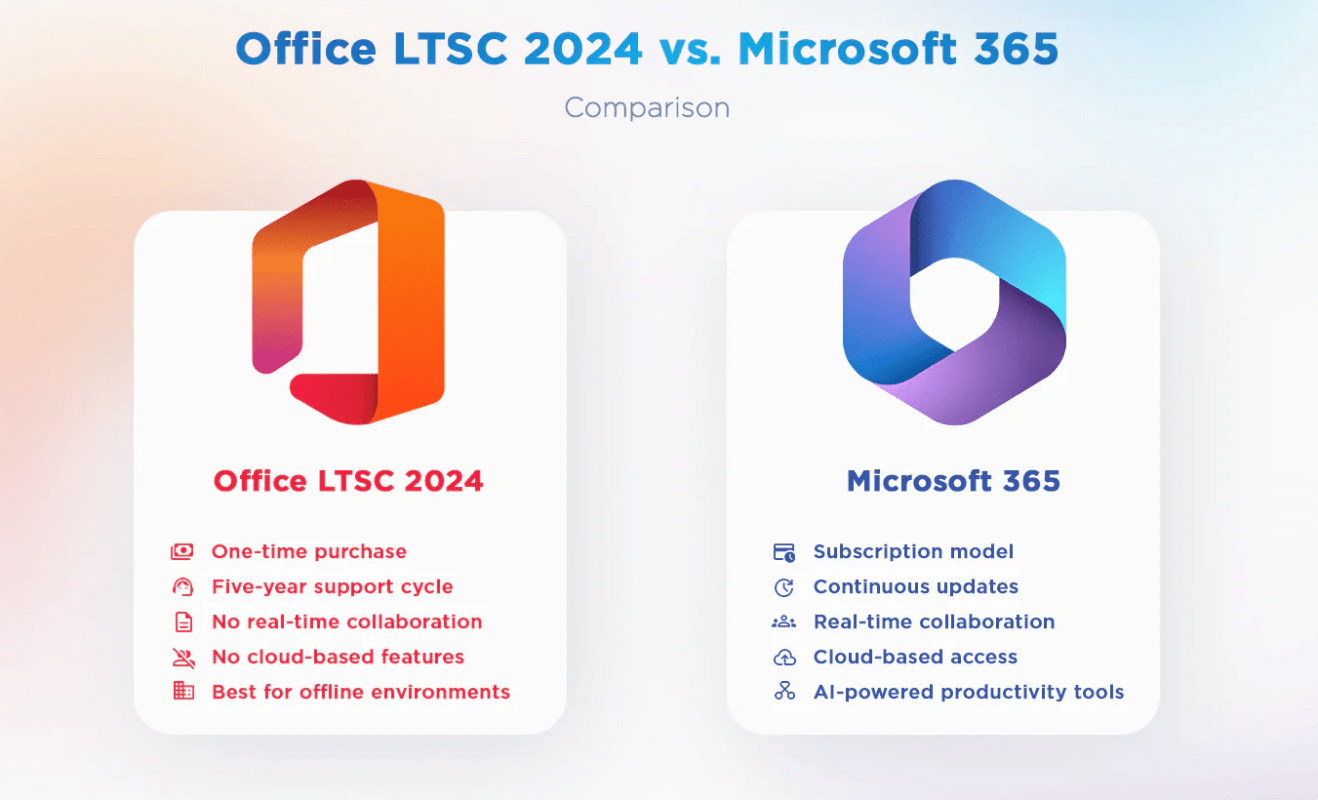
This is different from Microsoft 365, where Microsoft includes ongoing feature updates and subscription extras like OneDrive storage, Copilot features, and multi-device use. Microsoft lists those subscription benefits on its Microsoft 365 Family product comparison area.
App Coverage Is Similar in the Common Editions
For most buyers, the core app lineup is very similar.
Microsoft’s Office Home 2024 page lists Word, Excel, PowerPoint, and OneNote for one PC or Mac. Office 2021 consumer install and support pages are also centered around the familiar Office desktop apps, with app-specific support pages for Word, Excel, PowerPoint, and related Office 2021 apps.
So the choice is usually not about getting completely different core apps. It is more about newness, support life, and feature refinements.
Office 2024 Makes More Sense for New Buyers
For a fresh purchase today, Office 2024 usually makes more sense.
That is mainly because it is the newer perpetual release and has a longer supported future ahead of it. Office 2021 is closer to end of support, while Office 2024 is the current generation Microsoft is actively positioning for one-time-purchase buyers.
When Office 2021 Still Makes Sense
Office 2021 can still make sense in some situations.
If you already own Office 2021 and it covers everything you need, there may be no urgent reason to upgrade today. It can also still appeal to buyers who want a perpetual Office version and care less about getting the newest release. But because Office 2021 support ends in October 2026, it is less attractive as a brand-new purchase than it used to be.
Quick Verdict
Here is the easiest way to think about it:
Choose Office 2024 if:
- you want the newest one-time-purchase version
- you want longer remaining support
- you want newer Excel functions and newer Office refinements
- you are buying Office fresh today
Choose Office 2021 if:
- you already own it and it still does everything you need
- you do not care much about the newer refinements
- you are comfortable with its much shorter remaining support window
That recommendation is based on Microsoft’s feature summaries and support timelines for both versions.
FAQ
Is Office 2024 better than Office 2021?
In general, yes, if you are buying new. Office 2024 is newer, includes newer features and refinements, and has a longer support life left than Office 2021.
What new features does Office 2024 have?
Microsoft says Office 2024 includes a more modern design, improved accessibility, better session recovery in Word, new Access capabilities, and newer Excel functions, including new text and array functions in Excel 2024.
Does Office 2021 still work?
Yes. Microsoft says Office 2021 apps will continue to function after support ends, but after October 13, 2026 there will be no extended support or extended security updates.
Is Office 2024 a subscription?
No. Microsoft says Office 2024 is sold as a one-time purchase for one computer.
Get genuine Microsoft Office keys at the lowest prices – fast, secure, and hassle-free activation guaranteed!