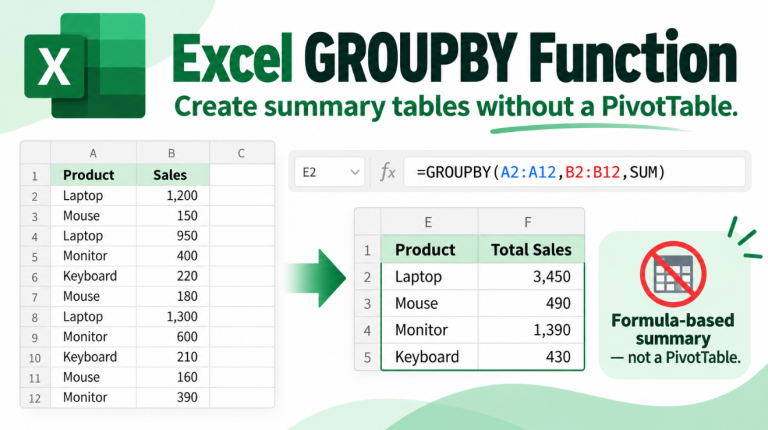
Excel GROUPBY: Create Summary Tables Without a PivotTable
Excel GROUPBY gives Microsoft 365 users a new way to summarize data without manually creating a PivotTable or building separate UNIQUE and…
Read article
Excel GROUPBY gives Microsoft 365 users a new way to summarize data without manually creating a PivotTable or building separate UNIQUE and…
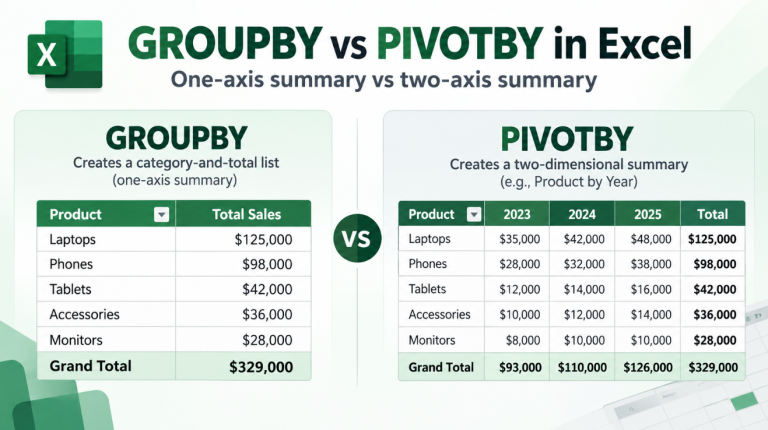
Read articleGROUPBY vs PIVOTBY in Excel can be confusing because both functions summarize data, both can calculate totals, and both can create results…
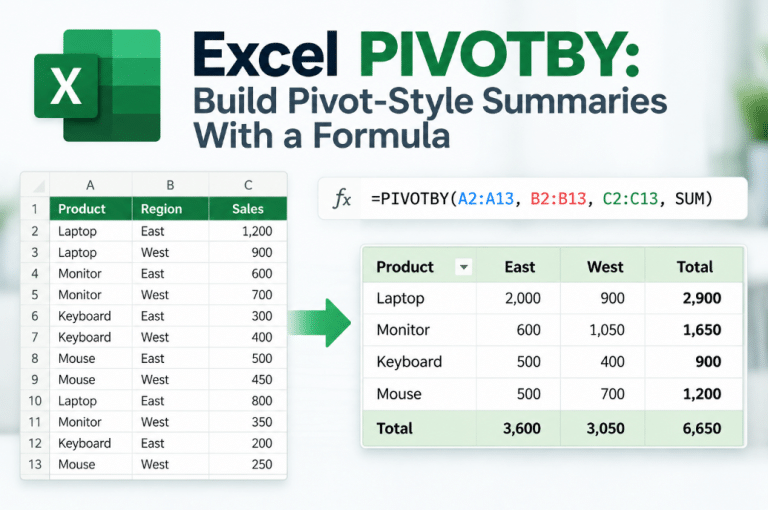
Read articleThe Excel PIVOTBY function can create a two-dimensional summary using a normal formula. You can group information by rows and columns, calculate…
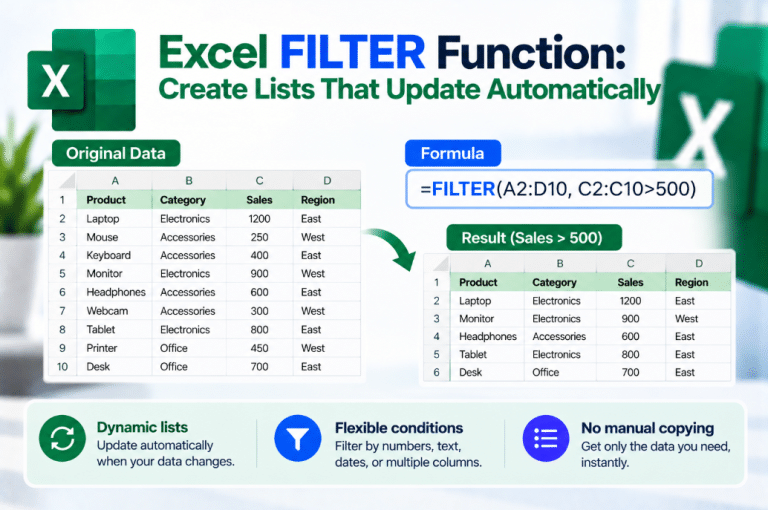
Read articleNeed a list in Excel that automatically changes when your source data changes? The Excel FILTER function can return only the rows…
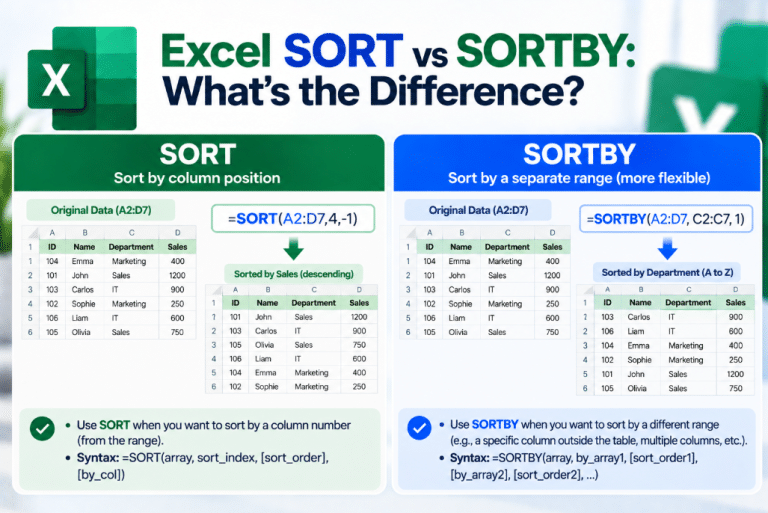
Read articleExcel gives you two modern functions for sorting data dynamically: SORT and SORTBY. They sound almost identical, but there is an important…
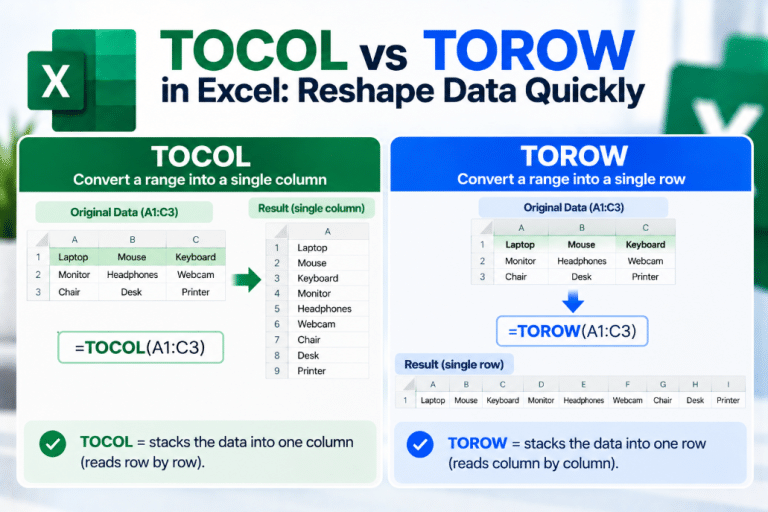
Read articleHave data spread across several rows and columns but need it converted into one simple list? TOCOL vs TOROW in Excel gives…
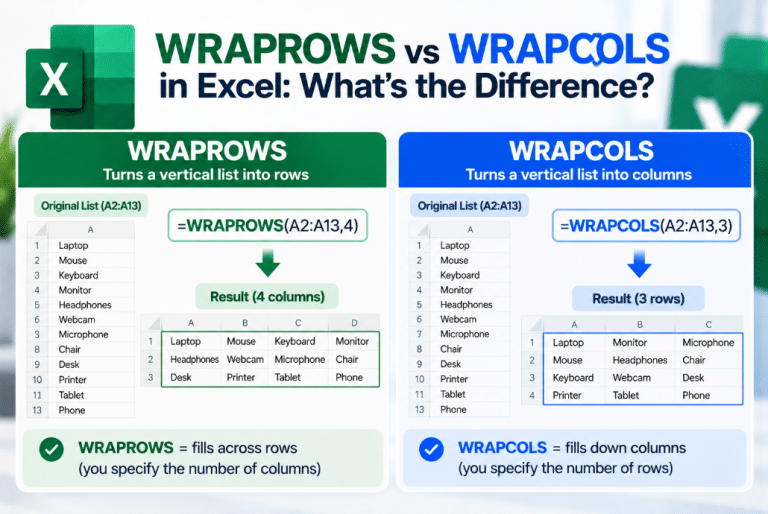
Read articleHave one long Excel list that you want to turn into a cleaner table? WRAPROWS vs WRAPCOLS gives you two similar functions…
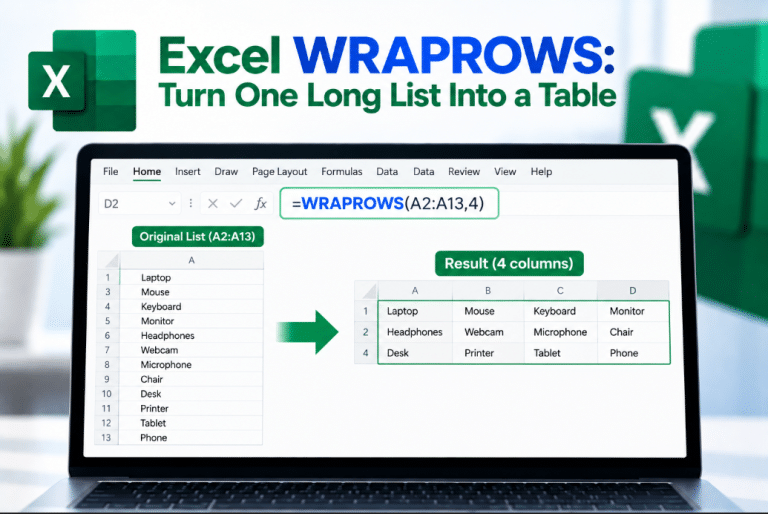
Read articleHave a long list of values that would look much better arranged across several rows and columns? The Excel WRAPROWS function can…
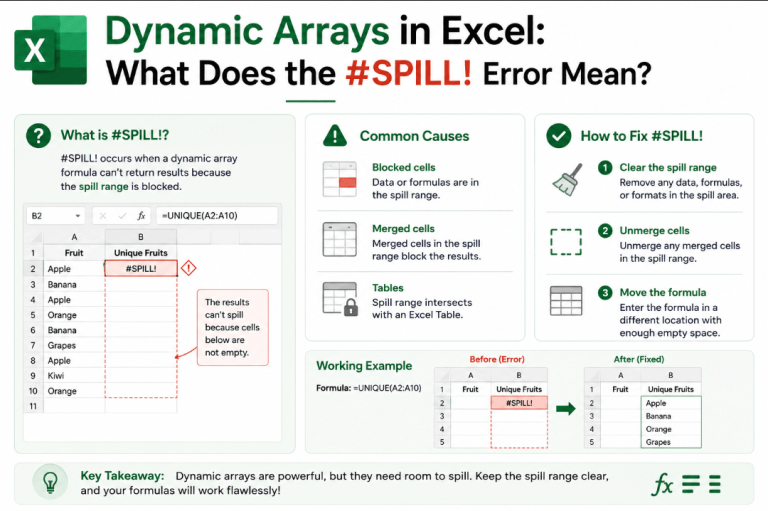
Read articleYou enter a formula in Excel expecting a result, but instead you see #SPILL!. The Excel #SPILL! error is usually connected to…
Read articleCookies on OfficeDigital
We use necessary cookies to run the shop. With your OK we also use analytics cookies to see which pages work, and marketing cookies for our newsletter, Trustpilot and affiliate programme. Privacy Policy