
Instructions
How to Use Templates in Microsoft Word
May
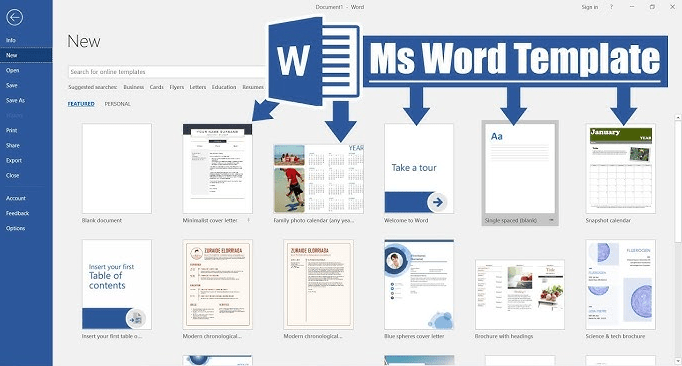
Templates in Microsoft Word are one of the easiest ways to create polished documents faster. Instead of starting from a blank page, you can begin with a pre-designed layout for things like resumes, letters, reports, brochures, calendars, and forms. Microsoft says Word templates help you create documents quickly, and Microsoft’s template gallery includes ready-made designs for work, school, and personal use.
Word templates are useful because they already include formatting, styles, and structure. Microsoft also explains that you can create your own template from a new or existing document, which is helpful if you make the same type of document again and again.
The Short Answer
To use templates in Microsoft Word:
- open Word
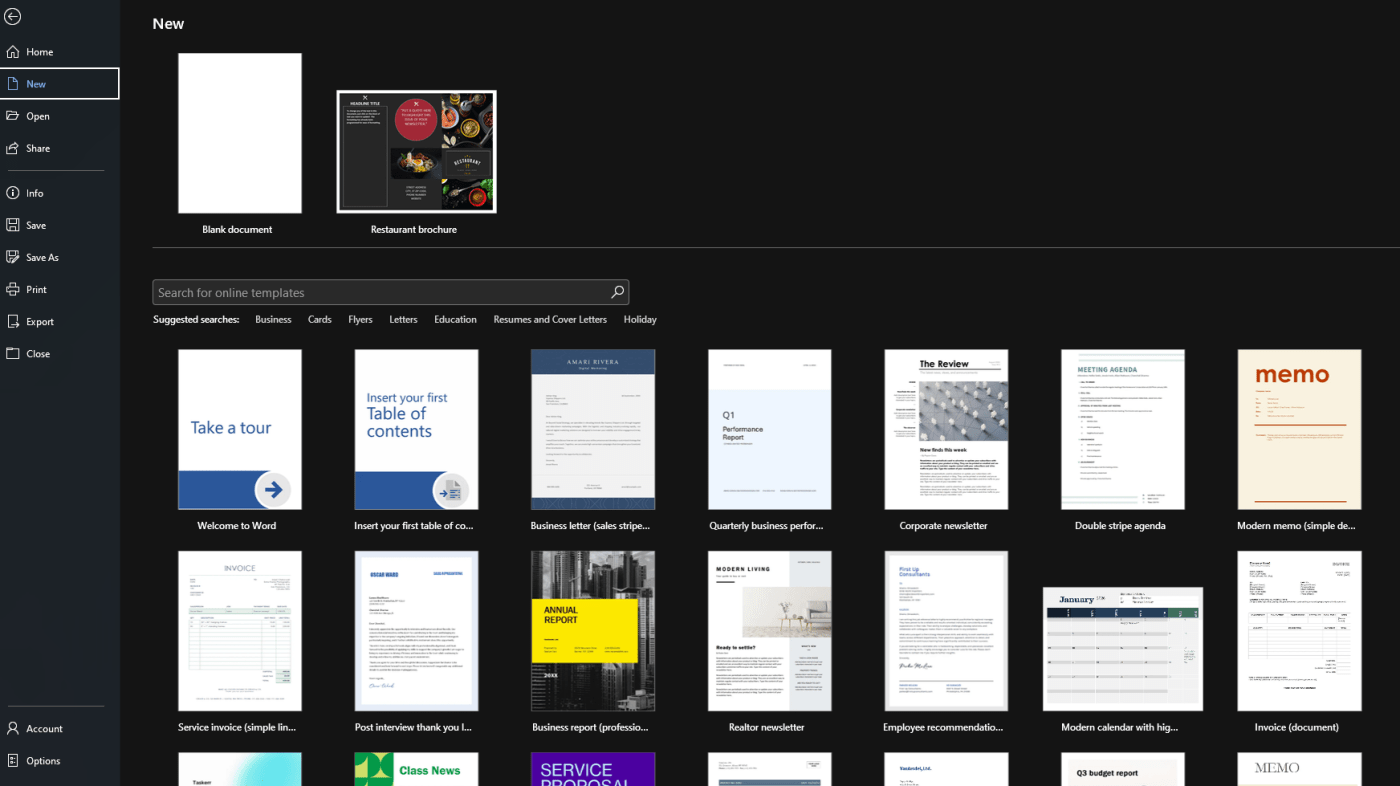
- go to File > New
- search for a template or choose one from the list
- select the template
- click Create
- edit the placeholder text and design as needed
Microsoft says you can search for templates by keyword and create a new document from the one you choose.
How to Use Ready-Made Templates in Word
This is the easiest method for most users.
Microsoft says you can start from Word’s built-in or online templates by going to File > New, then searching for the type of document you want. Examples include resumes, letters, brochures, calendars, newsletters, and forms.
How to do it
- open Microsoft Word
- click File
- choose New
- type a keyword in the search box, like resume, brochure, invoice, or report
- select the template you want
- click Create
Once the document opens, you can replace the placeholder content with your own text and images. Microsoft’s template pages describe Word templates as customizable, so they are meant to be edited rather than used exactly as they appear.
What You Can Use Word Templates For
Templates are available for many common document types.
Microsoft’s Word template galleries highlight categories such as:
- resumes
- cover letters
- brochures
- newsletters
- calendars
- business documents
- school documents
- forms
- general writing templates
That makes templates useful for both beginners and experienced users who want to save time.
How to Customize a Template in Word
Once you open a template, you can change it like any normal Word document.
You can usually edit:
- text
- fonts
- colors
- images
- headings
- spacing
- page layout
Microsoft says you can customize an existing template by adding your own static information and then saving it again as a template if you want to reuse it later.
This is especially helpful if you want a document style that always matches your personal or business branding.
How to Save Your Own Document as a Template
If you created a layout you want to reuse, Word lets you save it as a template.
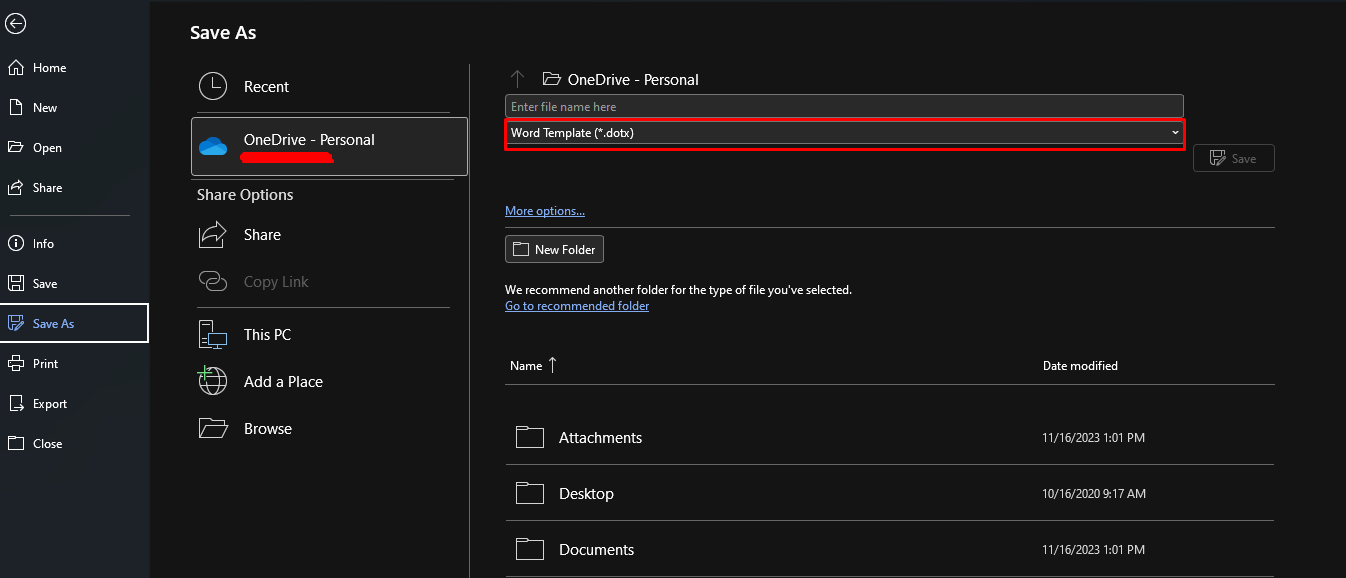
Microsoft says you can create a template by saving a document as a .dotx, .dot, or .dotm file, with .dotm used when macros are included.
Why save your own template
This is useful when you often create:
- invoices
- reports
- branded letters
- contracts
- meeting notes
- standard forms
Instead of reformatting the same document every time, you can save it once as a template and reuse it later.
How to Edit a Saved Word Template
Microsoft says you can edit a saved template by opening it from the Custom Office Templates folder, making your changes, then saving it again.
This helps if you want to update a company logo, change fonts, add new branding, or improve the document layout without rebuilding the template from scratch.
How Templates Work in Word for the Web
Templates also work differently in Word for the web.
Microsoft says that if you created a custom template in desktop Word, you can use it in Word for the web after saving it as a .docx file in OneDrive. Microsoft’s support page for Word for the web explains that the easiest way is to create a document from your template in desktop Word first, then save that document in OneDrive.
That means custom templates are easiest to create and manage in desktop Word, while Word for the web is better for opening and continuing work on documents based on those templates.
Why Templates Save So Much Time
Templates are useful because they remove repetitive setup work.
Instead of doing the same formatting every time, a template gives you:
- a ready-made layout
- consistent design
- faster document creation
- fewer formatting mistakes
Microsoft’s template pages are built around this idea, especially for resumes, brochures, and forms where structure matters.
FAQ
How do I use templates in Microsoft Word?
Microsoft says you can go to File > New, search for a template, select it, and click Create.
Can I make my own template in Word?
Yes. Microsoft says you can create and save a template from a new or existing document.
What file type is a Word template?
Microsoft says Word templates can be saved as .dotx, .dot, or .dotm files.
Can I use custom templates in Word for the web?
Yes, but Microsoft says custom templates are typically created in desktop Word first, then saved as .docx files in OneDrive for use in Word for the web.
Unlock premium Office apps with fast delivery, easy activation, and a license that helps you create polished documents with less effort.