
Microsoft SQL Server 2019 Standard – Digital License
- License
- Retail
- Delivery
- Instant, by e-mail
- Download
- Official Microsoft
- Brand
- Microsoft
€239,00
One-time payment · no subscription
- Instant delivery to your e-mailkey + download links
- Key won't activate? We replace itunused keys: refund within 7 days
- Official invoice with every order
- 24/7 live chat help with activation
Product key for one installation of SQL Server 2019 Standard, for Windows Server or Windows. Standard 2019 adds TDE encryption and a PolyBase head node.
What you get with SQL Server 2019 Standard
This is a product key for SQL Server 2019 Standard, Microsoft’s general-purpose database server edition, for one installation on Windows Server or Windows. You type the key into SQL Server 2019 Setup, which then installs the Standard edition of the Database Engine and any other features you select. You receive the key with the link to Microsoft’s SQL Server 2019 installer by e-mail, and the license is perpetual.
What SQL Server 2019 Standard can do
- Transparent data encryption (TDE) is part of Standard from SQL Server 2019 on; in SQL Server 2016 it needed Enterprise.
- Sensitive columns can be protected with Always Encrypted (now also with secure enclaves), row-level security, data classification and masking of values for users without permission.
- A PolyBase head node can run on Standard, so you can query external data sources from T-SQL without Enterprise.
- Accelerated database recovery and the hybrid buffer pool are available in Standard.
- UTF-8 support, graph tables, JSON, and Java runtime integration come with every edition; Python and R integration in Standard is the basic level, limited to 2 cores.
- Scalar UDF inlining and table variable deferred compilation speed up older code without changes. Batch mode on rowstore and adaptive joins stay Enterprise-only.
Limits to plan for: one instance uses at most the lesser of 4 sockets or 24 cores and 128 GB of buffer pool memory. High availability comes as basic availability groups (two replicas, one database each) and two-node failover clusters.
Choosing a version
SQL Server 2019 suits applications whose vendor certifies 2019, or companies that want to stay on the release they already run. For a new server with no such constraint, SQL Server 2022 Standard adds ledger tables, Azure Synapse Link and S3-compatible backups. The SQL Server 2019 Standard (16 Core) listing is the one whose license names 16 cores.
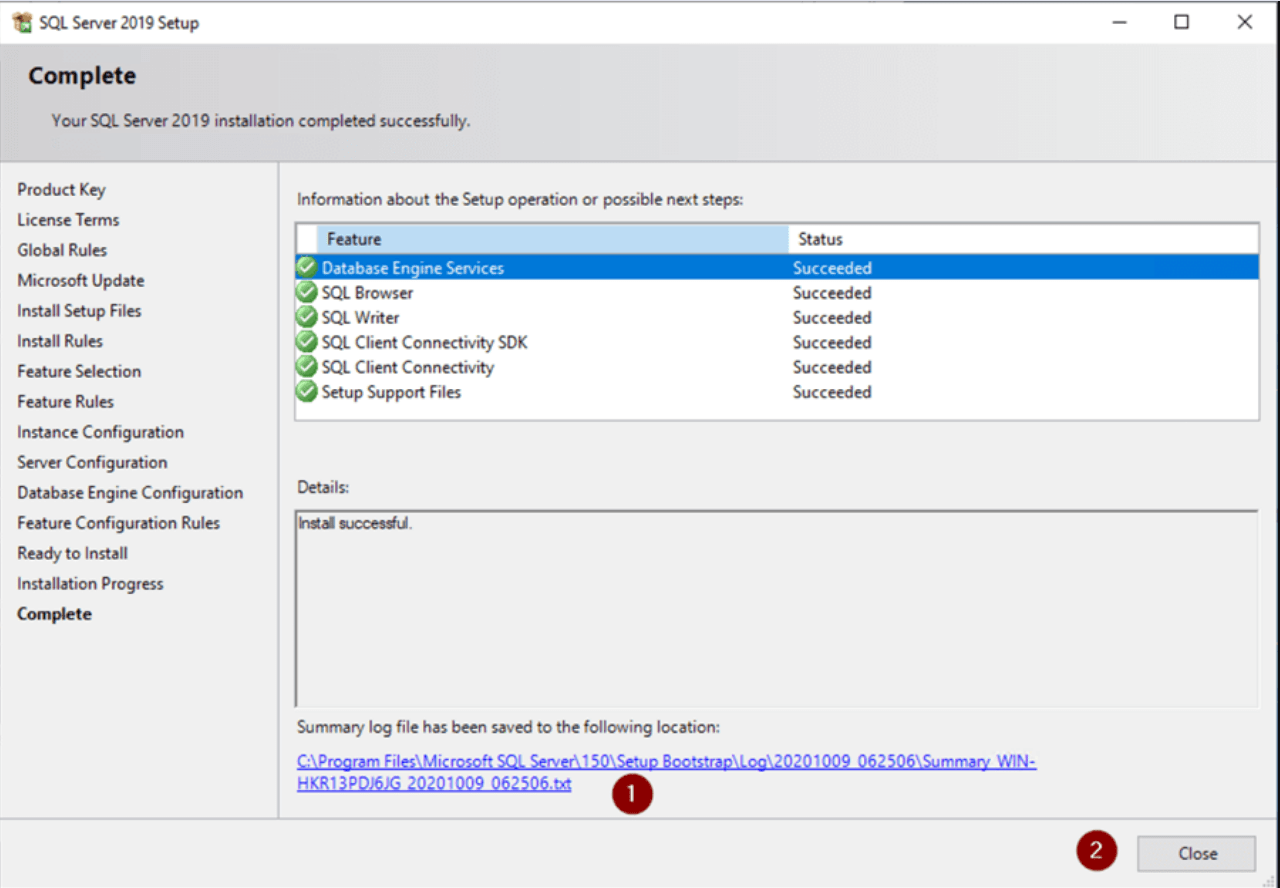
How to activate SQL Server 2019 Standard
- Use the Microsoft download link from the e-mail to get the SQL Server 2019 media, then start setup.exe with administrator rights.
- Select Installation in the left pane of SQL Server Installation Center and start a new standalone installation.
- Pick Enter the product key, type the key and continue; Standard appears as the edition.
- Accept the terms, choose Database Engine Services (plus other features you need), keep or change the default instance, and set the authentication mode and administrators.
- Click Install, then add SQL Server Management Studio, which Microsoft provides as a separate download.
An instance that already runs as Evaluation or Developer is converted under Maintenance, Edition Upgrade, where you enter the same key; Setup restarts the services. Screenshots of each step are in our SQL Server guide.
System requirements
| CPU | x64 processor, 1.4 GHz (2.0 GHz or faster recommended) |
|---|---|
| RAM | 1 GB minimum; 4 GB or more recommended |
| Free disk space | 6 GB |
| Server OS | Windows Server 2016, 2019, 2022 or 2025 |
| Desktop OS | Windows 10 (TH1 1507 or later) or Windows 11 |
| .NET Framework | Included in the minimum supported Windows version |
| Monitor | 800 x 600 Super-VGA or higher |
Questions about SQL Server 2019 Standard
Is SQL Server 2019 supported on Windows Server 2025?
Yes. Microsoft lists SQL Server 2019 as supported on Windows Server 2025, 2022, 2019 and 2016, and on Windows 10 and 11.
How is this different from the 16 Core listing?
Both install the same SQL Server 2019 Standard software. The 16 Core listing names 16 cores in its license; this one does not state a core count, so ask our support before ordering if you need a specific number of cores licensed.
What happens if Setup rejects the key?
Contact support on chat or by e-mail: we help with the installation or send a replacement key, and unused keys fall under the refund policy.
Be the first to review “Microsoft SQL Server 2019 Standard – Digital License”
You must be logged in to post a review.
- Genuine Retail licenses. Every key is a genuine license that activates with Microsoft, or with ESET or Avast for antivirus. Unless the License line next to the price says OEM, it is a Retail license.
- Replacement if a key won't activate. Contact our support on live chat or by e-mail, day or night: we help you finish the activation or send a replacement key.
- Refund for unused keys. A key that has not been redeemed can be refunded within 7 calendar days of purchase, as set out in our Refund Policy.
- Invoice and instructions. Every order comes with a PDF invoice and instructions to download, install and activate the software.
You may also need

Reviews
There are no reviews yet.