
Microsoft SQL Server 2019 Standard – Digital License – 16 Core
- License
- Retail · 16 cores
- Delivery
- Instant, by e-mail
- Download
- Official Microsoft
- Brand
- Microsoft
€299,00
One-time payment · no subscription
- Instant delivery to your e-mailkey + download links
- Key won't activate? We replace itunused keys: refund within 7 days
- Official invoice with every order
- 24/7 live chat help with activation
SQL Server 2019 Standard licensed for 16 cores, as the name states. Standard uses up to the lesser of 4 sockets or 24 cores per instance, so a 16-core server stays within the edition limit.
What you get with SQL Server 2019 Standard (16 Core)
This listing is SQL Server 2019 Standard licensed for 16 cores, as the product name says. You get a key that installs Microsoft SQL Server 2019 in the Standard edition, the version of the database server for business workloads that do not need Enterprise features. The 16 cores sit below the Standard engine’s own ceiling of 24 cores per instance. The key and Microsoft’s download link come by e-mail; the license is a one-off purchase that does not renew.
What a 16-core server gets from Standard
Microsoft caps one Standard instance at the lesser of 4 sockets or 24 cores. A server with 16 physical cores, for example two 8-core processors, is inside both limits, so the Database Engine can schedule work on every core. Before ordering, check the core count in Task Manager on the Performance tab under CPU.
- Memory: the buffer pool can use up to 128 GB per instance; columnstore segment cache and memory-optimized tables get up to 32 GB each.
- In-Memory OLTP, columnstore indexes, table partitioning and data compression all run in Standard.
- Batch mode operations in Standard run with a degree of parallelism of at most 2, so very large analytic scans are where Enterprise pulls ahead.
- Backup compression and the buffer pool extension help on servers with fast SSD storage.
- Transparent data encryption and accelerated database recovery are included in the 2019 Standard edition.
Other SQL Server licenses
If you do not need 16 cores named on the license, SQL Server 2019 Standard installs the same software. For a new deployment without a 2019 requirement from your application vendor, SQL Server 2022 Standard is the newer release with the same 24-core and 128 GB limits.
How to activate SQL Server 2019 Standard (16 Core)
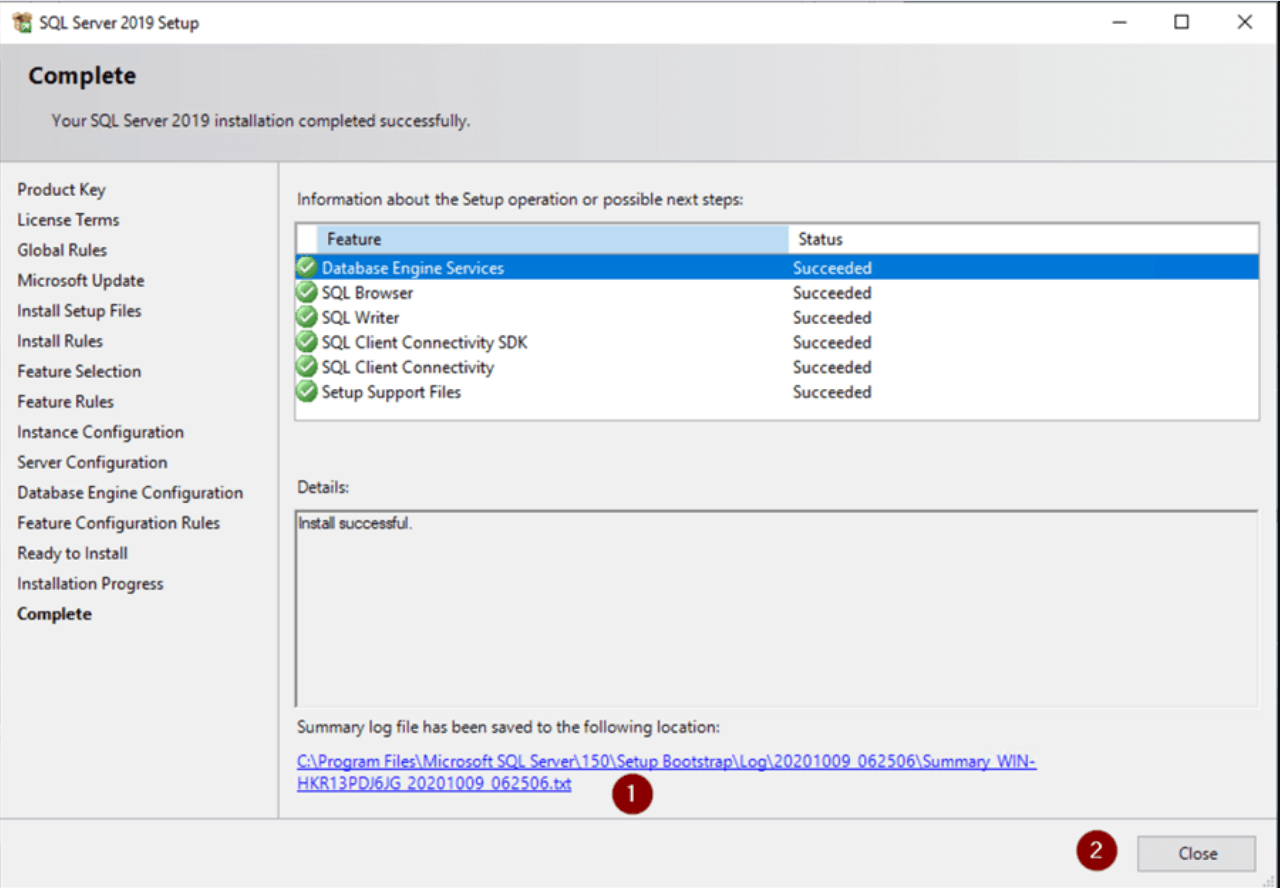
- Download the SQL Server 2019 installation media from the Microsoft link in our e-mail and launch setup.exe as an administrator.
- SQL Server Installation Center opens: go to Installation and choose the new standalone installation entry at the top of the list.
- Enter the product key you received when Setup prompts for it. The edition field switches to Standard.
- Confirm the license terms, select the features (at least Database Engine Services), name the instance, decide between Windows and Mixed Mode authentication and add the SQL Server administrators.
- Start the installation and restart the server if Setup asks for it.
To move an existing Evaluation or Developer instance to Standard, the key goes into Edition Upgrade on the Maintenance page of Installation Center; services restart during the change. Read our full SQL Server installation walk-through for screenshots.
System requirements
| Processor type | x64; 1.4 GHz or faster (Microsoft recommends 2.0 GHz) |
|---|---|
| Cores used by one Standard instance | Lesser of 4 sockets or 24 cores |
| Memory | At least 1 GB, 4 GB or more recommended |
| Storage | At least 6 GB free on the system drive during setup |
| Supported Windows Server | 2016, 2019, 2022, 2025 |
| Supported Windows client | Windows 10 and Windows 11 |
| Screen | Super-VGA, 800 x 600 or better |
Questions about SQL Server 2019 Standard (16 Core)
Can SQL Server 2019 Standard use all 16 cores?
Yes. The Standard edition uses up to 24 cores or 4 sockets, whichever is lower, so 16 cores are fully used.
Our server has more than 16 cores. What happens?
Standard itself will not use more than 24 cores per instance. Since this license names 16 cores, contact our support before ordering for a larger server.
Does Standard include availability groups?
Only basic availability groups: two replicas protecting one database each. Two-node failover cluster instances and log shipping are also available.
Be the first to review “Microsoft SQL Server 2019 Standard – Digital License – 16 Core”
You must be logged in to post a review.
- Genuine Retail licenses. Every key is a genuine license that activates with Microsoft, or with ESET or Avast for antivirus. Unless the License line next to the price says OEM, it is a Retail license.
- Replacement if a key won't activate. Contact our support on live chat or by e-mail, day or night: we help you finish the activation or send a replacement key.
- Refund for unused keys. A key that has not been redeemed can be refunded within 7 calendar days of purchase, as set out in our Refund Policy.
- Invoice and instructions. Every order comes with a PDF invoice and instructions to download, install and activate the software.
You may also need

Reviews
There are no reviews yet.