
Instructions
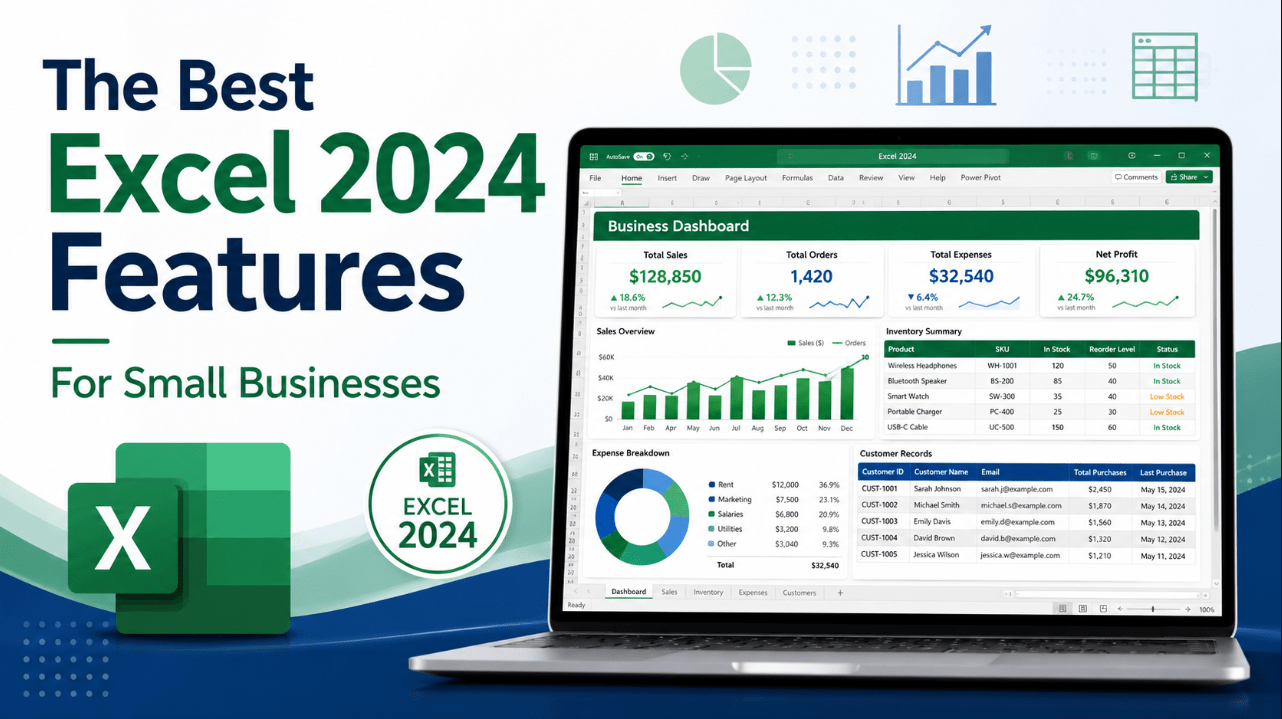
The Best Excel 2024 Features for Small Businesses
Jun
Small businesses often use Excel for much more than basic calculations.
A single workbook may track:
- Sales
- Expenses
- Inventory
- Customers
- Staff schedules
- Project costs
- Cash flow
- Monthly performance
Excel 2024 introduces several features that can make these tasks faster and easier. The most useful improvements include dynamic charts, new text and array functions, images inside cells, reusable custom formulas and better workbook performance.
These features are available as part of Office 2024 and Office LTSC 2024, including Office Professional Plus 2024, which provides a perpetual desktop licence rather than a Microsoft 365 subscription. Office LTSC 2024 receives fixed-version support until 9 October 2029 but does not receive an ongoing stream of new features after release.
Need a one-time Office package for your business PC? Browse our Office Professional Plus 2024 licences.
Quick Overview
| Excel 2024 Feature | Small-Business Benefit |
|---|---|
| Dynamic charts | Reports update automatically as data changes |
| New text functions | Clean and separate customer or product data |
| New array functions | Reshape and combine business data more easily |
| IMAGE function | Add product or staff images inside cells |
| LAMBDA function | Create reusable custom calculations |
| Faster workbooks | Reduce delays when several files are open |
| Accessibility Ribbon | Create clearer, more inclusive spreadsheets |
| XLL protection | Reduce risk from unsafe downloaded add-ins |
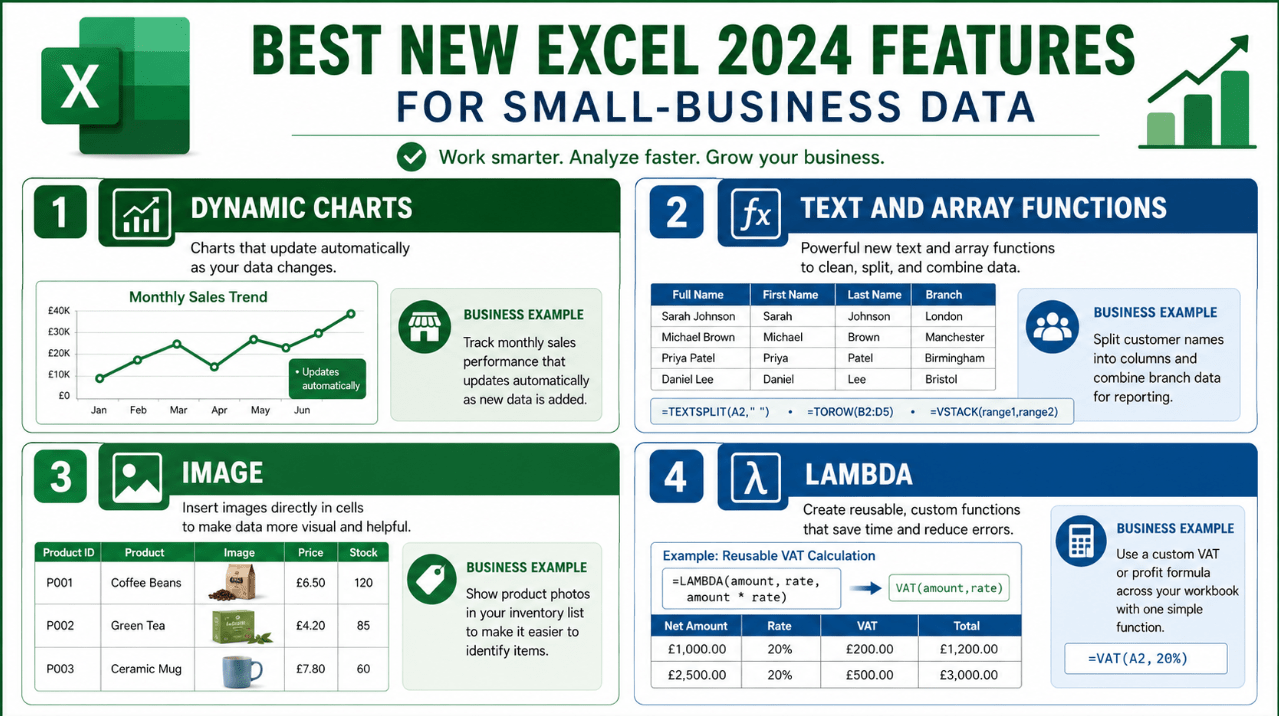
1. Dynamic Charts That Update Automatically
Excel 2024 charts can reference dynamic arrays.
This means a chart can expand or contract automatically when the underlying data changes rather than remaining tied to a fixed range.
For a small business, this is useful for:
- Monthly sales dashboards
- Weekly order reports
- Expense tracking
- Stock-level charts
- Staff-performance reports
- Cash-flow forecasts
Imagine a sales report that receives a new row every day. A traditional chart may need its source range updated manually. A dynamic chart can include the additional data automatically when the connected array recalculates.
This reduces repetitive work and makes dashboards easier to maintain.
2. Fourteen New Text and Array Functions
Excel 2024 adds 14 functions designed to manipulate text and arrays more efficiently. Microsoft highlights their ability to split, extract, combine, resize and reshape data.
Useful text functions include:
TEXTSPLITTEXTBEFORETEXTAFTER
These can help separate information such as:
- First and last names
- Product codes
- Email domains
- Invoice references
- Addresses
- Department identifiers
For example, a business importing customer names in one column can use TEXTSPLIT to separate the information into cleaner fields.
Array functions such as VSTACK, HSTACK, TAKE, DROP, TOCOL and TOROW can help combine or reorganise lists without copying data manually.
This is particularly useful when consolidating:
- Sales from several branches
- Monthly expense tables
- Supplier lists
- Inventory sheets
- Department reports
3. The IMAGE Function
The IMAGE function allows Excel 2024 to display an image from a supported web address inside a cell.
The image remains connected to the cell, so it can move, resize, sort and filter with the surrounding table.
Small businesses can use this feature for:
- Product catalogues
- Inventory sheets
- Staff directories
- Property listings
- Equipment registers
- Supplier comparisons
- Visual price lists
For example, an online retailer could create an inventory table containing:
- Product name
- Product code
- Stock quantity
- Price
- Product image
This makes the workbook easier to review than a table containing only product numbers.
Images pulled from external websites require a working internet connection and a stable image address.
4. Reusable Formulas with LAMBDA
The LAMBDA function allows users to create custom functions without writing traditional VBA code.
A repeated formula can be converted into a named function and reused throughout the workbook.
A small business might create custom functions for:
- VAT calculations
- Commission rates
- Delivery charges
- Discount rules
- Profit margins
- Overtime calculations
- Product mark-ups
Instead of copying a long formula into several sheets, the business can define it once and use a simpler function name.
For example:
=PROFITMARGIN(Sales,Costs)
This can make complex workbooks easier to understand and maintain.
LAMBDA is powerful, but important custom functions should be documented so that other employees understand what they calculate.
5. Faster and More Stable Workbooks
Microsoft says Excel 2024 improves speed and stability when several workbooks with independent calculations are open at the same time.
This can help businesses that regularly work with:
- A sales workbook
- An inventory file
- A supplier price list
- An expense tracker
- A reporting dashboard
Performance still depends on the computer, formulas, workbook design and data size.
For smoother use:
- Install 64-bit Office on most modern PCs
- Use an SSD
- Keep enough free memory available
- Avoid unnecessary volatile formulas
- Remove unused formatting
- Keep external links organised
- Close workbooks that are no longer needed
6. Improved Accessibility Tools
Excel 2024 brings accessibility tools together in the Accessibility Ribbon.
It can help identify issues involving:
- Missing alternative text
- Unclear worksheet structure
- Poor colour contrast
- Difficult table layouts
- Inaccessible links
- Content that may be hard for assistive technology to interpret
Microsoft says the Ribbon combines common accessibility fixes and explanations in one location.
This is useful when spreadsheets are shared with:
- Employees
- Customers
- Public organisations
- Schools
- Government departments
- People using screen readers
Accessible spreadsheets are also often clearer for everyone.
7. Better Security for Downloaded XLL Add-Ins
Excel 2024 blocks XLL add-ins downloaded from the internet by default.
XLL files can add advanced functions to Excel, but malicious versions can also be used to distribute malware. Microsoft introduced the default block to provide stronger protection.
Small businesses should:
- Install add-ins only from trusted developers
- Avoid opening unexpected attachments
- Check digital signatures where available
- Keep Windows and Office updated
- Ask an administrator before enabling blocked content
- Back up important workbooks
Do not disable security controls simply because an unknown file claims to contain a useful business tool.
8. ODF 1.4 Support
Excel 2024 supports OpenDocument Format 1.4.
This can improve compatibility with organisations that use open-standard spreadsheet formats rather than only Microsoft file formats.
The normal Excel format remains XLSX, which is usually the best option when a workbook relies on advanced Excel features.
Use ODS when:
- A customer requests it
- A public organisation requires an open format
- The workbook must be opened in another office suite
- Long-term format interoperability is important
Always test complex formulas, charts and formatting after saving in another format.
Practical Small-Business Uses
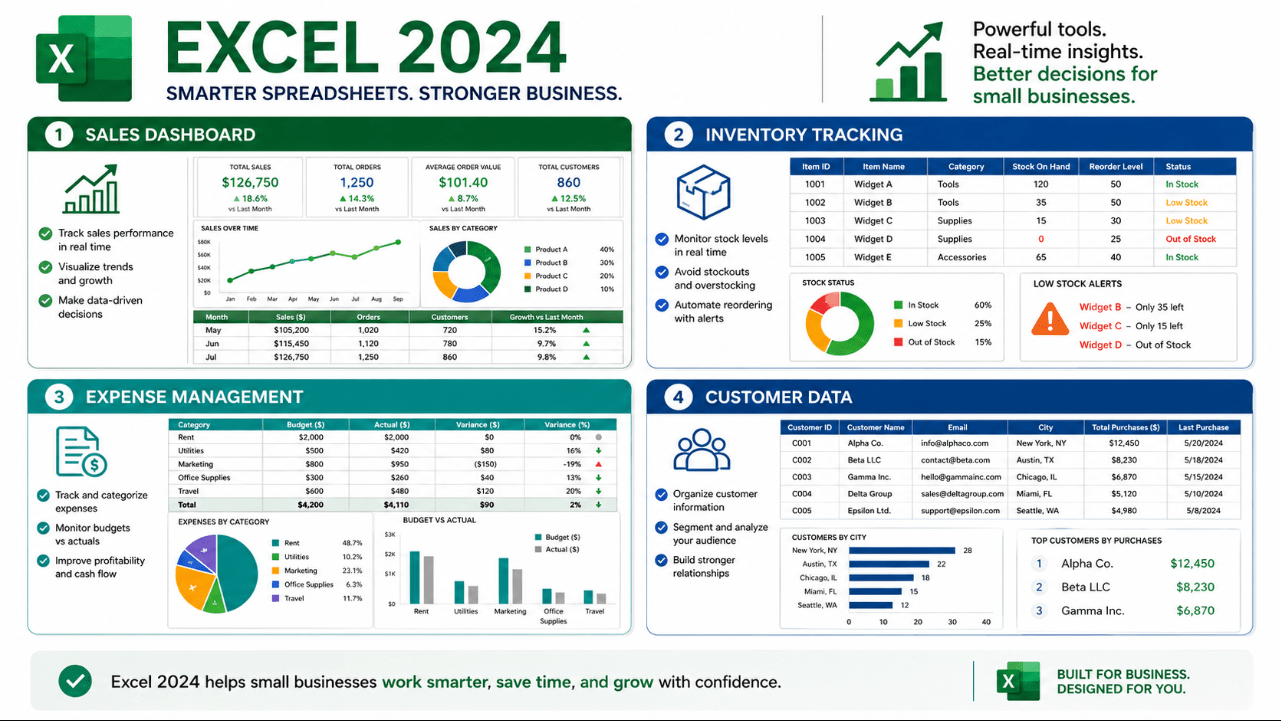
Sales Reporting
Use dynamic charts to create dashboards that update when new transactions are added.
Inventory Management
Use tables, dynamic arrays and the IMAGE function to track product quantities, prices and visual references.
Customer Data Cleanup
Use TEXTSPLIT, TEXTBEFORE and TEXTAFTER to organise imported names, codes and email addresses.
Expense Tracking
Combine monthly tables with array functions and calculate totals, categories and trends.
Pricing Calculations
Use LAMBDA to create reusable VAT, margin, delivery and discount formulas.
Staff and Project Reports
Build charts that automatically reflect changing hours, costs, deadlines and performance data.
Is Excel 2024 Enough for a Small Business?
Excel 2024 is suitable when a business needs:
- Local desktop spreadsheets
- One-time licensing
- Sales and expense reports
- Inventory lists
- Financial models
- Charts and dashboards
- Offline access
- Compatibility with XLSX files
A dedicated accounting, CRM or inventory system may be better when the business requires:
- Several employees editing live data simultaneously
- Automated bank feeds
- Tax filing
- Advanced customer management
- Warehouse scanning
- Detailed permission controls
- Large centralised databases
Excel is flexible, but it should not be forced to replace specialist software when the workflow becomes too complex.
Excel 2024 vs Microsoft 365 Excel
Excel 2024 is a fixed, perpetual release.
It includes the features available at launch and receives security and reliability updates during its support period. It does not receive continuous new feature additions like Microsoft 365 Excel.
Choose Excel 2024 when:
- You prefer a one-time purchase
- You mainly work on one licensed computer
- You need stable desktop features
- You do not require continuous feature updates
- Offline work is important
Choose Microsoft 365 when ongoing cloud services, continuous feature updates and broader collaboration tools are more important than avoiding a subscription.
Small-Business Setup Checklist
Before relying on Excel 2024:
- Choose the correct Office edition
- Install 64-bit Office for most modern PCs
- Remove conflicting older Office installations
- Keep Office and Windows updated
- Back up business workbooks
- Protect sensitive files
- Document custom LAMBDA functions
- Test imported data carefully
- Use accessible formatting
- Store licence and account information securely
Build a reliable business productivity setup with a one-time Office licence.
Browse our Office Professional Plus 2024 licences for Excel, Word, PowerPoint, Outlook, OneNote and Access.