
-
×
 Project 2021 Professional (1PC) License
1 × $42,15
Project 2021 Professional (1PC) License
1 × $42,15
Visio 2024 Professional License
- License
- Retail
- Delivery
- Instant, by e-mail
- Download
- Official Microsoft
- Brand
- Microsoft
$257,79
One-time payment · no subscription
- Instant delivery to your e-mailkey + download links
- Key won't activate? We replace itunused keys: refund within 7 days
- Official invoice with every order
- 24/7 live chat help with activation
Pay with SKU VS24P
Visio Professional 2024 for one Windows PC: diagrams linked to live data, BPMN 2.0 and UML 2.5 validation, and new Azure and Kubernetes shapes. Tied to your Microsoft account.
What you get with Visio Professional 2024
Visio Professional 2024, the Microsoft Visio Pro edition of the 2024 release, is the desktop diagramming app for one Windows PC. On top of everything in Visio Standard 2024 it links diagrams to live data, validates BPMN 2.0 and UML 2.5 diagrams and lets several people edit one drawing. The key, Microsoft’s download link and our installation steps land in your inbox once payment is confirmed, normally a few minutes later, along with a PDF invoice. One payment covers it, and there is no subscription to renew.
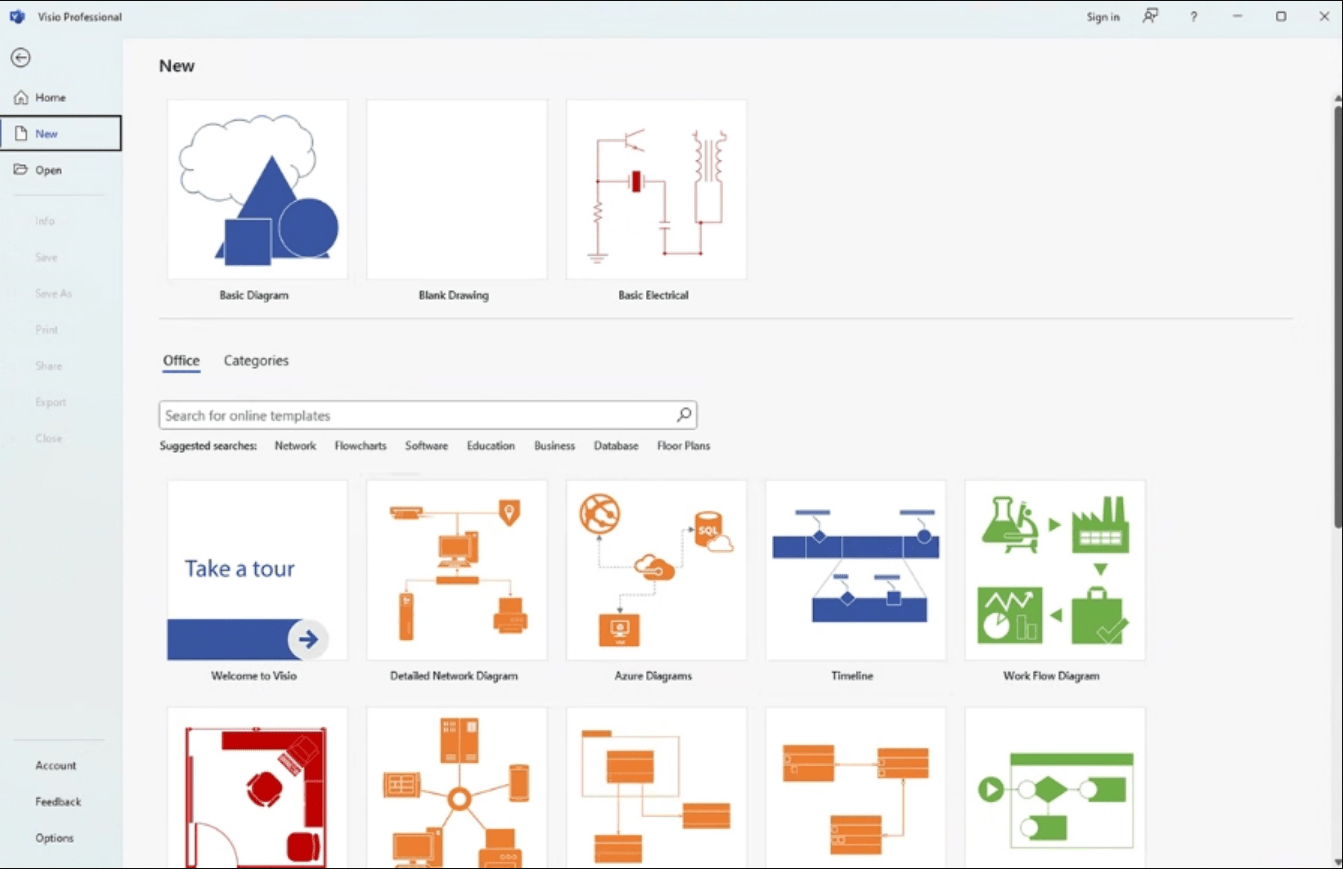
New in Visio 2024
- More than ten new Azure stencils, plus Kubernetes shapes and Yourdon-Coad notations for network and software diagrams; these are in the Professional edition.
- New icons, sticky notes for brainstorming and infographics such as pictograms and to-do lists.
- The Office 2024 theme and colors, and a search box that now sits in the title bar.
What the Professional edition adds over Standard
- Data linking: shapes can be connected to Excel workbooks, Access databases, SharePoint lists, SQL Server and other OLEDB or ODBC sources, and the values shown as data graphics.
- Diagrams built to BPMN 2.0 and UML 2.5 can be checked against those standards’ rules.
- Several people can work on one diagram at once, see who is editing which part and decide when to merge changes; the file has to be stored in OneDrive for Business or SharePoint, which are sold separately.
Both editions import AutoCAD DWG files, generate org charts from Excel, Exchange or Azure Active Directory, and support comments. For an earlier release there is Visio 2021 Professional, and the Visio 2021 Professional (5PC) License covers five PCs in one order.
How to activate Visio Professional 2024
- Head to setup.office.com and select Get Started.
- Log in to the Microsoft account that should own Visio, or create one on that page.
- Enter the key, select Next, confirm your language and select Redeem; the Visio Professional 2024 download starts. Once Visio is linked to the account, you won’t need the key again.
- Open the downloaded setup file, approve the User Account Control prompt and wait for the “You’re all set” message.
- Start Visio. Within a few seconds the Activation Wizard appears; choose to activate over the Internet, select Next, and the activation is done.
For screenshots of each step, use our step-by-step Visio setup guide.
System requirements
| Windows | 11 or 10, or Windows Server 2022 or 2025 |
|---|---|
| CPU | 1.1 GHz or faster, dual-core |
| RAM | 4 GB |
| Free disk space | 4 GB |
| Screen resolution | 1280 × 768 |
| Graphics card | Direct3D 9.1 or higher, WDDM 1.3 driver, for hardware acceleration |
| Account and connection | Microsoft account, internet access |
Questions about Visio 2024
Does Visio Professional 2024 include Data Visualizer?
No. Microsoft lists Data Visualizer and Database Reverse Engineering as cloud features of the Visio Plan 2 subscription, on top of what Visio Professional 2024 offers.
Can colleagues with older Visio versions open my diagrams?
Visio 2013 and later read the XML-based .vsdx format that Visio 2024 keeps. For Visio 2010 or older, choose File → Save As and the Visio 2003–2010 Drawing type.
Is Visio 2024 available for Mac?
No. Microsoft offers Visio Professional 2024 for Windows devices only, and the Mac edition of Office 2024 contains no Visio.
My key shows as invalid. What now?
Contact our live chat or e-mail support, which runs 24/7: if a key doesn’t activate, we help or send a replacement, as set out in our refund policy.
Be the first to review “Visio 2024 Professional License”
You must be logged in to post a review.
- Genuine Retail licenses. Every key is a genuine license that activates with Microsoft, or with ESET or Avast for antivirus. Unless the License line next to the price says OEM, it is a Retail license.
- Replacement if a key won't activate. Contact our support on live chat or by e-mail, day or night: we help you finish the activation or send a replacement key.
- Refund for unused keys. A key that has not been redeemed can be refunded within 7 calendar days of purchase, as set out in our Refund Policy.
- Invoice and instructions. Every order comes with a PDF invoice and instructions to download, install and activate the software.
You may also need








Reviews
There are no reviews yet.