
Instructions
Windows 11 Photos App 2026: What’s New in Gallery, Viewer and Editor?
Oct
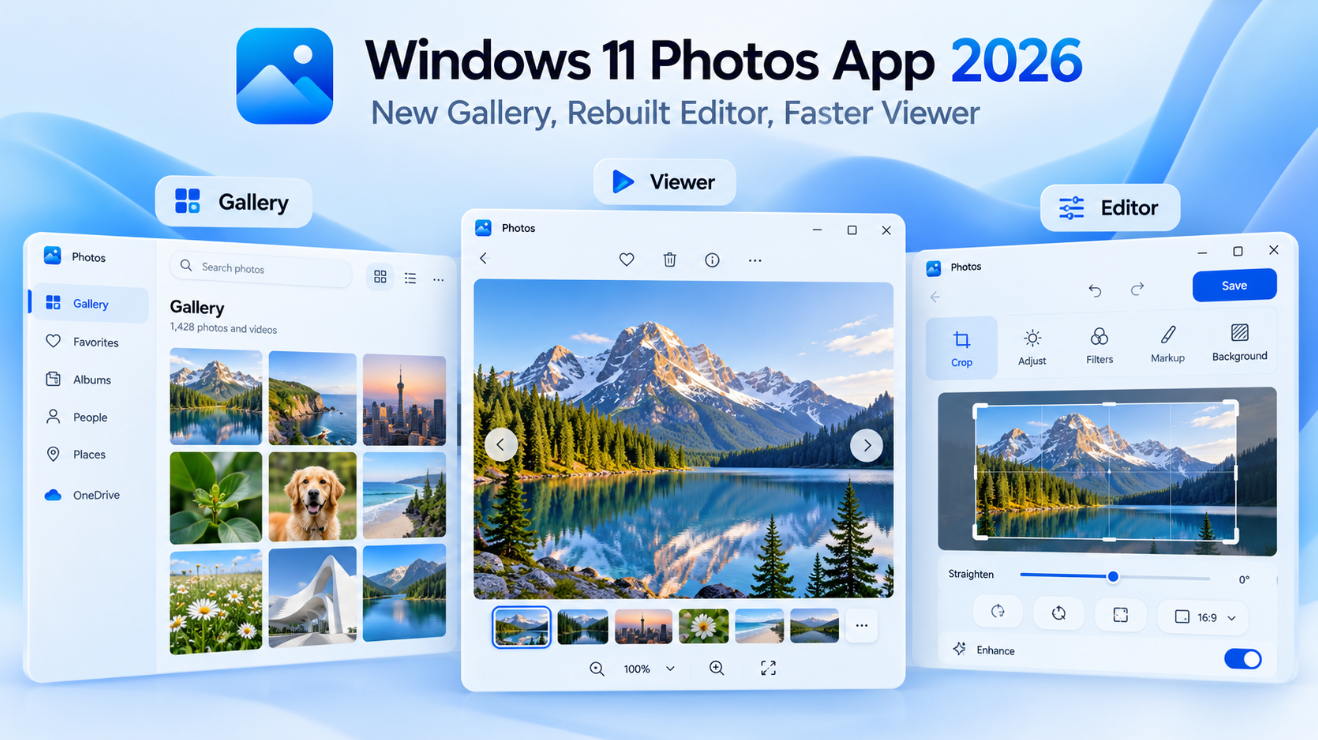
The Windows 11 Photos App 2026 is getting one of its biggest redesigns in years.
Microsoft has introduced an all-new Gallery, a rebuilt native Editor, and a faster redesigned Viewer, along with improved OneDrive and iCloud integration, natural-language photo search, object removal, Relight, HDR editing, and support for additional image formats.
The new experience started rolling out to Windows Insiders on October 15, 2026, with broader Windows 11 availability planned later in the year. So if your Photos app still looks different, you may simply not have received the update yet.
What Is New in the Windows 11 Photos App 2026?
Microsoft has reorganized the Photos experience around three main areas:
Gallery helps you find and organize photos.
Viewer is what you see when you open an individual image.
Editor provides tools for changing and improving photos.
Rather than treating these as separate experiences, Microsoft is designing them to work together more smoothly.
You can find a photo in Gallery, open it in Viewer, edit it, and return to your collection without switching to another application.
The New Photos Gallery Brings Everything Together
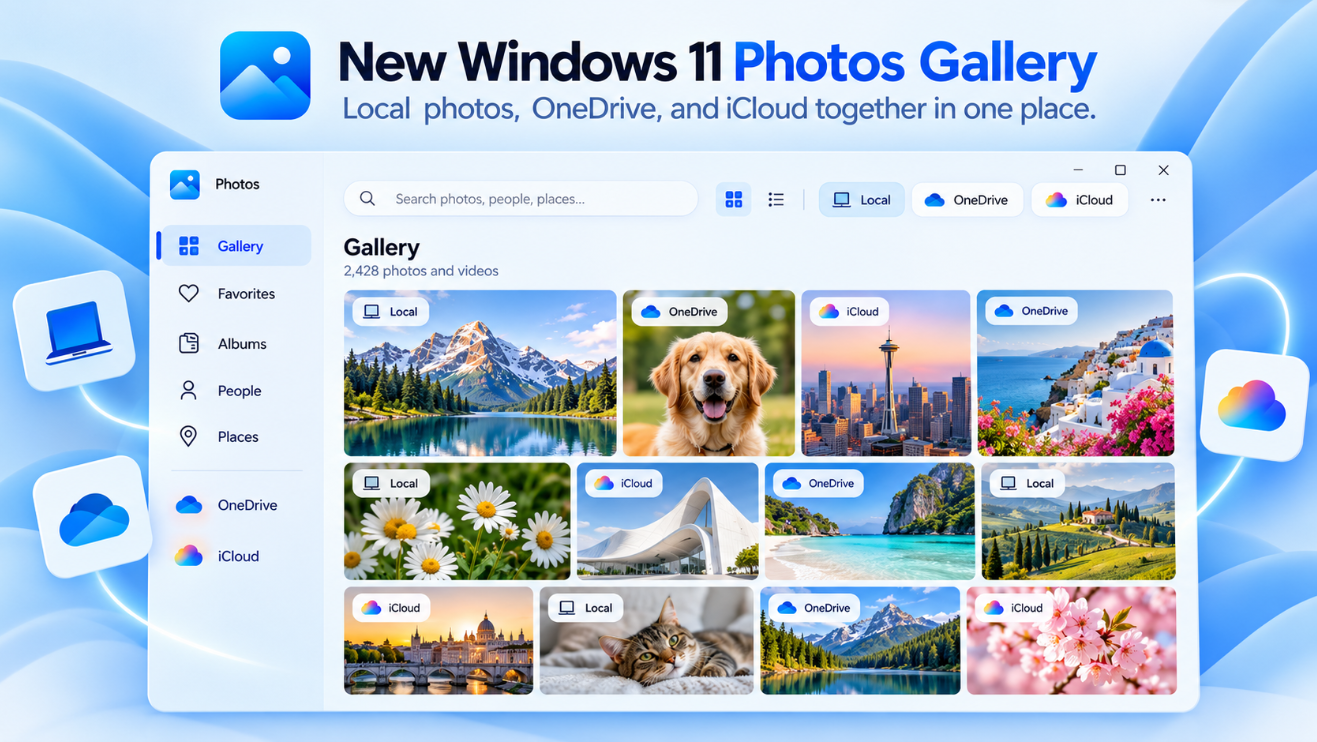
The redesigned Gallery is intended to become the central place for your photo collection.
It can display photos and videos from:
- Your Windows PC
- OneDrive
- Apple iCloud
This means you no longer need to browse several different locations just to find an older picture.
Microsoft says local photos remain available even when you are offline. You also do not need to sign in to OneDrive simply to browse photos stored locally on your computer.
Search for Photos Using Normal Language
One of the more interesting additions is natural-language search.
Instead of remembering a filename such as:
IMG_5821.jpg
you can search using a description such as:
sunset at the beach
or:
family picnic by the lake
Photos can then look for images matching that description.
For photos stored in OneDrive, Microsoft is also bringing familiar cloud photo-search capabilities directly into the Windows app. On supported Windows hardware, improved Windows Search can also work with local photos stored in the Pictures library.
Find Photos by People
The new Gallery also makes people in your photos easier to find.
With the People experience, you can browse photos containing people you have identified and filter the collection by one or more people.
For example, you could narrow the Gallery to:
OneDrive + two selected family members
instead of scrolling through thousands of images manually.
There is an important privacy detail: Microsoft says face grouping runs in the cloud for OneDrive photos. Photos that exist only locally on your PC are not processed for OneDrive face grouping. Face grouping can also be turned off.
Moments Can Rediscover Old Photos
For OneDrive photos, Microsoft is also introducing Moments.
Moments automatically identifies related photos and groups them into memories.
For example, you might see collections based around:
- A vacation
- Family activities
- Seasonal events
- Everyday moments
- Photos from the same period
Microsoft can also create seasonal recaps automatically.
A Moment can be viewed as a slideshow, shared with other people, or saved as a video.
Albums and Favorites Are Easier to Use
The updated Gallery includes Albums for organizing groups of photos and a dedicated Favorites view for images you want to return to quickly.
Albums can also be shared with other people.
However, not every cloud feature works with every account type.
Microsoft currently says Albums, Moments, and People are available with personal Microsoft accounts, while work or school accounts can browse Gallery, search, mark Favorites, and add local folders but do not receive those three features.
iCloud Photos Are Built Into the Gallery
Windows 11 users with an iPhone can continue connecting iCloud Photos through Apple’s iCloud for Windows app.
Once configured, iCloud photos and videos can appear alongside local and OneDrive pictures inside Gallery.
This makes Photos more useful if you use an iPhone but a Windows PC.
You can also use File Explorer to download iCloud photos for offline access.
The Windows 11 Photos Editor Has Been Rebuilt
The second major part of the update is the new native Editor.
Microsoft says it has been rebuilt using WinUI 3 and now launches 25% faster in its controlled testing compared with Photos version 2026.11060. Actual results can vary by PC.
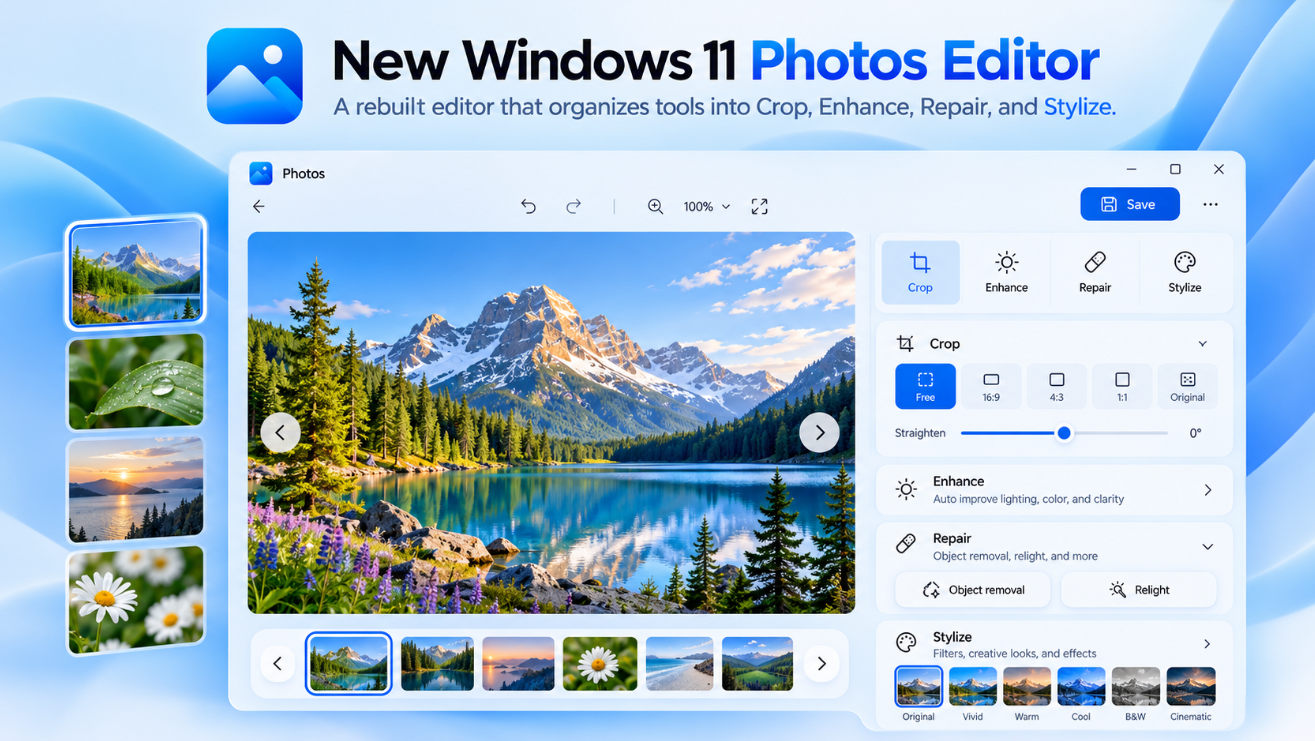
Editing tools are now organized into four categories:
Crop – Adjust framing, composition, rotation, and aspect ratio.
Enhance – Change lighting, color, and the overall appearance.
Repair – Fix imperfections and remove unwanted objects.
Stylize – Apply more creative changes to the image.
The goal is to make common edits easier to find rather than spreading them across several menus.
Remove Unwanted Objects From Photos
The Repair section includes an improved object-removal tool.
You can brush or circle something you want removed from the picture, such as:
- A bag in the background
- An unwanted person
- A distracting object
- A small visual imperfection
Microsoft says an improved AI model provides faster processing and higher-quality removal results.
This does not mean every complex background will be reconstructed perfectly, but it can make simple cleanup jobs much faster than using a dedicated photo editor.
Relight Lets You Change the Lighting After Taking a Photo
Relight is another unusual Photos feature.
Instead of only changing overall brightness, Relight lets you position virtual light sources around the image.
Microsoft says you can use up to three light sources, change their colors, adjust brightness and intensity, and choose the point they should focus on.
There are also presets such as golden hour for quicker adjustments.
One particularly useful change in the 2026 Photos app is that Microsoft is expanding Relight to all Windows 11 devices, rather than limiting it to a smaller hardware category.
HDR Editing Is Improved
The new Editor can preserve HDR color and contrast throughout the editing process.
That matters because older editing workflows can sometimes cause an HDR image to lose part of its original appearance after editing or saving.
The updated app is designed to let you edit HDR photos while retaining their richer brightness, contrast, and color information.
You Can Edit HEIC and WebP Without Converting Them First
Another useful improvement is better support for HEIC and WebP.
The new Editor can edit and save these images while keeping the original format.
This is especially useful for iPhone users because many iPhone photos use HEIC.
You do not necessarily have to convert the image to JPEG before making a basic edit.
New Social Media Crop Templates
Microsoft has also added crop templates designed around common social-media formats.
Instead of remembering the required dimensions or aspect ratios, you can choose a template and adjust the framing.
This should make it easier to prepare photos for social posts without opening a more advanced editor.
The Redesigned Photos Viewer Opens Faster
Microsoft has also rebuilt the experience you see when opening an individual picture.
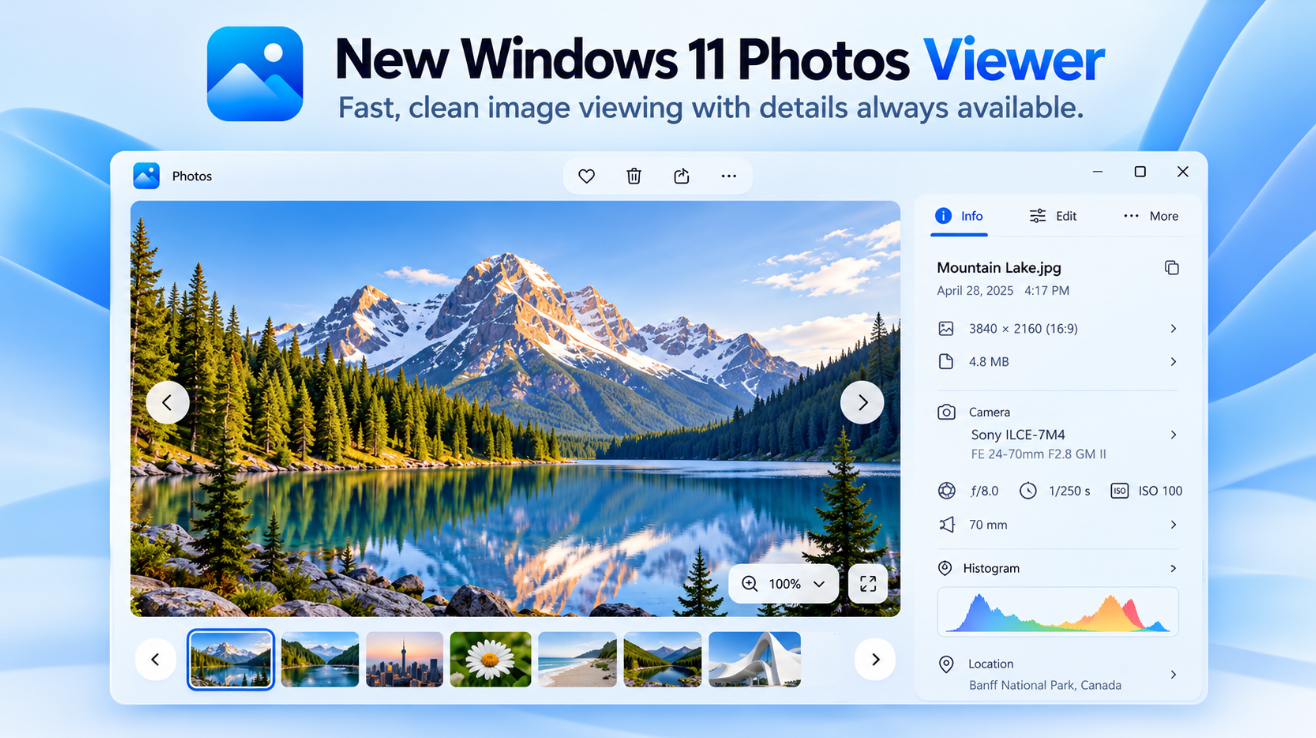
The new Viewer is designed to put more emphasis on the image itself, with fewer interface elements competing for screen space.
According to Microsoft’s controlled testing, Viewer startup is around 15% faster on average, while HEIC images can open up to 30% faster than in the comparison version. Actual performance depends on the PC, file, and configuration.
Better Keyboard Navigation
When viewing a series of images, you can move between them using the arrow keys.
Microsoft says navigation has been made smoother so you can quickly browse through photos without returning to Gallery after every image.
Opening an image directly from File Explorer also launches it into the lightweight Viewer experience.
The Viewer Shows More Photo Information
Select the information button and the Viewer can display details including:
- File name
- Date
- Camera information
- Location map when location data exists
- Color histogram
- Visual search
The idea is to make useful metadata available without keeping it permanently on screen.
SVG Support Is Coming to Photos Viewer
The redesigned Viewer also expands file support to include SVG images.
SVG stands for Scalable Vector Graphics.
Unlike normal JPEG or PNG images, SVG graphics can scale to different sizes without losing sharpness.
This makes the Photos Viewer more useful for opening icons, logos, illustrations, and other vector graphics without immediately switching to another application.
Windows 11 Photos App 2026 vs Photos Legacy
Microsoft still provides Photos Legacy for people who need functionality associated with the older Photos experience.
Photos Legacy includes features such as its legacy collections, albums, and video-editing experience.
The modern Photos app is moving toward a different model centered around Gallery, cloud integration, a lightweight Viewer, and the rebuilt Editor.
For more advanced video editing, Microsoft now directs Windows users toward Clipchamp.
Do You Need OneDrive to Use the New Photos App?
No.
Microsoft explicitly says you can use Photos for images stored on your PC without signing in to OneDrive.
OneDrive adds features such as:
- Cloud photo access
- People
- Moments
- Albums
- Additional photo search capabilities
But normal local photo browsing and editing do not require you to upload your pictures to OneDrive.
Are Local Photos Automatically Uploaded to OneDrive?
No.
Simply allowing Photos to display pictures stored on your PC does not automatically upload them.
Microsoft says local pictures remain on the computer unless you specifically store them in a OneDrive-synced location or choose to upload them.
This is worth knowing if you want to use the new Gallery but prefer to keep your photo collection local.
Why Don’t I Have the New Windows 11 Photos App Yet?
Microsoft announced the redesigned Photos experience on October 15, 2026.
The first rollout is going to Windows Insiders, with Microsoft saying availability will expand to other Windows 11 users later in 2026.
So if your Photos app still has the older layout, that does not necessarily mean anything is wrong.
Keep both Windows 11 and Microsoft Photos updated through Windows Update and the Microsoft Store, then wait for the staged rollout to reach your device.
Is the New Photos App Only for Copilot+ PCs?
No.
The redesigned Photos app itself is intended for Windows 11 PCs generally.
Some intelligent Windows features can still depend on supported hardware, but Microsoft specifically says Relight is expanding to all Windows 11 devices.
Microsoft also notes that improved local natural-language search works on supported hardware, so not every search capability should be assumed to behave identically on every PC.
Windows 11 Photos App 2026: Gallery vs Viewer vs Editor
The easiest way to understand the redesign is:
Gallery → Find and organize your photos.
Viewer → Open and inspect an individual photo.
Editor → Change or improve the photo.
The three experiences are designed to work together rather than feeling like separate tools.
For most users, the most noticeable changes will probably be the new Gallery and faster Viewer, while users who edit pictures regularly may benefit more from object removal, HDR improvements, HEIC/WebP editing, and Relight.
Frequently Asked Questions
What is new in the Windows 11 Photos App 2026?
Microsoft has introduced a redesigned Gallery, rebuilt Editor, faster Viewer, improved OneDrive and iCloud integration, natural-language search, object removal, Relight, HDR improvements, and expanded image-format support.
Does the new Photos app support iCloud?
Yes. iCloud Photos can appear in Gallery when iCloud for Windows is installed and configured.
Can Photos search by what’s inside a picture?
Yes. Microsoft is adding natural-language photo search. OneDrive photos can use cloud search capabilities, while improved local photo search is available on supported Windows hardware.
Can the Photos app remove objects?
Yes. The Repair section includes object removal that lets you brush or circle unwanted elements.
Does Photos support HEIC?
Yes. The updated editor can edit and save HEIC images in their original format, and Microsoft says HEIC loading is faster in the redesigned Viewer.
Do I need OneDrive?
No. You can continue browsing and editing photos stored locally on your PC without signing in to OneDrive.
Why hasn’t my Photos app changed yet?
The new experience began rolling out to Windows Insiders on October 15, 2026 and is expanding to other Windows 11 users later in the year.
Final Thoughts
The Windows 11 Photos App 2026 is becoming much more than a basic image viewer.
The redesigned Gallery brings local, OneDrive, and iCloud photos together, while natural-language search, People, Moments, Albums, and Favorites make larger collections easier to navigate.
The new Editor adds practical improvements such as object removal, Relight, HDR editing, HEIC and WebP support, and social-media crop templates.
And the redesigned Viewer focuses on something equally important: opening photos faster and keeping the interface out of the way.
Because the update is still rolling out, not every Windows 11 PC will see these changes immediately. But once broadly available, this looks like one of the most substantial Microsoft Photos updates in recent years.
Building a new PC or moving to Microsoft’s latest Windows experience? Browse our Windows 11 keys and choose the edition that fits your computer.