
Instructions
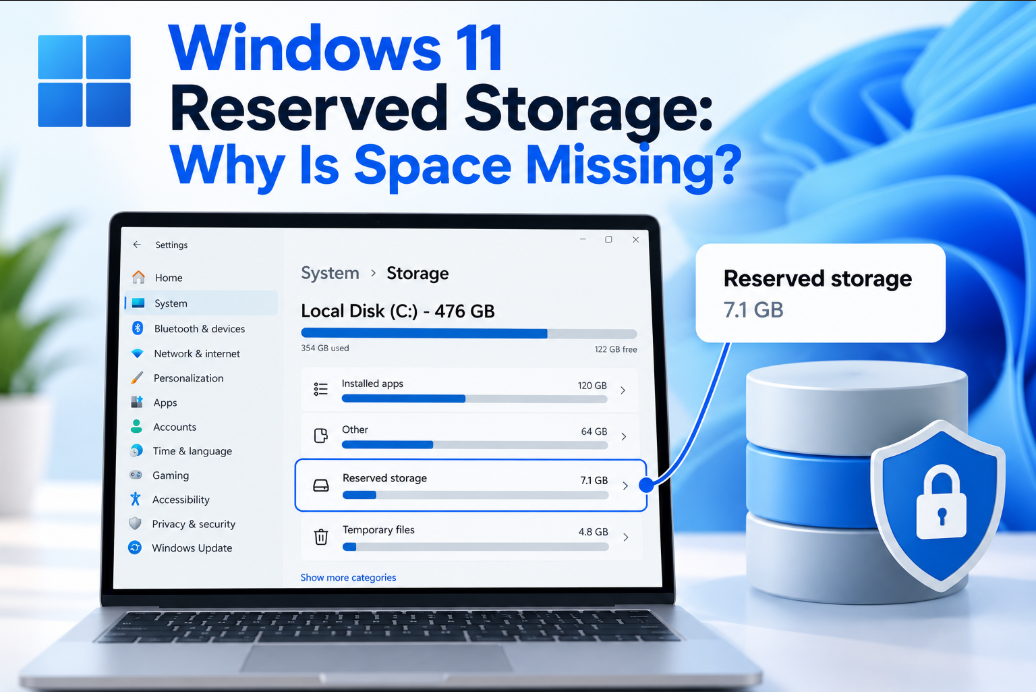
Windows 11 Reserved Storage: Why Is Space Missing?
Sep
Have you ever checked your PC’s storage and wondered why several gigabytes seem to be unavailable?
Part of that space may be used by Windows 11 Reserved Storage.
Windows keeps some storage available for updates, temporary files, caches, and other system processes so the computer can continue operating and updating properly even when free space becomes limited.
What Is Windows 11 Reserved Storage?
Reserved Storage is disk space that Windows sets aside for system use.
Instead of allowing applications and personal files to fill every available gigabyte, Windows keeps part of the system drive available when needed.
That space can be used for things such as:
- Windows updates
- Temporary system files
- System caches
- Update installation files
- Other Windows servicing tasks
One of its main purposes is to reduce the chance that a Windows update fails simply because your drive doesn’t have enough temporary free space.
Why Does Windows Need Reserved Space?
Installing a Windows update often requires more space than the final update itself uses.
Windows may need temporary storage to:
- Download update files.
- Unpack them.
- Install the new files.
- Keep temporary recovery information.
- Remove temporary data once installation finishes.
Without enough free storage, Windows Update may ask you to delete files before continuing.
Reserved Storage gives Windows some working space before that becomes necessary.
How Much Space Does Reserved Storage Use?
There isn’t one fixed amount for every PC.
The amount can vary depending on your Windows configuration and the system components installed.
Instead of worrying about a specific number of gigabytes, it is more useful to check how Windows categorizes your storage.
Open:
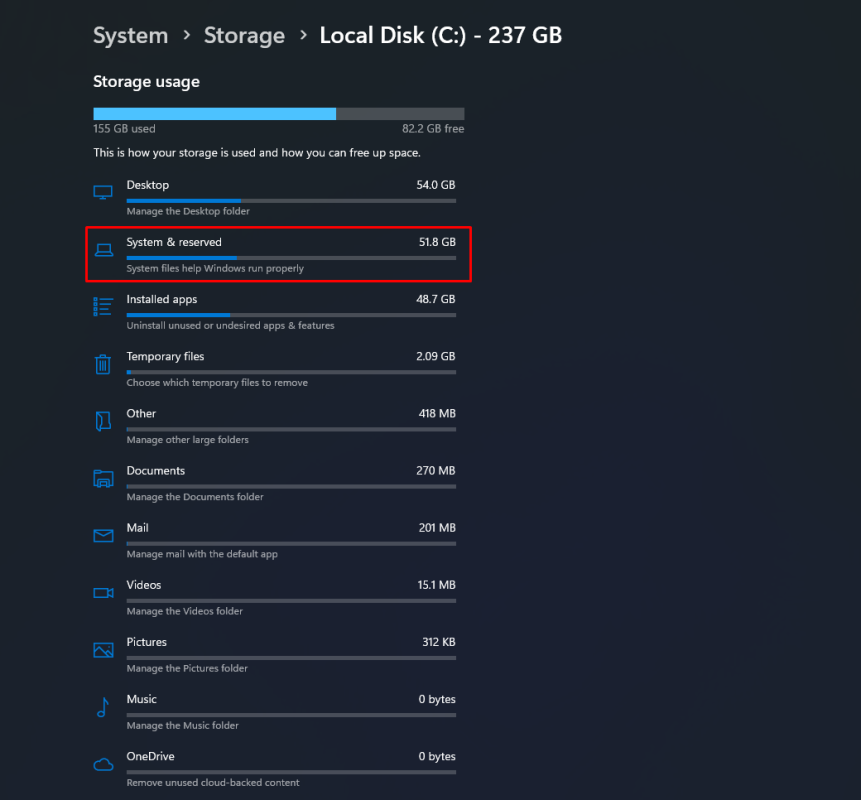
Settings → System → Storage
Then select Show more categories if necessary and look for:
System & reserved
Microsoft includes reserved storage within this area of Windows Storage settings.
Is That Storage Completely Wasted?
No.
Reserved Storage isn’t simply empty disk space that Windows permanently prevents you from using.
Microsoft says Windows can clear reserved storage when space is needed for processes such as Windows Update. The system manages this space dynamically to help make storage usage more predictable.
Think of it as working space that Windows keeps available for itself rather than unused space being permanently lost.
Does Every Windows 11 PC Have Reserved Storage?
Not necessarily.
Microsoft says Reserved Storage is normally enabled on new PCs with Windows 11 preinstalled and on devices where Windows 11 was installed using a clean installation.
Its status can therefore differ between PCs depending on how Windows was installed and how the system is managed.
Can You Check Whether Reserved Storage Is Enabled?
Advanced users can check the status through an elevated Command Prompt.
Run:
DISM.exe /Online /Get-ReservedStorageState
Windows will report whether Reserved Storage is enabled or disabled.
For most users, however, simply checking Settings → System → Storage provides enough information about how the system drive is being used.
Can You Disable Reserved Storage?
Windows includes tools that allow Reserved Storage to be enabled or disabled, but that doesn’t mean disabling it is useful for most people.
Microsoft provides the DISM command:
DISM.exe /Online /Set-ReservedStorageState /State:Disabled
and a corresponding command for enabling it again.
However, freeing this space means Windows has less dedicated working space available when installing updates.
For a normal PC with enough storage, there is usually little reason to change it.
What If Your PC Is Actually Running Out of Space?
If storage is becoming a problem, removing unnecessary files is usually a better place to start.
Go to:
Settings → System → Storage
Useful options include:
- Temporary files
- Cleanup recommendations
- Storage Sense
- Uninstalling unused apps
- Moving large personal files to another drive
Microsoft recommends Storage Sense and Cleanup recommendations when additional space is required for Windows updates.
This is generally safer than trying to reclaim system-managed storage.
Reserved Storage vs System Reserved Partition
These two terms sound similar but aren’t the same thing.
Reserved Storage is space Windows manages on the main system drive for updates, caches, and temporary system needs.
A System Reserved or EFI-related partition is a separate disk partition containing files needed for Windows startup and recovery.
You generally shouldn’t delete or modify system partitions simply to gain extra storage.
Should You Worry About Reserved Storage?
Usually, no.
If your PC has plenty of available disk space, Reserved Storage can simply be left alone.
It helps Windows maintain enough working space for updates and temporary system operations without constantly asking you to manually clear storage.
It becomes more noticeable mainly on computers with smaller SSDs where every gigabyte matters.
Summary
Windows 11 Reserved Storage is one reason the amount of usable disk space may appear smaller than expected.
If your drive is genuinely running low on space, use Storage Sense, Temporary Files, or Cleanup recommendations before trying to change Reserved Storage itself.
Need Windows 11 for your PC? Explore our Windows 11 keys and choose the right edition for your computer today.