
Instructions
The New Office 2024 Design: What Changed?
Jun
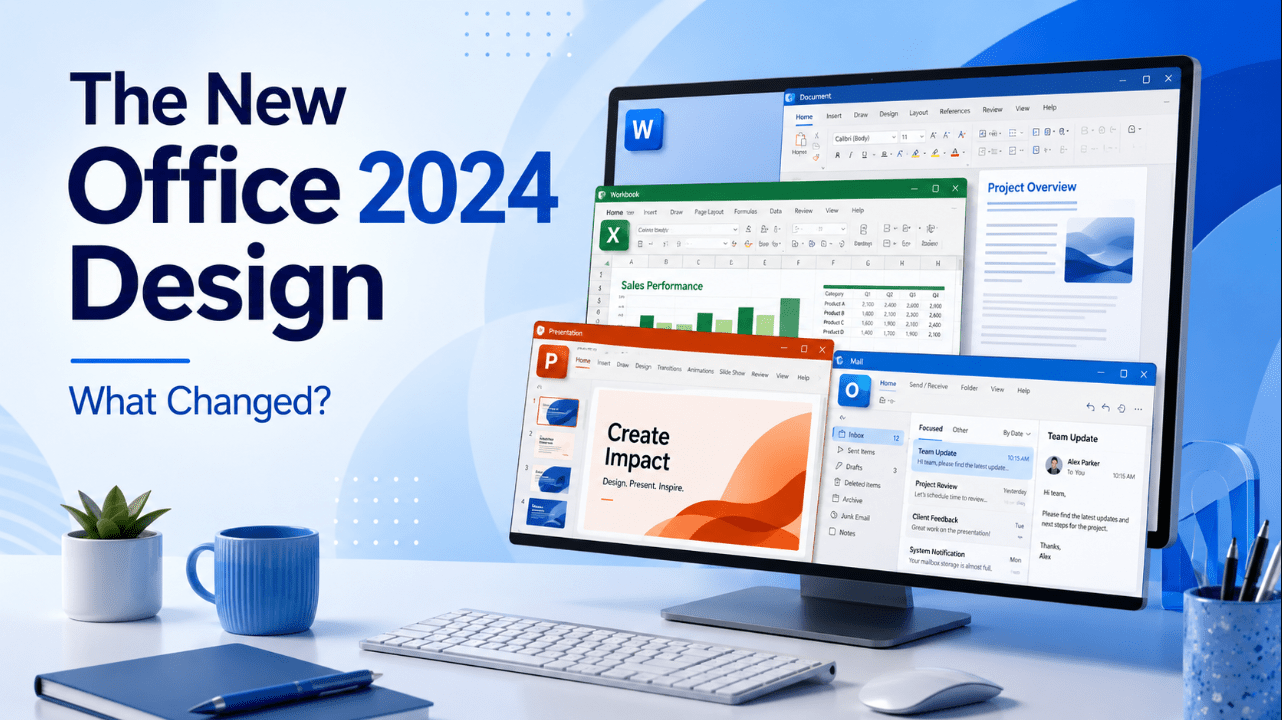
Office 2024 introduces a more modern and consistent design across Word, Excel, PowerPoint, Outlook, OneNote, Access and Visio.
The update follows Microsoft’s Fluent Design principles and is designed to feel especially natural on Windows 11. It also improves the experience on supported Windows 10 systems and macOS.
The change is mainly visual. The Ribbon, tabs and familiar commands remain in their usual places, so existing Office users should not need to relearn the applications.
Instead, Microsoft has refreshed the colours, themes, typography and visual consistency to make Office feel cleaner and more connected.
Looking for a one-time Office licence? Browse our Office 2024 product keys.
A More Consistent Look Across Office Apps
Previous Office versions sometimes felt slightly different from one application to another.
Office 2024 uses a more unified visual language across:
- Word
- Excel
- PowerPoint
- Outlook
- OneNote
- Access
- Visio
Buttons, menus, colours and spacing now feel more consistent when switching between applications.
This is useful for people who regularly move between Word documents, Excel workbooks, PowerPoint presentations and Outlook email.
The applications still retain their individual identities. Excel remains green, Word remains blue and PowerPoint remains orange, but the surrounding interface feels more closely connected.
Fluent Design Principles
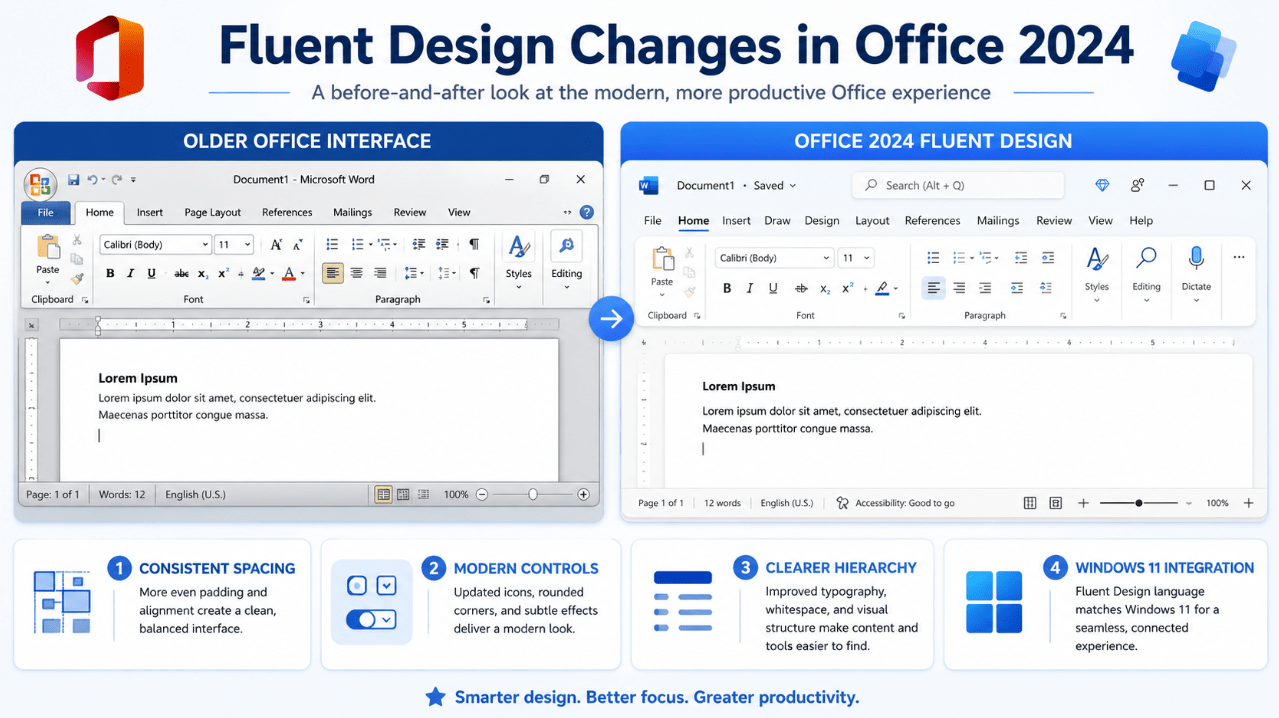
Microsoft based the new Office look on Fluent Design.
Fluent Design focuses on:
- Clear visual hierarchy
- Consistent spacing
- Familiar controls
- Cleaner surfaces
- Better theme integration
- More accessible colours
- A natural connection with Windows 11
Office 2024 does not completely redesign the Ribbon or move important tools into unfamiliar locations.
The aim is to modernise the experience without making long-time users feel lost.
Updated Office Colours
Office 2024 includes a revised colour palette with more vibrant hues.
The updated colours are intended to:
- Look clearer on modern displays
- Improve visual separation
- Create more accessible content
- Give documents and presentations a current appearance
- Maintain consistency across Office applications
The new colour palette affects the default Office document theme.
Older files are not automatically redesigned simply because they are opened in Office 2024. Existing documents normally keep their original formatting unless the theme is changed manually.
Microsoft has kept the older colour theme available under the name:
Office Theme 2013–2022
This is useful when you need to match documents created with earlier Office versions.
Aptos Is the New Default Font
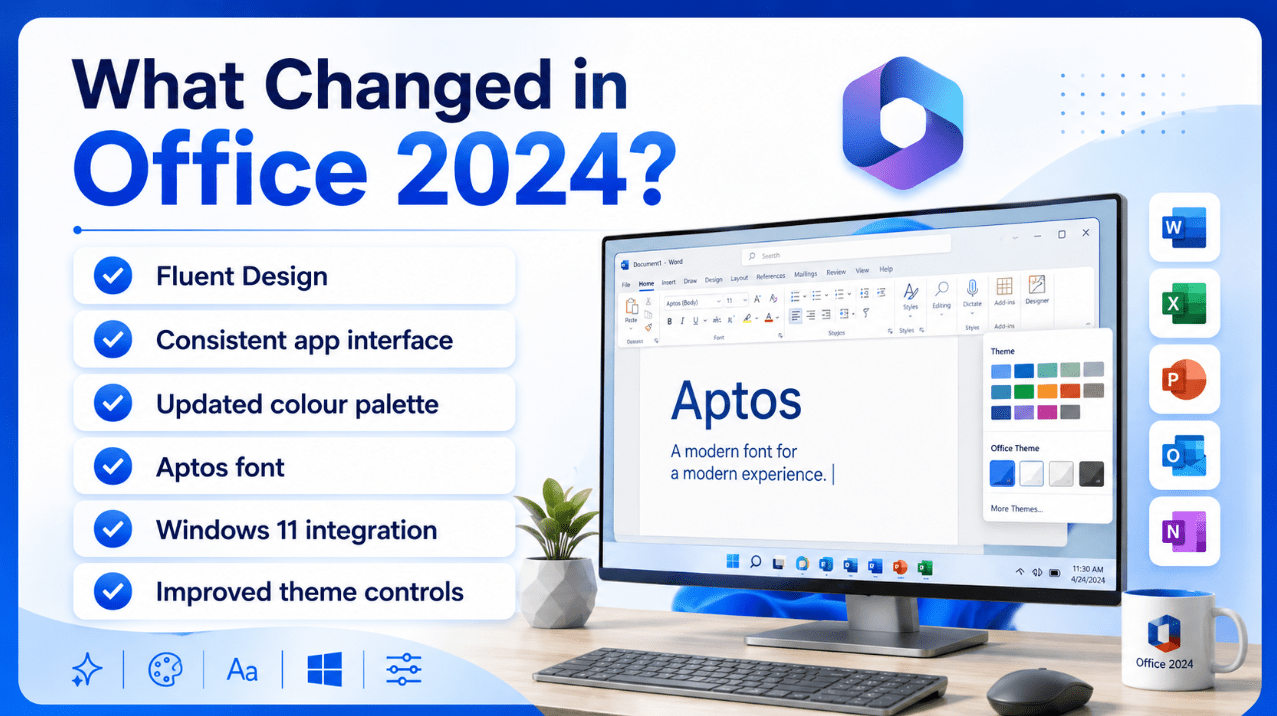
Aptos replaces Calibri as the newer default Office font.
It is used across Office applications for newly created content based on the default theme.
Aptos is designed to provide:
- Clear readability
- A modern appearance
- Good performance at different sizes
- Strong compatibility across Office apps
- A neutral style suitable for business and personal documents
The change does not prevent you from using Calibri, Arial, Times New Roman or another font.
Existing documents using Calibri should continue displaying that font unless it is manually replaced.
Better Integration with Windows 11
The Office 2024 interface fits more naturally beside Windows 11.
This includes:
- Matching light and dark appearances
- Cleaner visual surfaces
- More consistent menu styling
- Modern application icons
- A similar design language across Windows and Office
Office can follow the Windows theme automatically.
When Use system setting is selected, Office displays a light appearance when Windows uses Light mode and a darker appearance when Windows uses Dark mode.
Users can also choose a separate Office theme without changing the Windows theme.
Office Theme Options
You can change the Office appearance from:
File > Account > Office Theme
In some applications, the same setting is available through:
File > Options > General > Office Theme
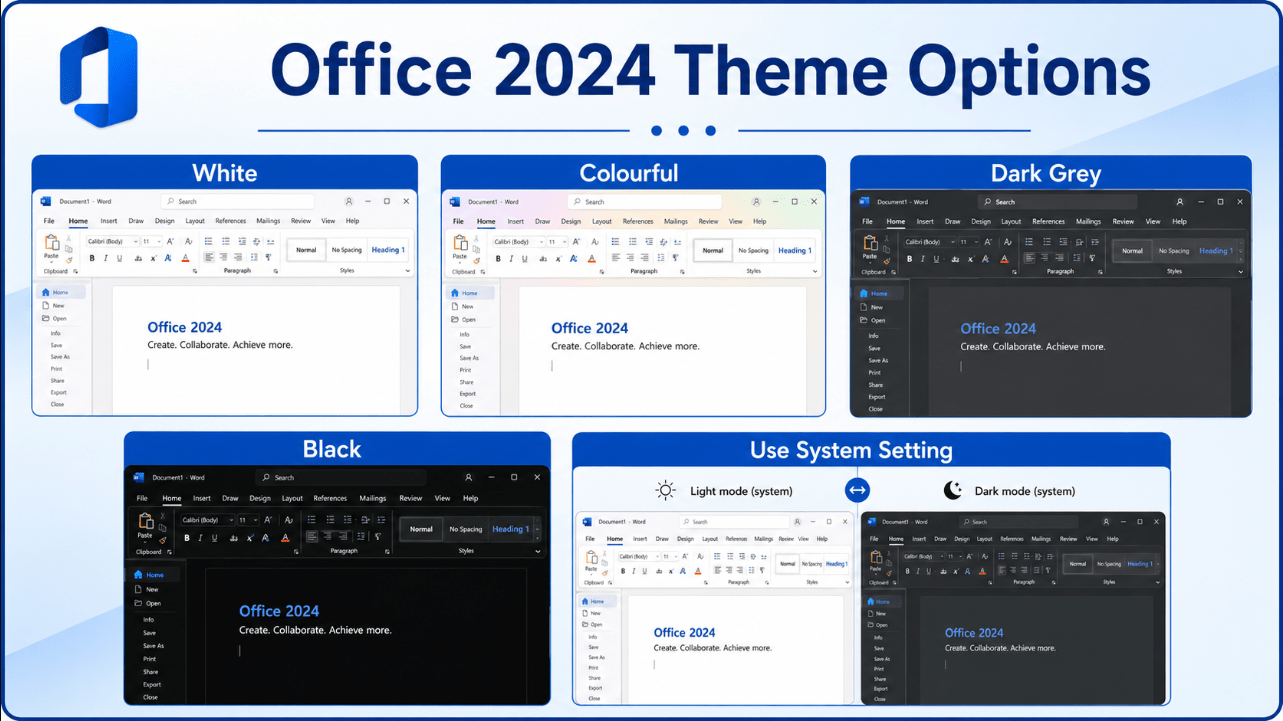
Available choices may include:
- Use system setting
- White
- Colourful
- Dark Grey
- Black
The exact options can vary slightly by application and platform.
Use System Setting
Office follows the current Windows light or dark appearance.
White
Provides a bright, clean interface.
Colourful
Adds the application’s main colour to more interface areas.
Dark Grey
Reduces brightness without using the darkest possible theme.
Black
Provides the darkest Office interface and is useful in low-light environments.
Does Dark Mode Change the Document?
The Office interface theme and the document theme are separate.
Changing Office to Black or Dark Grey usually changes:
- The Ribbon
- Menus
- Side panels
- Application background
- Interface controls
It does not necessarily change the colours that will appear when the document is printed or shared.
Word can also display a dark document canvas while preserving the intended printed page colours.
This distinction prevents users from accidentally creating black-background documents simply because they prefer a dark interface.
Has the Ribbon Changed?
The Ribbon remains central to Office 2024.
You will still find familiar tabs such as:
- Home
- Insert
- Design
- Layout
- Review
- View
The new design mainly changes how the Ribbon looks rather than how it works.
Users can still:
- Collapse or pin the Ribbon
- Customise tabs
- Create custom groups
- Add commands
- Use the Quick Access Toolbar
- Switch Ribbon display options
This means an upgrade from Office 2021 should feel familiar.
Office 2024 vs Office 2021 Design
The visual differences are noticeable but not disruptive.
| Area | Office 2021 | Office 2024 |
|---|---|---|
| Overall style | Earlier Office visual design | More modern Fluent Design |
| Default font | Calibri in many templates | Aptos |
| Theme colours | Older Office palette | Updated, more vibrant palette |
| App consistency | Familiar but older styling | More unified across apps |
| Windows 11 integration | Supported | Better visual match |
| Previous theme availability | Default older theme | Available as Office Theme 2013–2022 |
Office 2024 feels newer, but the workflow remains recognisable.
Does the Design Improve Accessibility?
The updated palette is intended to support clearer and more accessible content.
Office 2024 also includes separate accessibility improvements, including better tools for checking:
- Alternative text
- Colour contrast
- Reading order
- Table structure
- Document accessibility issues
The visual refresh alone does not make every document accessible, but it supports a clearer and more consistent working environment.
Read our Office 2024 accessibility improvements guide for more details.
Can You Return to the Older Look?
You can change the Office interface theme, but Office 2024 does not provide a complete switch that turns the whole application back into Office 2021.
For document colours and fonts, the older theme remains available as Office Theme 2013–2022.
To change the Office interface theme:
- Open Word, Excel or another Office application.
- Select File.
- Open Account.
- Find Office Theme.
- Choose the appearance you prefer.
This lets you adjust the brightness and colour style without changing the Office version.
Who Benefits Most from the New Design?
The design improvements are useful for:
- Windows 11 users
- People who switch between several Office apps
- Users working on modern high-resolution displays
- People who prefer dark mode
- Businesses creating new templates
- Users who want a cleaner long-term Office setup
- Anyone upgrading from Office 2016, 2019 or 2021
The difference will feel more significant when moving from a much older Office version.
What the New Design Does Not Change
The visual refresh does not turn Office 2024 into Microsoft 365.
Office 2024 remains a one-time-purchase release and does not receive a constant stream of new feature additions.
The redesign also does not automatically change:
- Existing document formatting
- Your saved templates
- Custom Ribbon layouts
- Keyboard shortcuts
- File formats
- Printing behaviour
It is primarily a cleaner visual foundation for the existing Office desktop experience.
Upgrade to the latest one-time Office release with a refreshed design and modern desktop applications.
Browse our Office 2024 licences, including Office Home & Business 2024 and Office Professional Plus 2024.