
Avast Premium Security (1PC – 1 Year)
- License
- Retail · 1 PC
- Valid for
- 1 year
- Delivery
- Instant, by e-mail
- Download
- Official Avast
- Brand
- Avast
$26,49
License valid for 1 year
- Instant delivery to your e-mailkey + download links
- Key won't activate? We replace itunused keys: refund within 7 days
- Official invoice with every order
- 24/7 live chat help with activation
Avast Premium Security for one Windows PC for one year: everything in Avast Free Antivirus plus Webcam Shield, Sandbox, Real Site, Bank Mode and Remote Access Shield.
What you get with Avast Premium Security for one year
A one-year Avast Premium Security subscription for one Windows PC. It includes the antivirus, firewall and Ransomware Shield from Avast Free Antivirus and adds the paid tools listed below, such as Sandbox, Webcam Shield, Real Site and Bank Mode. You install Avast’s app and activate it with the code we send by e-mail, along with the download link and a PDF invoice. The subscription ends after twelve months; nothing renews by itself.
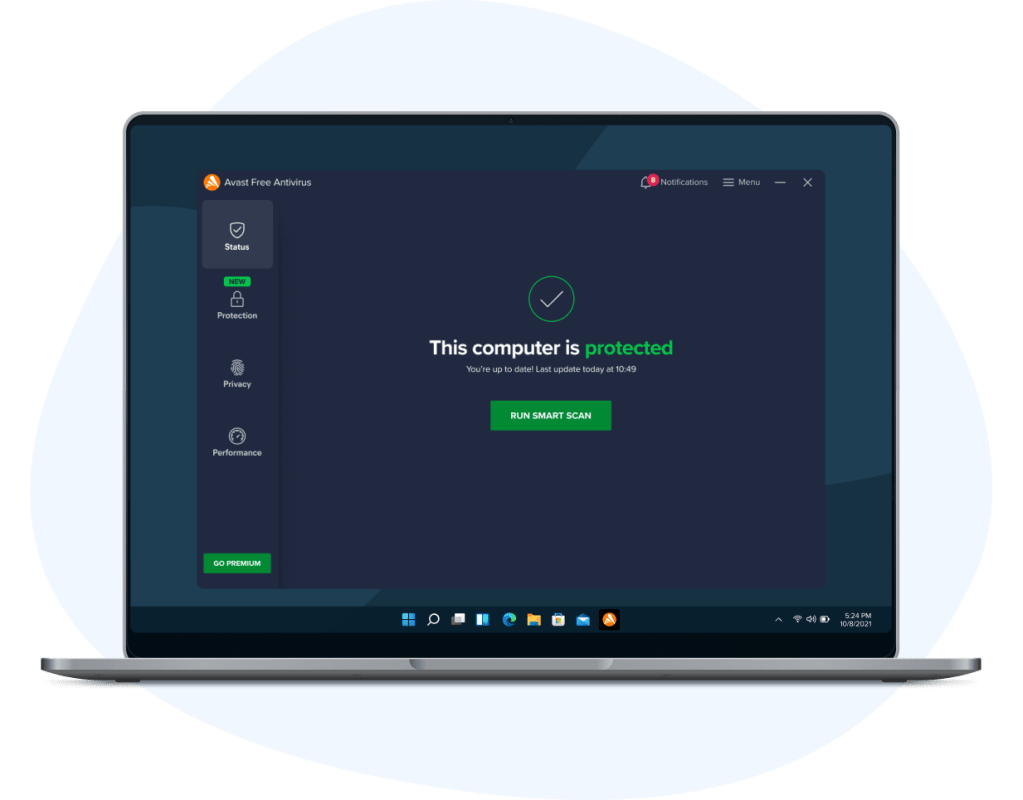
What Premium adds to Avast’s free antivirus
- Real Site guards against DNS hijacking, so a tampered router can’t send you to a fake copy of your bank’s website.
- Bank Mode opens a separate virtual desktop for online banking and payments.
- Sandbox runs an app or a browser in an isolated environment, apart from the rest of Windows.
- Webcam Shield blocks untrusted apps from switching on your camera.
- Remote Access Shield lets you choose which IP addresses may connect to the PC remotely.
- Sensitive Data Shield and Browser Shield protect personal documents and stop unknown apps from reading passwords and cookies saved in your browsers.
- Data Shredder erases files or whole drives so they can’t be recovered.
- Email Guard checks web-based e-mail for suspicious messages.
One year, three years, or ESET
A single year suits you if you want to try Premium before committing, or if the PC is due for replacement soon. For a machine you plan to keep, Avast Premium Security for 3 years covers the same single PC for longer with one code. If you prefer ESET’s engine, look at ESET Internet Security 1 PC 1 Year.
Activating Avast Premium Security on your PC
- Remove other antivirus software from the PC so the two don’t clash.
- Download avast_premium_security_setup_online.exe from the Avast link in your e-mail.
- Right-click the file, choose Run as administrator, accept the User Account Control prompt and click Install.
- Open Avast, click ☰ Menu, then Enter activation code.
- Paste the code with its hyphens and click Enter. Avast then confirms that Avast Premium Security is now active.
- Restart the PC when the installer suggests it, so every component starts.
Our step-by-step Avast setup walkthrough adds screenshots of these steps.
System requirements
| Windows | Windows 11 (also on ARM64) or Windows 10, 32 or 64-bit, except Mobile, IoT and Mixed Reality editions |
|---|---|
| Processor | Intel Pentium 4 or AMD Athlon 64 or newer, with SSE3 support |
| RAM | 4 GB or more |
| Disk space | 3 GB free |
| Screen | 1024 x 768 pixels or higher recommended |
| Internet | Needed to download and activate the app |
Questions about Avast Premium Security (1 year)
Can I move the subscription to a new PC during the year?
Yes. Avast says a single-device subscription covers one device at a time and can be transferred to another device on the same platform, so from one Windows PC to another. Uninstall it from the old PC first.
Will it also protect my Android phone or Mac?
No. This is the single-device PC version. Avast sells a separate multi-device subscription that covers up to 10 devices across Windows, Mac, Android and iOS.
Avast still shows the free version after I entered the code. What now?
Open ☰ Menu → My Subscriptions and check that the code was accepted. If it wasn’t, contact our support team via live chat or e-mail around the clock; they replace a code that won’t activate.
Be the first to review “Avast Premium Security (1PC – 1 Year)”
You must be logged in to post a review.
- Genuine Retail licenses. Every key is a genuine license that activates with Microsoft, or with ESET or Avast for antivirus. Unless the License line next to the price says OEM, it is a Retail license.
- Replacement if a key won't activate. Contact our support on live chat or by e-mail, day or night: we help you finish the activation or send a replacement key.
- Refund for unused keys. A key that has not been redeemed can be refunded within 7 calendar days of purchase, as set out in our Refund Policy.
- Invoice and instructions. Every order comes with a PDF invoice and instructions to download, install and activate the software.
You may also need
Reviews
There are no reviews yet.