
-
×
 Office 2021 Professional Plus Bind (1PC) License
1 × €119,99
Office 2021 Professional Plus Bind (1PC) License
1 × €119,99 -
×
 Office 2016 Professional Plus Bind
1 × €29,99
Office 2016 Professional Plus Bind
1 × €29,99
-70%
Project 2024 Professional License
Original price was: €499,00.€149,00Current price is: €149,00.
Project 2024 Professional License equips you with a powerful set of project management tools for streamlined planning, tracking, and collaboration. Easily coordinate schedules, budgets, and resources using an intuitive interface – perfect for businesses or individual professionals seeking efficient, real-time control over multiple projects.
🟢One-time payment 🟢 Instant Delivery to your Email
Project 2024 Professional: Precision Planning & Execution
Elevate your project management capabilities with Project 2024 Professional License. Featuring enhanced scheduling features, multi-platform integration, and robust reporting tools, this license empowers you to oversee complex tasks, allocate resources optimally, and gain actionable insights. Whether you’re handling a single initiative or multiple concurrent projects, Project 2024 helps maintain control from start to finish.
Key Features & Benefits
-
Advanced Scheduling & Resource Management
-
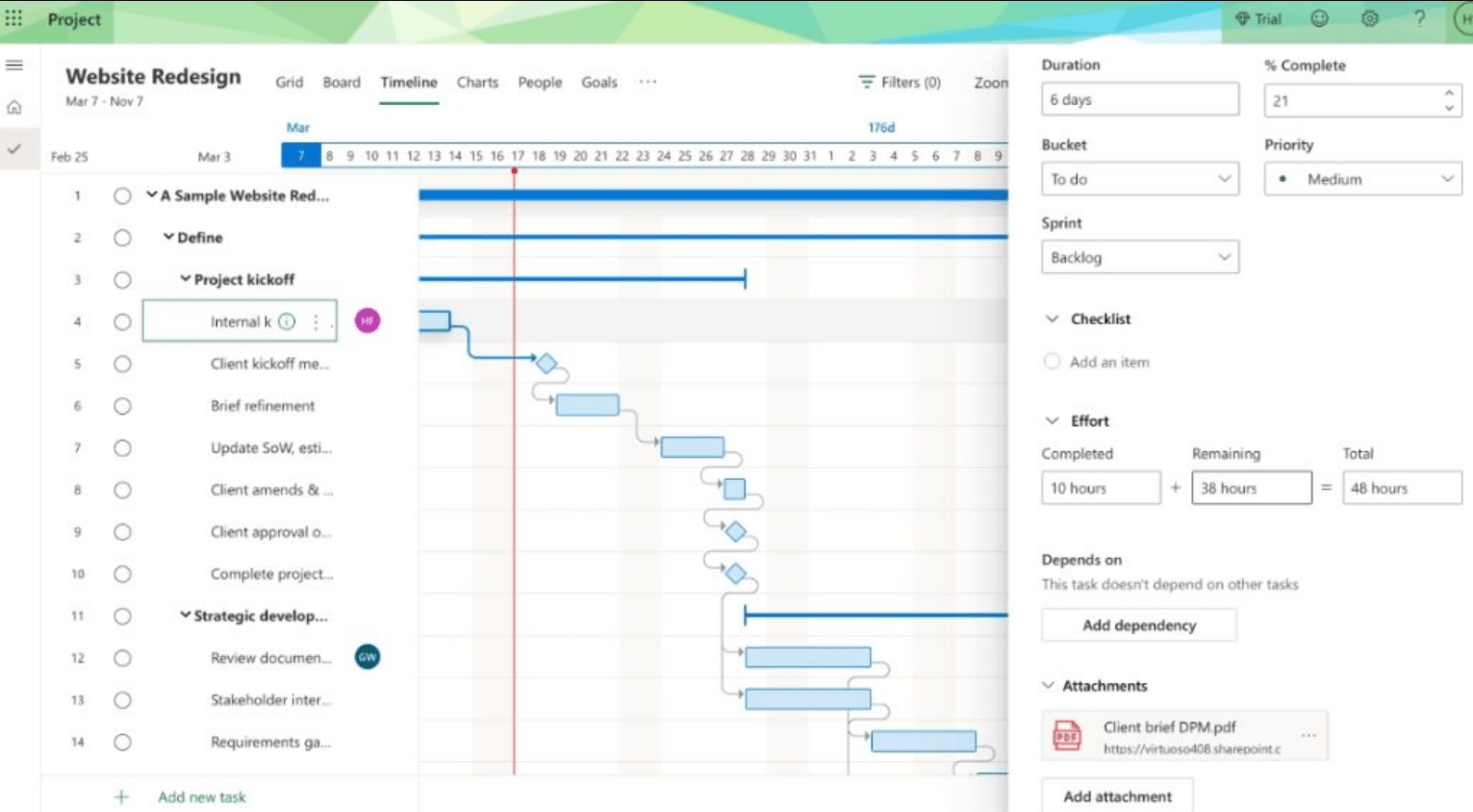
Create detailed task lists, define dependencies, and manage team resources effectively to keep deadlines on track.
-
-
Real-Time Collaboration
-
Share project files securely, co-author tasks, and gather feedback seamlessly through integrated Microsoft 365 or compatible cloud services.
-
-
Customizable Reporting & Dashboards
-
Generate interactive charts, pivot views, and budget summaries to monitor progress and maintain stakeholder visibility.
-
-
Intuitive Interface & Automation
-
Benefit from auto-scheduling, AI-driven suggestions, and improved Gantt charts to streamline repetitive tasks and reduce errors.
-
-
Multi-Platform & Cloud-Ready
-
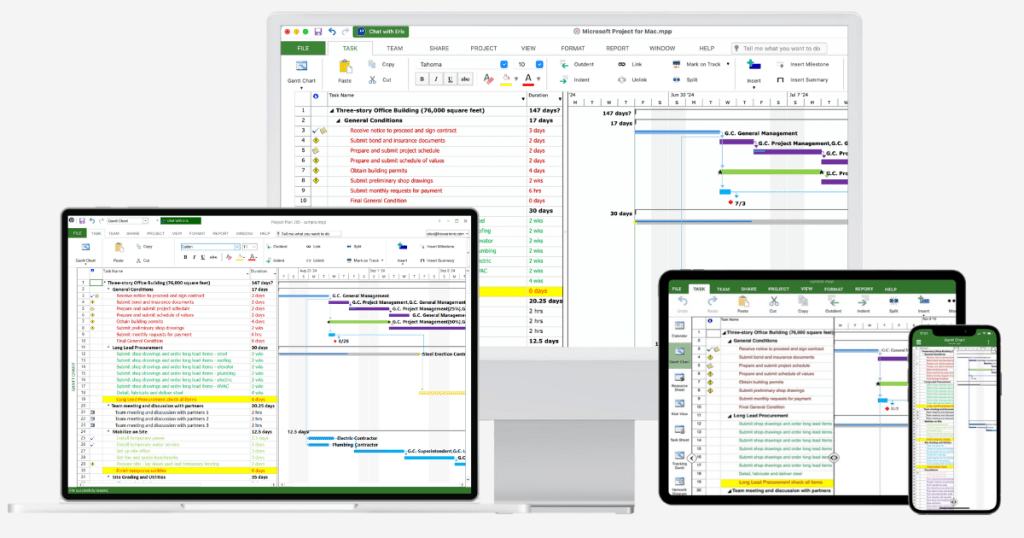
Switch between desktop and web-based versions of Project (where available) and integrate easily with other Microsoft services.
-
Why It’s Better Than Its Predecessors
-
Refined UI & Performance
-
Faster load times, smoother navigation, and updated ribbons deliver an enhanced user experience over older versions.
-
-
AI-Powered Insights
-
Leverage intelligent analytics for timeline suggestions, risk detection, and resource leveling more accurately than ever before.
-
-
Improved Collaboration
-
Deeper integration with Microsoft Teams or SharePoint fosters advanced co-authoring, versioning, and feedback loops.
-
-
Easier Scalability
-
Ideal for growing organizations, with flexible licensing options and improved capabilities for multi-project oversight.
-
-
Better Mobile & Web Accessibility
-
Access project files on-the-go with an updated web companion (if offered by your plan), ensuring continuity and responsiveness.
-
Top 5 Frequently Asked Questions (FAQ)
-
Is Project 2024 Professional License a one-time purchase or subscription?
-
Generally, it’s a perpetual license for one device unless specified otherwise. Confirm your vendor’s terms or Microsoft’s official policy for precise details.
-
-
Can multiple team members work on the same project file?
-
Yes. Through integrated cloud storage like OneDrive or SharePoint, your team can open, edit, and update project files in near real-time.
-
-
What’s the difference between Project 2024 Professional and Project Standard?
-
Professional includes advanced resource management, collaboration features, reporting tools, and integration with Microsoft 365, whereas Standard offers core project management functionalities.
-
-
Does this license integrate with Microsoft Teams or other collaboration platforms?
-
Yes. Project 2024 integrates with Microsoft Teams and other Microsoft services to streamline communication and share project data across platforms.
-
-
Which operating systems and versions are supported?
-
Typically, Windows 10 or later. Check Microsoft’s official documentation for the latest system requirements and compatibility updates.
-
System Requirements
Below is a general reference for Project 2024 Professional License. Always verify final details with Microsoft’s official guidelines:
| Component | Minimum Requirements | Recommended Requirements |
|---|---|---|
| Operating System | Windows 10 (32/64-bit) or later | Latest Windows 10/11 with current updates |
| Processor (CPU) | 1.6 GHz, 2-core | 2.0 GHz or faster multi-core |
| RAM | 2 GB (32-bit); 4 GB (64-bit) | 8 GB for heavy resource or multi-project usage |
| Hard Disk Space | 4 GB | 8 GB or more for additional templates and files |
| Display Resolution | 1280 × 768 or higher | 1920 × 1080 or higher |
| Internet Connection | Required for installation, activation & updates | Broadband recommended for enhanced productivity |
Installation & Activation Guide
We have created step-by-step instructions on how to install and activate Microsoft Project to save you time. It is also helpful to review before making a purchase, so you can understand the process. This guide follows the official installation and activation method instructed by Microsoft. Follow our guide here: Microsoft Project Installation and Activation Guide.
Be the first to review “Project 2024 Professional License”
You must be logged in to post a review.
✅ We provide an official invoice for every order, ensuring that your license is genuine.
✅ All the licenses we provide are original and can be used with your account on the official website to access the software.
✅ Every license includes detailed instructions on how to download, install, and activate the software
✅ For any issue, please connect with us via live chat. Our support team will promptly assist you in resolving the problem or provide a replacement if necessary.
✅ All the licenses we provide are original and can be used with your account on the official website to access the software.
✅ Every license includes detailed instructions on how to download, install, and activate the software
✅ For any issue, please connect with us via live chat. Our support team will promptly assist you in resolving the problem or provide a replacement if necessary.
Related products
-67%
Full Catalog
(4)
Original price was: €459,00.€149,99Current price is: €149,99.
Out of stock
-71%
Full Catalog
Original price was: €69,99.€19,99Current price is: €19,99.
-93%
Full Catalog
(29)
Original price was: €459,00.€31,89Current price is: €31,89.
Out of stock
-92%
(28)
Original price was: €289,00.€22,80Current price is: €22,80.
-74%

Full Catalog
Original price was: €125,00.€31,99Current price is: €31,99.
Out of stock
Reviews
There are no reviews yet.