
Office 2016 Professional Plus Bind
- License
- Retail
- Delivery
- Instant, by e-mail
- Download
- Official Microsoft
- Brand
- Microsoft
€29,99
One-time payment · no subscription
- Instant delivery to your e-mailkey + download links
- Key won't activate? We replace itunused keys: refund within 7 days
- Official invoice with every order
- 24/7 live chat help with activation
Office 2016 Professional Plus for one PC, attached to your Microsoft account at redemption and reinstalled from account.microsoft.com. Seven apps including Access and Publisher; needs 2 GB of RAM.
What you get with Office 2016 Professional Plus Bind
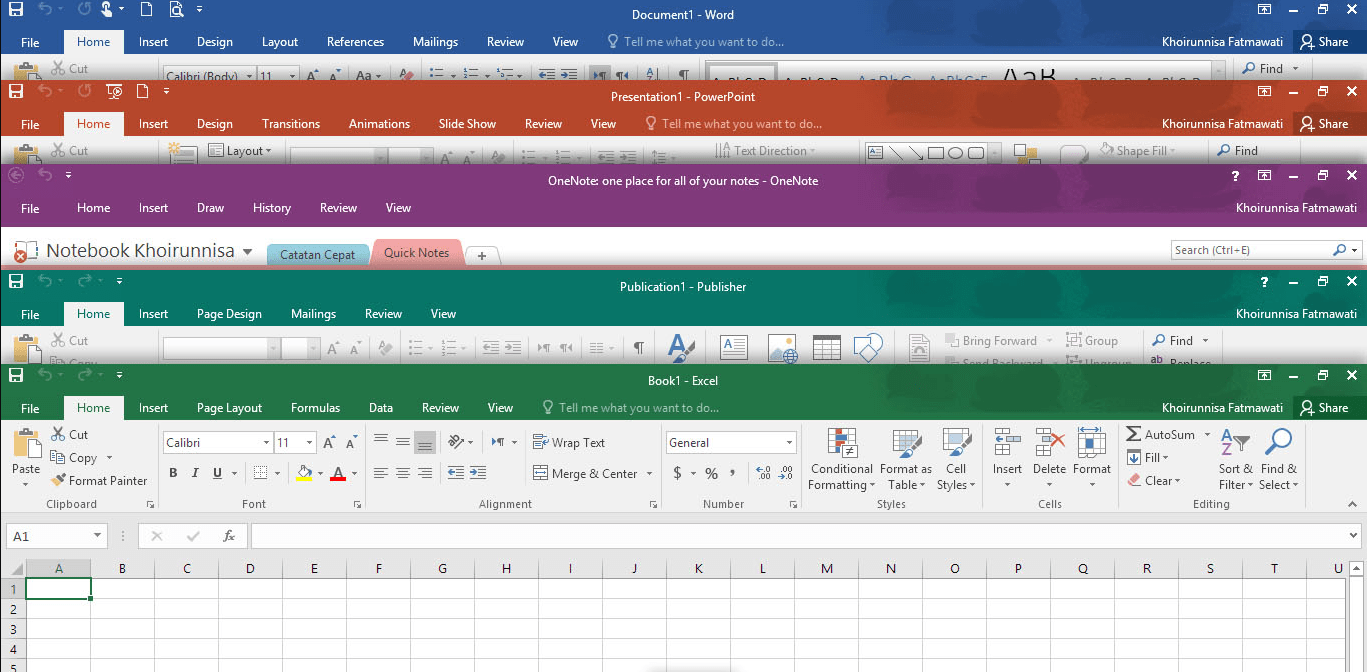
A one-PC license for Office 2016 Professional Plus that you attach to your Microsoft account by redeeming its code on Microsoft’s setup.office.com page. The account then lists Office 2016, and that is where you install it from, the first time and after any later Windows reinstall. The suite contains Word, Excel, PowerPoint, Outlook, OneNote, Access and Publisher and runs on Windows 11 or Windows 10. We deliver the key by e-mail, and it is a one-off payment.
Office 2016 Bind, the standard listing or 2021 Bind
With the Bind version, the license lives in your Microsoft account: after a new hard drive or a fresh Windows, you sign in at account.microsoft.com and choose Install, and no key is asked for. The standard Office 2016 Professional Plus is another one-PC listing of the 2016 suite, likewise redeemed at setup.office.com. If you want newer apps with the same account-based setup, Office 2021 Professional Plus Bind adds XLOOKUP, dynamic arrays and the 2021 versions of every app.
Inside the 2016 suite
Excel 2016 creates waterfall charts that show how a starting value rises and falls to a total. Access 2016 builds desktop databases with forms and reports, Outlook 2016 handles mail and calendars, and Publisher lays out print documents. OneNote 2016 is the classic desktop notebook. Office 2016 is also undemanding: Microsoft’s minimum is a 1 GHz CPU with 2 GB of RAM and 3 GB on the disk.
How to activate Office 2016 Professional Plus Bind
- Visit setup.office.com and click Get Started.
- Log in with the Microsoft account you want the license stored in. You can register a new account at this point if needed.
- Paste the product key from our e-mail, select Next, set the language and confirm with Redeem; the setup file then downloads.
- Install Office from that file. For any later installation, open account.microsoft.com, find Office 2016 in your products and select Install.
- Start Word and accept the license. The Activation Wizard opens after a few seconds: pick the Internet option and select Next.
Our Office 2016 setup walkthrough shows the redemption with screenshots.
System requirements
| Windows | Windows 11 or Windows 10 |
|---|---|
| Processor | x86 or x64, 1 GHz or faster, SSE2 instruction set |
| Memory | 2 GB RAM |
| Disk | 3 GB of available space |
| Display | 1024 x 768 or higher |
| Graphics | DirectX 10 card for hardware acceleration |
| Software | .NET Framework 3.5 |
| Also needed | A Microsoft account and internet access to redeem and download |
Questions about Office 2016 Professional Plus Bind
Which Microsoft account should I redeem it with?
Your own personal account that you expect to keep. Office 2016 will only appear in that account, and reinstalling needs that sign-in.
setup.office.com says my key was already used. Is it broken?
No. According to Microsoft, that message means the key has been redeemed before. Sign in at account.microsoft.com with the account you used, and install Office from there.
Is Windows 11 supported?
Yes. Microsoft lists Windows 11 and Windows 10 among the supported systems for Office 2016.
Can I get a refund after redeeming?
Refunds apply to keys that haven’t been redeemed, within 7 calendar days, as our refund policy explains. If a key won’t redeem, our 24/7 support helps or sends a replacement.
Be the first to review “Office 2016 Professional Plus Bind”
You must be logged in to post a review.
✅ We do not accept returns for digital products as they are accessible immediately upon purchase and, by their nature, cannot be physically returned. The order process includes multiple steps for verification and utilizes Two-Factor Authentication (2FA) to ensure the security of payment completion. If you are uncertain about whether this license is the appropriate choice for your needs, we encourage you to reach out through our chat service and consult with our tech expert for further information.
- Genuine Retail licenses. Every key is a genuine license that activates with Microsoft, or with ESET or Avast for antivirus. Unless the License line next to the price says OEM, it is a Retail license.
- Replacement if a key won't activate. Contact our support on live chat or by e-mail, day or night: we help you finish the activation or send a replacement key.
- Refund for unused keys. A key that has not been redeemed can be refunded within 7 calendar days of purchase, as set out in our Refund Policy.
- Invoice and instructions. Every order comes with a PDF invoice and instructions to download, install and activate the software.
You may also need
Reviews
There are no reviews yet.