
-
×
 Visual Studio 2019 Professional - 1PC
1 × £60,72
Visual Studio 2019 Professional - 1PC
1 × £60,72
Visual Studio 2017 Professional (1PC)
- License
- Retail · 1 PC
- Delivery
- Instant, by e-mail
- Download
- Official Microsoft
- Brand
- Microsoft
£30,79
One-time payment · no subscription
- Instant delivery to your e-mailkey + download links
- Key won't activate? We replace itunused keys: refund within 7 days
- Official invoice with every order
- 24/7 live chat help with activation
Pay with SKU VSP17
Visual Studio 2017 Professional for one PC, for solutions that stay on the 2017 toolset: the IDE with C# 7, CMake and Open Folder support. Activated with a product key.
What you get with Visual Studio 2017 Professional
A product key for Visual Studio 2017 Professional on one PC. It is the edition to choose when a solution, build script or extension still depends on the 2017 IDE, and it can be installed next to Visual Studio 2019 and 2022 on the same computer. Visual Studio 2017 introduced the workload-based installer, so you add only the components your projects use. You pay once; there is no subscription.
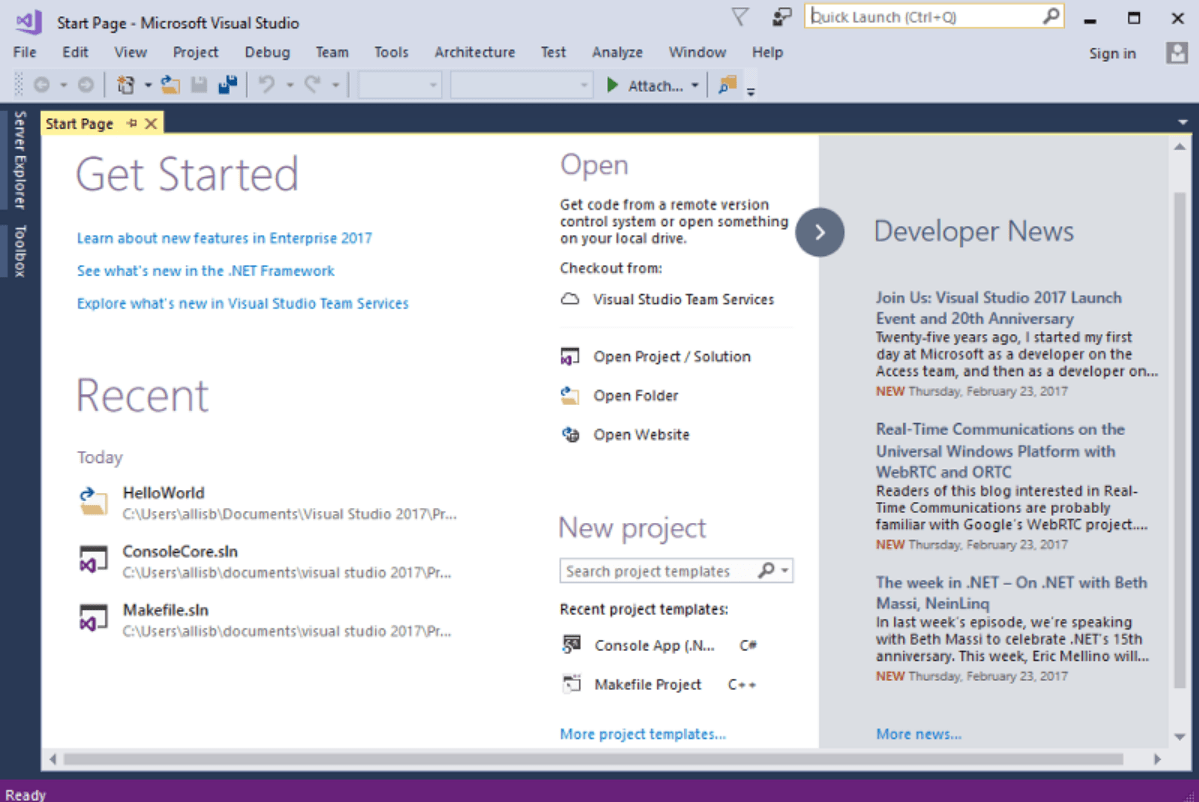
What the 2017 release brought
- The installer is modular: the smallest setup is a few hundred megabytes, and you add workloads such as .NET desktop development or Desktop development with C++.
- Open Folder works on code that has no project or solution file, and CMake projects load directly.
- The editor and compilers support the C# 7.0 and Visual Basic 15 language features.
- .NET Core projects use the simplified csproj format with MSBuild, and ASP.NET Core apps can be set up with Docker support.
- While debugging, Run to Click runs the program up to the line you click, and the Exception Helper shows exception details in a compact window that does not block the editor.
- IntelliSense can filter the member list by type, and structure guide lines show the block structure of your code.
Professional 2017 or a newer version
Professional 2017 has no IntelliTrace and no Live Unit Testing; in 2017 both were Enterprise features. It can read and filter code maps and open dependency diagrams made in Enterprise, but cannot generate them. For new projects, Visual Studio 2019 Professional and Visual Studio 2022 Professional are the newer releases, and 2022 is the first 64-bit IDE.
Installing and activating Visual Studio 2017 Professional
- Run the Professional 2017 installer from the Microsoft link in your order e-mail, with administrator rights.
- Choose your workloads and select Install. Setup adds .NET Framework 4.7.2 if the PC does not have it.
- Open Visual Studio 2017 and go to File → Account Settings.
- Select the License with a Product Key link, then type the key in the box provided.
Without a key, the trial lasts 30 days, or 90 days after you sign in. For the full sequence, see our Visual Studio installation guide.
System requirements
| Operating system | Windows 11 (Home, Pro, Enterprise, Education, Pro Education or Pro for Workstations); Windows Server 2016, 2019, 2022 or 2025, Standard or Datacenter |
|---|---|
| Processor | 1.8 GHz or faster; dual-core or better recommended |
| Memory | 2 GB; 4 GB recommended; 2.5 GB minimum on a virtual machine |
| Disk space | Up to 130 GB for a full feature set; most installations take 20–50 GB; an SSD improves performance |
| Display | 720p (1280 × 720) minimum; best at WXGA (1366 × 768) or higher |
| Setup | Run as administrator; needs .NET Framework 4.5.2 or newer, and Visual Studio adds 4.7.2, which it needs to run |
Questions about Visual Studio 2017 Professional
Can I use this key on a Mac?
No. Visual Studio 2017 Professional is a Windows program. Visual Studio 2017 for Mac was a separate product with its own requirements, and this key is for the Windows edition.
Which Windows versions does Microsoft list for Visual Studio 2017?
Windows 11 and Windows Server 2016 to 2025, as in the table above. On Windows Server, the Server Core and Minimal Server Interface options are not supported.
What if Visual Studio 2017 does not accept the key?
Contact our support at any hour by chat or e-mail: we troubleshoot the activation or send a replacement key. Keys that have not been redeemed can be refunded under our refund policy.
Be the first to review “Visual Studio 2017 Professional (1PC)”
You must be logged in to post a review.
- Genuine Retail licenses. Every key is a genuine license that activates with Microsoft, or with ESET or Avast for antivirus. Unless the License line next to the price says OEM, it is a Retail license.
- Replacement if a key won't activate. Contact our support on live chat or by e-mail, day or night: we help you finish the activation or send a replacement key.
- Refund for unused keys. A key that has not been redeemed can be refunded within 7 calendar days of purchase, as set out in our Refund Policy.
- Invoice and instructions. Every order comes with a PDF invoice and instructions to download, install and activate the software.
You may also need

Reviews
There are no reviews yet.