
Visual Studio Enterprise 2019 – 1PC
- License
- Retail · 1 PC
- Delivery
- Instant, by e-mail
- Download
- Official Microsoft
- Brand
- Microsoft
€49,00
One-time payment · no subscription
- Instant delivery to your e-mailkey + download links
- Key won't activate? We replace itunused keys: refund within 7 days
- Official invoice with every order
- 24/7 live chat help with activation
Visual Studio Enterprise 2019 for one PC: every Professional feature plus the Enterprise test and diagnostic tools, such as IntelliTrace and Live Unit Testing. Activated with a product key.
What you get with Visual Studio Enterprise 2019
A product key for Visual Studio Enterprise 2019, licensed for one PC. This is the Enterprise edition of the 2019 IDE: all Professional features, plus Microsoft’s Enterprise-only tools for historical debugging, continuous unit testing, test isolation and architecture checks. Visual Studio 2019 installs next to 2017 and 2022, so older solutions can stay on the toolset they were built with. One payment covers it; nothing renews.
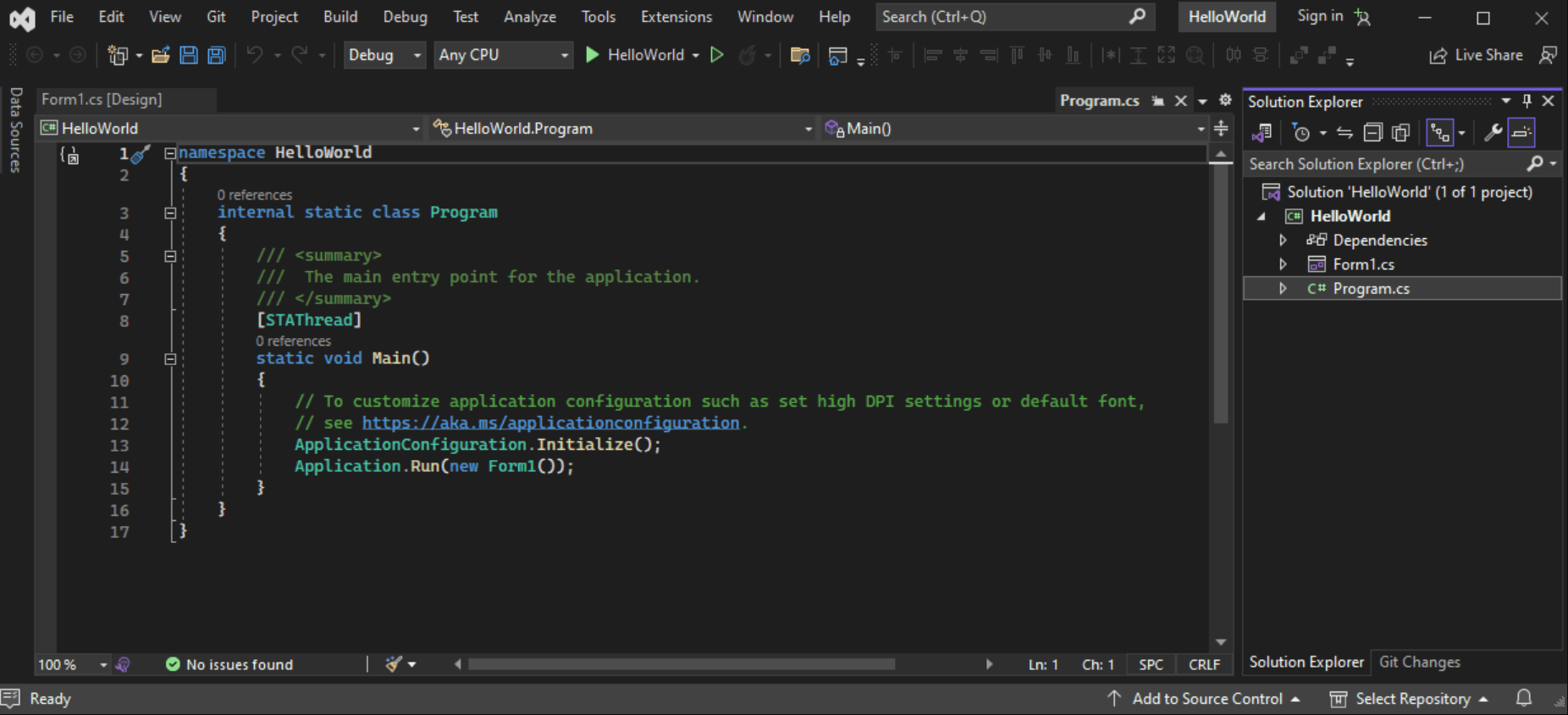
Enterprise tools in the 2019 release
- IntelliTrace keeps a history of debugger events and exceptions during a session, and Enterprise opens .iTrace files collected elsewhere so you can debug from a recorded event.
- Live Unit Testing, first shipped with Visual Studio 2017 Enterprise, reruns MSTest, xUnit or NUnit tests for C# and Visual Basic projects while you edit.
- Code coverage, offered only in the Enterprise edition of Visual Studio 2019, colors covered code in the editor and can merge the results of several test runs.
- Microsoft Fakes also works with SDK-style and .NET Core projects from version 16.8, not only with classic .NET Framework projects.
- IntelliTest explores C# methods on .NET Framework and writes parameterized unit tests for them.
- Dependency diagrams check layer rules as you work and support .NET Core projects from version 16.2; code maps show calls and references across the solution.
Other editions and versions
Visual Studio 2019 Professional has the same IDE without the tools above. For several machines there is Visual Studio Enterprise 2019 for 5 PCs, and for new projects Visual Studio Enterprise 2022, the first 64-bit release of the IDE.
Activating your Visual Studio Enterprise 2019 key
- Download the Enterprise 2019 installer from Microsoft through the link in your order e-mail.
- Start it with administrator rights and pick your workloads. For the architecture tools, add Code Map and Live Dependency Validation on the Individual components tab.
- Launch Visual Studio and choose File → Account Settings.
- Pick “License with a Product Key”, fill in the key and select Apply.
The full walkthrough is in our Visual Studio setup and activation guide.
System requirements
| Windows | Windows 11 Home, Education, Enterprise, Pro, Pro Education or Pro for Workstations, or Windows Server 2016 to 2025, Standard and Datacenter; ARM devices are not supported |
|---|---|
| CPU | At least 1.8 GHz; four or more cores recommended |
| RAM | 2 GB (2.5 GB on a virtual machine); 8 GB recommended |
| Storage | From 800 MB up to 210 GB for the chosen features, usually 20–50 GB; SSD recommended for speed |
| Screen | 720p (1280 by 720) at least; WXGA (1366 by 768) or more is better |
| Software | Admin rights for setup; .NET Framework 4.5.2+ to install, .NET Framework 4.7.2 to run (included in setup) |
Questions about Visual Studio Enterprise 2019
Can it run on the same PC as Visual Studio 2017?
Yes. Microsoft supports Visual Studio 2019 alongside 2017, 2015, 2013 and 2012, and Visual Studio 2022 can be added as well.
Does it include Microsoft Test Manager or the UML designers?
No. Microsoft Test Manager 2017, which shipped with Visual Studio 2017, was the last version, and Microsoft moved test management to Azure Test Plans. The UML designers were removed in Visual Studio 2017; code maps and dependency diagrams are the architecture tools in 2019.
Can I return the key if I chose the wrong edition?
Yes, as long as it has not been redeemed: unused keys can be refunded within 7 calendar days, see the refund policy. If a key will not activate, our 24/7 support helps or sends a replacement.
Be the first to review “Visual Studio Enterprise 2019 – 1PC”
You must be logged in to post a review.
- Genuine Retail licenses. Every key is a genuine license that activates with Microsoft, or with ESET or Avast for antivirus. Unless the License line next to the price says OEM, it is a Retail license.
- Replacement if a key won't activate. Contact our support on live chat or by e-mail, day or night: we help you finish the activation or send a replacement key.
- Refund for unused keys. A key that has not been redeemed can be refunded within 7 calendar days of purchase, as set out in our Refund Policy.
- Invoice and instructions. Every order comes with a PDF invoice and instructions to download, install and activate the software.
You may also need


Reviews
There are no reviews yet.