
Windows Server 2012 R2 Datacenter
- License
- Retail
- Delivery
- Instant, by e-mail
- Download
- Official Microsoft
- Brand
- Microsoft
€94,99
One-time payment · no subscription
- Instant delivery to your e-mailkey + download links
- Key won't activate? We replace itunused keys: refund within 7 days
- Official invoice with every order
- 24/7 live chat help with activation
Windows Server 2012 R2 Datacenter licenses a server with up to two physical processors: unlimited Windows Server virtual instances, and guest activation through the Hyper-V host (AVMA).
What you get with Windows Server 2012 R2 Datacenter
You are buying a product key for Windows Server 2012 R2 Datacenter. In this release Microsoft licenses servers by processor, and a single Datacenter license covers up to two physical processors in one server while allowing unlimited instances of Windows Server on it. The key reaches you by e-mail together with Microsoft’s download link and setup notes; the invoice follows as a PDF with the order-completed e-mail. It is a perpetual license paid once.
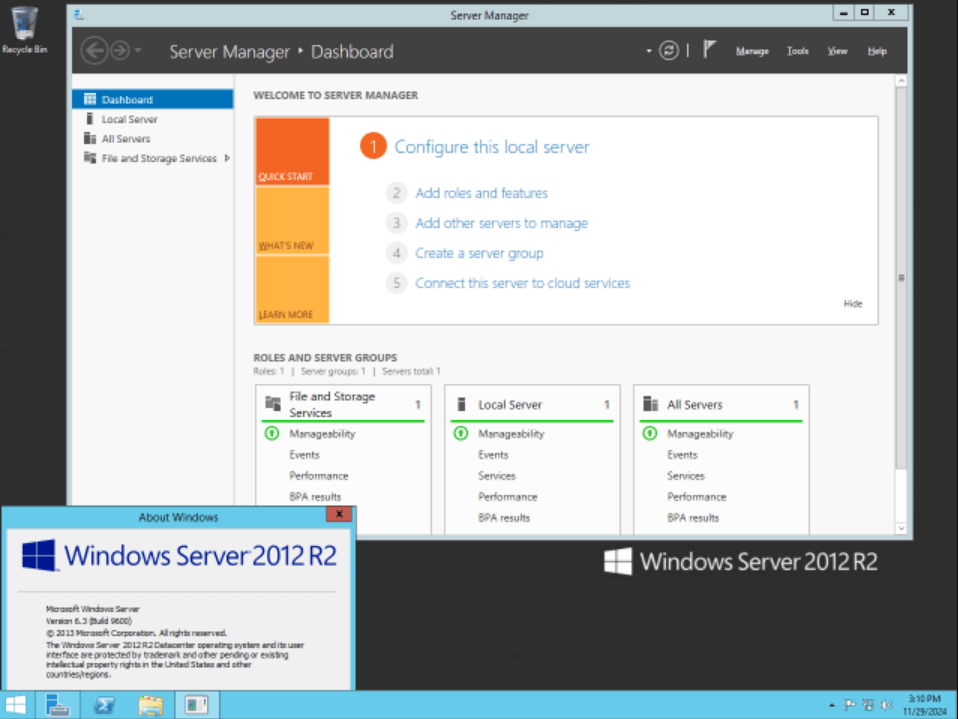
Built for Hyper-V hosts
Datacenter and Standard share the same 2012 R2 feature set; what Datacenter adds is the right to run as many Windows Server guests as the host can hold. The parts of 2012 R2 that matter most on such a host:
- Hyper-V with failover clustering, so guests can run on clustered hosts.
- Hyper-V Network Virtualization, which runs isolated virtual networks on top of the physical one.
- Automatic Virtual Machine Activation: Windows Server 2012 R2 guests activate against the activated Datacenter host with Microsoft’s AVMA key, without a key of their own.
- Storage Spaces with storage tiers and write-back cache, and deduplication of live virtual desktop disks on a scale-out file share.
- Remote Desktop Services for virtual desktops and RemoteApp programs.
Datacenter, Standard or a newer host
Every Standard license allows two Windows Server instances, so a host with many guests needs several of them; one Datacenter license per two processors removes that count. A file server or domain controller with one or two guests only needs Windows Server 2012 R2 Standard. Each user or device still needs a Windows Server CAL; Windows Server 2012 CALs are valid for 2012 R2. For a host that should also activate 2016 guests, Windows Server Datacenter 2016 is the next release.
Activating Windows Server 2012 R2 Datacenter
- Download the 2012 R2 installation image with the Microsoft link from your e-mail and install the Datacenter edition, Server with a GUI or Server Core.
- In an elevated command prompt, enter slmgr /ipk and the 25-character key.
- Activate with slmgr /ato; slmgr /dli then displays the license status.
- For each Windows Server 2012 R2 guest on this host, install Microsoft’s published AVMA key with slmgr /ipk inside the VM; it activates when it starts.
Screenshots of setup and activation are in our Windows Server installation and activation walkthrough.
System requirements
| CPU | 64-bit processor, 1.4 GHz minimum |
|---|---|
| RAM | 512 MB minimum; give a VM more than 800 MB while setup runs |
| Disk space | 32 GB for the system partition, more on hosts with over 16 GB of RAM |
| Network | Gigabit Ethernet adapter |
| Optional | DVD drive for disc installs, 1024 × 768 monitor, keyboard and mouse, internet connection |
Questions about Windows Server 2012 R2 Datacenter
Does 2012 R2 Datacenter use core licensing?
No. Per-core licensing started with Windows Server 2016. A 2012 R2 Datacenter license covers two physical processors, whatever their core count; a four-processor server needs two licenses.
Which guests can AVMA activate on this host?
A 2012 R2 Datacenter host activates Windows Server 2012 R2 guests of the Datacenter, Standard and Essentials editions. Newer guest versions need a newer host or their own keys.
Does the license include Remote Desktop CALs?
No. Remote Desktop Services users need RDS CALs in addition to their Windows Server CALs.
Be the first to review “Windows Server 2012 R2 Datacenter”
You must be logged in to post a review.
- Genuine Retail licenses. Every key is a genuine license that activates with Microsoft, or with ESET or Avast for antivirus. Unless the License line next to the price says OEM, it is a Retail license.
- Replacement if a key won't activate. Contact our support on live chat or by e-mail, day or night: we help you finish the activation or send a replacement key.
- Refund for unused keys. A key that has not been redeemed can be refunded within 7 calendar days of purchase, as set out in our Refund Policy.
- Invoice and instructions. Every order comes with a PDF invoice and instructions to download, install and activate the software.
You may also need
Reviews
There are no reviews yet.