
Office 2016 Professional Plus
- License
- Retail · 1 PC
- Delivery
- Instant, by e-mail
- Download
- Official Microsoft
- Brand
- Microsoft
€19,65
One-time payment · no subscription
- Instant delivery to your e-mailkey + download links
- Key won't activate? We replace itunused keys: refund within 7 days
- Official invoice with every order
- 24/7 live chat help with activation
Office 2016 Professional Plus for one Windows PC, with Access and Publisher alongside Word, Excel, PowerPoint, Outlook and OneNote. Runs on 2 GB of RAM. One-time purchase.
What you get with Office 2016 Professional Plus
Office 2016 Professional Plus for one Windows PC, with Word, Excel, PowerPoint, Outlook and OneNote plus Access and Publisher. Your PC needs Windows 10 or 11; the key is redeemed at setup.office.com, Office installs from the download that follows, and it activates when you first open Word. The key, the download link and the setup instructions come by e-mail, and you pay a single time with no subscription.
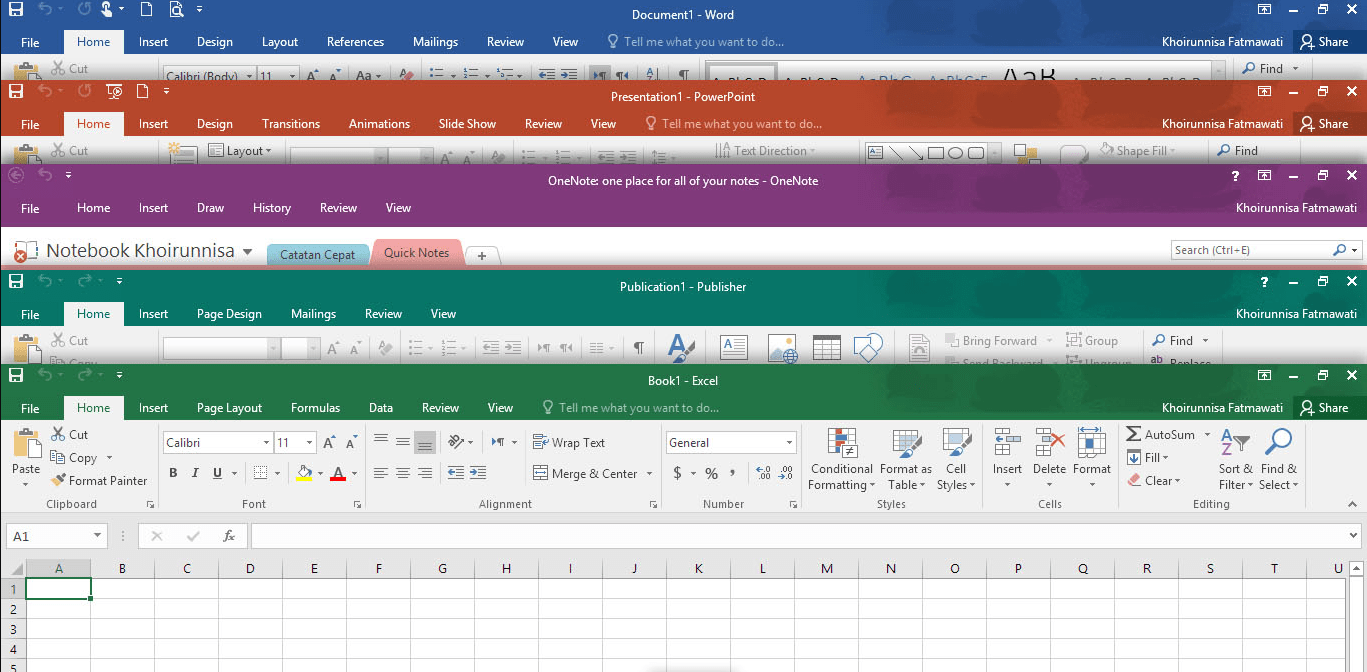
What the 2016 suite contains
- Excel 2016 draws waterfall charts, and in this edition it includes Power Pivot for data models and 3D Maps for plotting figures on a globe.
- Spreadsheet Compare and Spreadsheet Inquire show the differences between two workbooks and trace links between cells, which helps when you audit a colleague’s file.
- Access 2016 builds desktop databases, and Database Compare lists the changes between two versions of a database.
- Outlook, Publisher and OneNote complete the set: mail and calendar, page layout for print, and the OneNote 2016 notebook app.
Office 2016 is also the lightest of the Professional Plus versions: Microsoft lists a 1 GHz processor, 2 GB of memory and 3 GB of disk space, so it suits an older office PC.
Office 2016, a newer version, five PCs or Bind
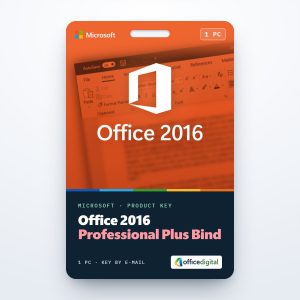
Choose Office 2016 when a PC has modest hardware or when your other computers already run 2016 and you want identical menus everywhere. For XLOOKUP, dynamic arrays and the 2021 apps, Office 2021 Professional Plus is the newer option. For up to five machines there is Office 2016 Professional Plus for 5 PCs, and Office 2016 Professional Plus Bind is a further one-PC listing of the same version.
How to activate Office 2016 Professional Plus
- Visit setup.office.com in a browser and choose Get Started.
- Log in to your Microsoft account, or register a new one there.
- Type your 25-character key from the e-mail and select Next, then pick a language and confirm with Redeem. Office 2016 begins downloading.
- Open the setup file once the download is complete and let the installation finish.
- Launch Word. After a few seconds the Activation Wizard appears; pick the option for activating over the Internet and click Next, and Office 2016 is activated.
Read our Office 2016 installation guide for screenshots of the setup and activation. The Office ISO downloads page on our site links Microsoft’s Office 2016 image if you prefer to install from an ISO.
System requirements
| Operating system | Windows 11, Windows 10 or Windows Server 2016 |
|---|---|
| Processor | 1 GHz or faster, x86 or x64, with SSE2 |
| Memory | 2 GB RAM |
| Hard disk | 3 GB available |
| Display | 1024 x 768 |
| Graphics | DirectX 10 graphics card for hardware acceleration |
| .NET | .NET 3.5 required; some features need .NET 4.0, 4.5 or 4.6 |
Questions about Office 2016 Professional Plus
Does Office 2016 run on Windows 11?
Yes. Microsoft lists Windows 11, Windows 10 and Windows Server 2016 for Office 2016.
Can it open files made in newer Office versions?
Yes, Office 2016 uses the same .docx, .xlsx and .pptx formats. Formulas that depend on functions added later, such as XLOOKUP, show an error instead of a result.
How fast does the key arrive?
Usually within a few minutes after the payment is confirmed, at any time of day. Some orders are checked by hand first, which takes about an hour.
Be the first to review “Office 2016 Professional Plus”
You must be logged in to post a review.
- Genuine Retail licenses. Every key is a genuine license that activates with Microsoft, or with ESET or Avast for antivirus. Unless the License line next to the price says OEM, it is a Retail license.
- Replacement if a key won't activate. Contact our support on live chat or by e-mail, day or night: we help you finish the activation or send a replacement key.
- Refund for unused keys. A key that has not been redeemed can be refunded within 7 calendar days of purchase, as set out in our Refund Policy.
- Invoice and instructions. Every order comes with a PDF invoice and instructions to download, install and activate the software.
You may also need
Reviews
There are no reviews yet.